Generating Blue Noise Sample Points With Mitchell’s Best Candidate Algorithm

Lately I’ve been eyeball deep in noise, ordered dithering and related topics, and have been learning some really interesting things.

As the information coalesces it’ll become apparent whether there is going to be a huge mega post coming, or if there will be several smaller ones.

In the meantime, I wanted to share this bite sized chunk of information.

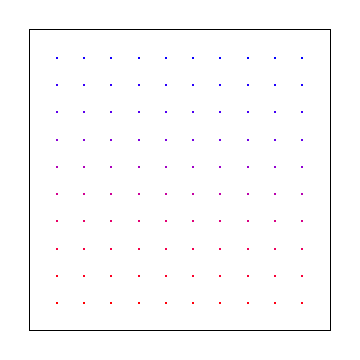
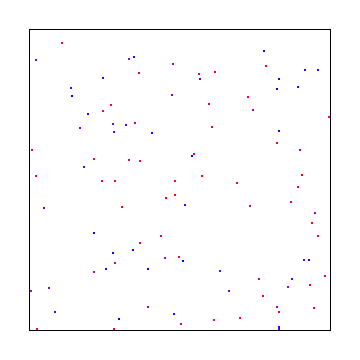
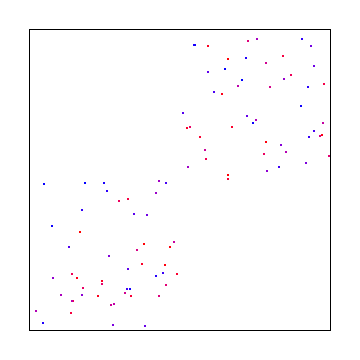
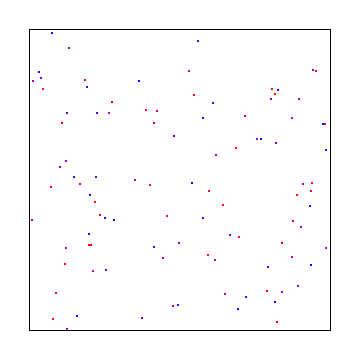
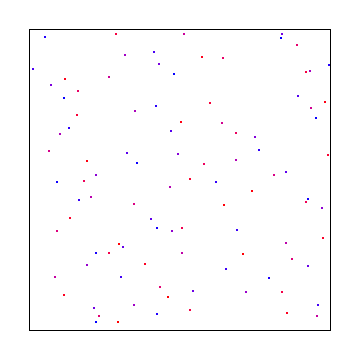
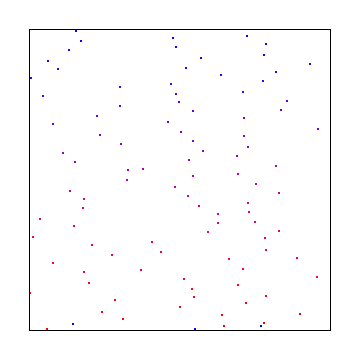
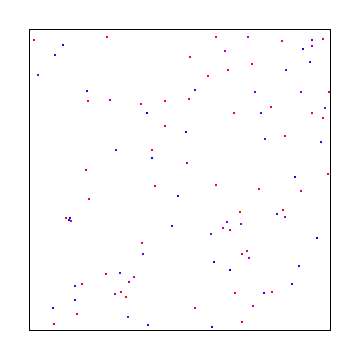
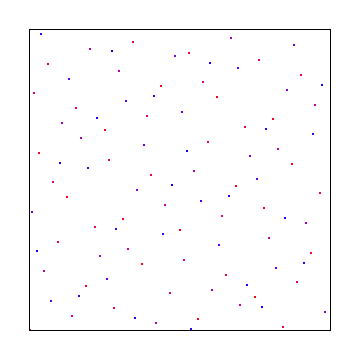
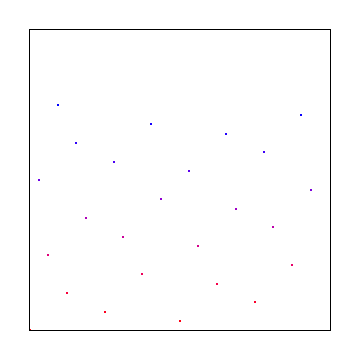
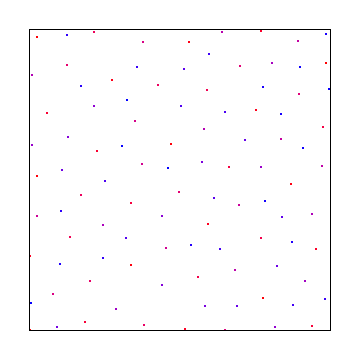
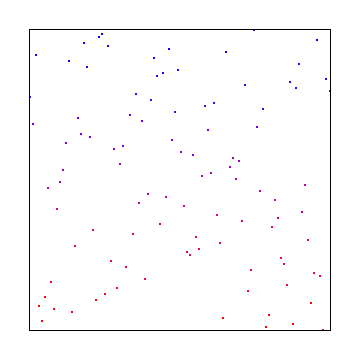
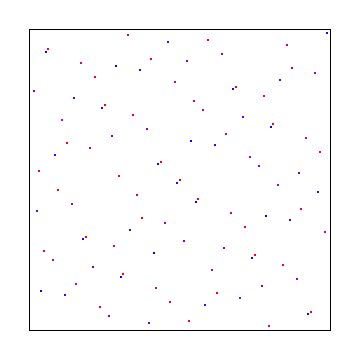
Three sampling patterns that are most often used when sampling (say, when numerically integrating a lighting function for graphics/rendering purposes) are: regular samples, white noise samples, and blue noise samples.

Regular Sampling

Regular sampling just means evenly spacing the samples. This sampling strategy can suffer from aliasing, but gives good coverage of the sample space.

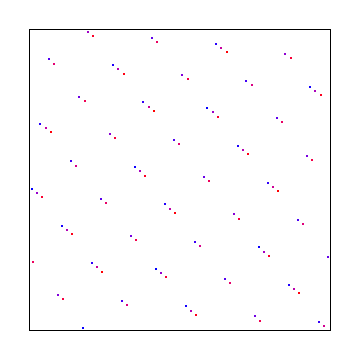
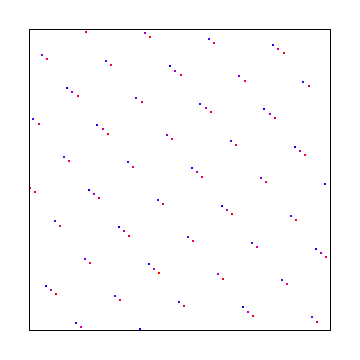
Here are 256, 1024 and 4096 samples:


Here are those samples taken from a source image:


Here is the DFT (frequency amplitude) of those samples:


White Noise Sampling

White noise sampling just chooses random numbers for where to place the samples.
The random numbers are uniformly distributed, meaning they are just plain vanilla random numbers where each number is equally likely to come up.

White noise sampling can make for noisy results, and suffers from the fact that white noise sample points can clump together and leave empty space. Clumped sample points give redundant information while empty space is information that you are lacking in the sample space. In general, noise is often desired over aliasing though, so white noise samples are generally preferred over regular sampling. Monte Carlo integration also requires random samples.

White noise is called white noise because it contains all frequencies approximately evenly, like how white light is made up of all frequencies of light.

Here are 256, 1024 and 4096 samples:


Here are those samples taken from a source image:


Here is the DFT (frequency amplitude) of those samples:


Blue Noise Sampling

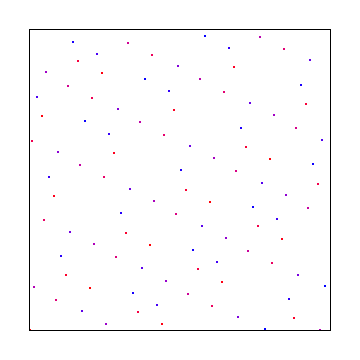
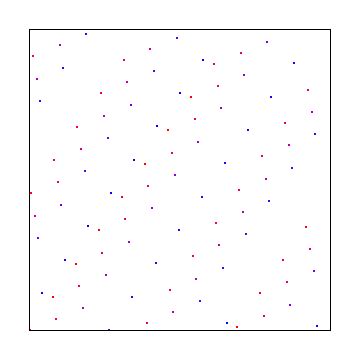
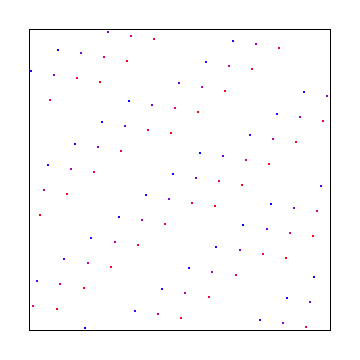
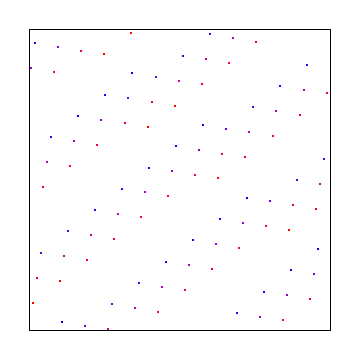
Lastly is blue noise sampling which is somewhere between regular sampling and white noise sampling. Blue noise sampling has randomly placed points like white noise does, but the randomly placed points are approximately evenly spaced, which is more like regular sampling.

Things like low discrepancy sequences, stratified sampling, and jittered regular sampling mimic blue noise, and are often a cheaper alternative when an approximation is acceptable. More info on low discrepancy sequences is available on my post here: When Random Numbers Are Too Random: Low Discrepancy Sequences

Blue noise is called blue noise because it contains higher amounts of higher frequencies and lower amounts of lower frequencies. This is the same of blue light, which contains higher frequency (bluer) light.

Here are 256, 1024 and 4096 samples:


Here are those samples taken from a source image:


Here is the DFT (frequency amplitude) of those samples:


Comparison

Imagine you were a robot with 4096 light/color sensors. Which of the arrangements below do you think would give you the best information about the world around you with that number of sensors?


To me, the regular grid and the blue noise are a bit of a coin toss, while the white noise version is awful.

The regular grid does seem to show me straight lined things better (the road, sidewalk, etc), but it makes non straight lined things – like the trees – look blocky. The blue noise grid does the reverse and makes straight things look wavy, while making it easier to see the true shape of non straight things.

Mathematically, blue noise is superior sampling, so maybe this example isn’t the best way to show the value of blue noise.

Here is the real image:

Apparently the photo-receptors in our eyes are arranged in a blue noise pattern. Some people say this is why blue noise is more agreeable with our perception, but since it also helps numerical integration converge faster for lower sample counts (compared to white noise – which wins out with larger sample counts BTW!), it seems like there is a more fundamental reason which would cause an evolutionary advantage for them to be arranged that way in the first place.

Generating Blue Noise Sample Points

The obvious question is: I know how to make uniform and random sample points. How do I make blue noise sample points?

There are multiple ways to do it, but a method that I find very easy to understand and to implement is “Mitchell’s Best Candidate Algorithm”.

The algorithm is as follows:

  1. Place a random sample point as the first sample point.
  2. Generate some number of random dots as candidates to be the next sample point.
  3. Whichever of these dots is farthest away from the closest existing sample point is the winner. Place that dot as the new sample point.
  4. GOTO 2 and Repeat until you have as many sample points as you want.

The algorithm is pretty simple, but there are two other important details that are needed to give you good results:

  • When calculating distance between dots, you need to consider wrap around. More info on how to do that here: Calculating the Distance Between Points in “Wrap Around” (Toroidal) Space.
  • The number of candidates you generate should scale up with the number of existing sample points. As the original paper describing this technique says, doing that helps ensure that the statistics of your sample points stay constant as the number of sample points changes.

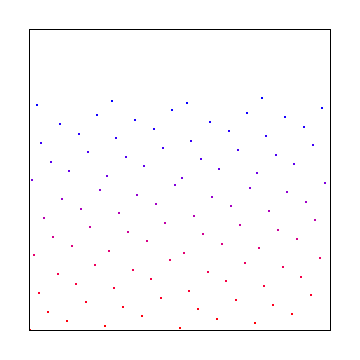
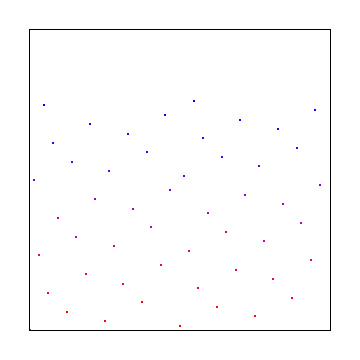
When I first tried to get this algorithm working, I was generating a fixed number of candidates each time. That gave me these pretty terrible results:

However, when I multiplied the number of existing sample points by a constant “m” as the number of sample points to generate, I got much better results, even when m was 1! (Note: m=0 is the same as white noise in this image. I did NumSamples*m+1 candidates each time.)

Related Computer Graphics Stack Exchange Question: Mitchell’s Best Candidate Algorithm

If you store existing sample points in a grid, you can speed up the algorithm since it will be faster to find the closest point to a candidate. In the implementation on this post I didn’t do that.

You may be able to multithread this algorithm but I haven’t tried it. The idea would be if you needed to make and test N candidates, that you could split that among M threads, so long as N was large enough to make that worth while. I didn’t do that in this post.

Lastly, instead of working with distance, you can work with SQUARED distance to avoid many unnecessary square root calculations. The example code here does that optimization.

Links

The 1991 paper that described this technique:
Spectrally optimal sampling for distribution ray tracing

Another interesting link on this algorithm:
Mitchell’s Best-Candidate

This algorithm isn’t that great for making dense sample points, or for use in dithering / stippling. Look for a future blog post about those usage cases, but for now, this is a great resource:
Free Blue Noise Textures (and info / examples on blue noise texture usage)

A physics based approach to blue noise distributed samples:
Electrostatic Half Toning

A neat read on the “void and cluster” method for generating blue noise, and also a good read on what ordered dithering is all about:
The void and cluster method for dither array generation

Source Code

Here is some simple standalone C++ source code which can generate blue noise sample points, and also generated the images used in this post.

It’s also on github (along with the source image) at https://github.com/Atrix256/RandomCode/tree/master/Mitchell

#define _CRT_SECURE_NO_WARNINGS

#include <windows.h>  // for bitmap headers.  Sorry non windows people!
#include <stdint.h>
#include <vector>
#include <complex>
#include <thread>
#include <atomic>
#include <random>
#include <array>

typedef uint8_t uint8;
typedef int64_t int64;

const float c_pi = 3.14159265359f;

//======================================================================================
struct SImageData
{
    SImageData ()
        : m_width(0)
        , m_height(0)
    { }
   
    size_t m_width;
    size_t m_height;
    size_t m_pitch;
    std::vector<uint8> m_pixels;
};

SImageData s_stippleImage;
 
//======================================================================================
struct SColor
{
    SColor (uint8 _R = 0, uint8 _G = 0, uint8 _B = 0)
        : R(_R), G(_G), B(_B)
    { }

    inline void Set (uint8 _R, uint8 _G, uint8 _B)
    {
        R = _R;
        G = _G;
        B = _B;
    }
 
    uint8 B, G, R;
};

//======================================================================================
struct SImageDataComplex
{
    SImageDataComplex ()
        : m_width(0)
        , m_height(0)
    { }
 
    size_t m_width;
    size_t m_height;
    std::vector<std::complex<float>> m_pixels;
};

//======================================================================================
std::complex<float> DFTPixel (const SImageData &srcImage, size_t K, size_t L)
{
    std::complex<float> ret(0.0f, 0.0f);
 
    for (size_t x = 0; x < srcImage.m_width; ++x)
    {
        for (size_t y = 0; y < srcImage.m_height; ++y)
        {
            // Get the pixel value (assuming greyscale) and convert it to [0,1] space
            const uint8 *src = &srcImage.m_pixels[(y * srcImage.m_pitch) + x * 3];
            float grey = float(src[0]) / 255.0f;
 
            // Add to the sum of the return value
            float v = float(K * x) / float(srcImage.m_width);
            v += float(L * y) / float(srcImage.m_height);
            ret += std::complex<float>(grey, 0.0f) * std::polar<float>(1.0f, -2.0f * c_pi * v);
        }
    }
 
    return ret;
}
 
//======================================================================================
void DFTImage (const SImageData &srcImage, SImageDataComplex &destImage)
{
    // NOTE: this function assumes srcImage is greyscale, so works on only the red component of srcImage.
    // ImageToGrey() will convert an image to greyscale.

    // size the output dft data
    destImage.m_width = srcImage.m_width;
    destImage.m_height = srcImage.m_height;
    destImage.m_pixels.resize(destImage.m_width*destImage.m_height);

    size_t numThreads = std::thread::hardware_concurrency();
    //if (numThreads > 0)
        //numThreads = numThreads - 1;

    std::vector<std::thread> threads;
    threads.resize(numThreads);

    printf("Doing DFT with %zu threads...\n", numThreads);

    // calculate 2d dft (brute force, not using fast fourier transform) multithreadedly
    std::atomic<size_t> nextRow(0);
    for (std::thread& t : threads)
    {
        t = std::thread(
            [&] ()
            {
                size_t row = nextRow.fetch_add(1);
                bool reportProgress = (row == 0);
                int lastPercent = -1;

                while (row < srcImage.m_height)
                {
                    // calculate the DFT for every pixel / frequency in this row
                    for (size_t x = 0; x < srcImage.m_width; ++x)
                    {
                        destImage.m_pixels[row * destImage.m_width + x] = DFTPixel(srcImage, x, row);
                    }

                    // report progress if we should
                    if (reportProgress)
                    {
                        int percent = int(100.0f * float(row) / float(srcImage.m_height));
                        if (lastPercent != percent)
                        {
                            lastPercent = percent;
                            printf("            \rDFT: %i%%", lastPercent);
                        }
                    }

                    // go to the next row
                    row = nextRow.fetch_add(1);
                }
            }
        );
    }

    for (std::thread& t : threads)
        t.join();

    printf("\n");
}

//======================================================================================
void GetMagnitudeData (const SImageDataComplex& srcImage, SImageData& destImage)
{
    // size the output image
    destImage.m_width = srcImage.m_width;
    destImage.m_height = srcImage.m_height;
    destImage.m_pitch = 4 * ((srcImage.m_width * 24 + 31) / 32);
    destImage.m_pixels.resize(destImage.m_pitch*destImage.m_height);
 
    // get floating point magnitude data
    std::vector<float> magArray;
    magArray.resize(srcImage.m_width*srcImage.m_height);
    float maxmag = 0.0f;
    for (size_t x = 0; x < srcImage.m_width; ++x)
    {
        for (size_t y = 0; y < srcImage.m_height; ++y)
        {
            // Offset the information by half width & height in the positive direction.
            // This makes frequency 0 (DC) be at the image origin, like most diagrams show it.
            int k = (x + (int)srcImage.m_width / 2) % (int)srcImage.m_width;
            int l = (y + (int)srcImage.m_height / 2) % (int)srcImage.m_height;
            const std::complex<float> &src = srcImage.m_pixels[l*srcImage.m_width + k];
 
            float mag = std::abs(src);
            if (mag > maxmag)
                maxmag = mag;
 
            magArray[y*srcImage.m_width + x] = mag;
        }
    }
    if (maxmag == 0.0f)
        maxmag = 1.0f;
 
    const float c = 255.0f / log(1.0f+maxmag);
 
    // normalize the magnitude data and send it back in [0, 255]
    for (size_t x = 0; x < srcImage.m_width; ++x)
    {
        for (size_t y = 0; y < srcImage.m_height; ++y)
        {
            float src = c * log(1.0f + magArray[y*srcImage.m_width + x]);
 
            uint8 magu8 = uint8(src);
 
            uint8* dest = &destImage.m_pixels[y*destImage.m_pitch + x * 3];
            dest[0] = magu8;
            dest[1] = magu8;
            dest[2] = magu8;
        }
    }
}
 
//======================================================================================
void GetPhaseData (const SImageDataComplex& srcImage, SImageData& destImage)
{
    // size the output image
    destImage.m_width = srcImage.m_width;
    destImage.m_height = srcImage.m_height;
    destImage.m_pitch = 4 * ((srcImage.m_width * 24 + 31) / 32);
    destImage.m_pixels.resize(destImage.m_pitch*destImage.m_height);
 
    // get floating point phase data, and encode it in [0,255]
    for (size_t x = 0; x < srcImage.m_width; ++x)
    {
        for (size_t y = 0; y < srcImage.m_height; ++y)
        {
            // Offset the information by half width & height in the positive direction.
            // This makes frequency 0 (DC) be at the image origin, like most diagrams show it.
            int k = (x + (int)srcImage.m_width / 2) % (int)srcImage.m_width;
            int l = (y + (int)srcImage.m_height / 2) % (int)srcImage.m_height;
            const std::complex<float> &src = srcImage.m_pixels[l*srcImage.m_width + k];
 
            // get phase, and change it from [-pi,+pi] to [0,255]
            float phase = (0.5f + 0.5f * std::atan2(src.real(), src.imag()) / c_pi);
            if (phase < 0.0f)
                phase = 0.0f;
            if (phase > 1.0f)
                phase = 1.0;
            uint8 phase255 = uint8(phase * 255);
 
            // write the phase as grey scale color
            uint8* dest = &destImage.m_pixels[y*destImage.m_pitch + x * 3];
            dest[0] = phase255;
            dest[1] = phase255;
            dest[2] = phase255;
        }
    }
}

//======================================================================================
bool ImageSave (const SImageData &image, const char *fileName)
{
    // open the file if we can
    FILE *file;
    file = fopen(fileName, "wb");
    if (!file) {
        printf("Could not save %s\n", fileName);
        return false;
    }
   
    // make the header info
    BITMAPFILEHEADER header;
    BITMAPINFOHEADER infoHeader;
   
    header.bfType = 0x4D42;
    header.bfReserved1 = 0;
    header.bfReserved2 = 0;
    header.bfOffBits = 54;
   
    infoHeader.biSize = 40;
    infoHeader.biWidth = (LONG)image.m_width;
    infoHeader.biHeight = (LONG)image.m_height;
    infoHeader.biPlanes = 1;
    infoHeader.biBitCount = 24;
    infoHeader.biCompression = 0;
    infoHeader.biSizeImage = (DWORD) image.m_pixels.size();
    infoHeader.biXPelsPerMeter = 0;
    infoHeader.biYPelsPerMeter = 0;
    infoHeader.biClrUsed = 0;
    infoHeader.biClrImportant = 0;
   
    header.bfSize = infoHeader.biSizeImage + header.bfOffBits;
   
    // write the data and close the file
    fwrite(&header, sizeof(header), 1, file);
    fwrite(&infoHeader, sizeof(infoHeader), 1, file);
    fwrite(&image.m_pixels[0], infoHeader.biSizeImage, 1, file);
    fclose(file);
  
    return true;
}

//======================================================================================
bool ImageLoad (const char *fileName, SImageData& imageData)
{
    // open the file if we can
    FILE *file;
    file = fopen(fileName, "rb");
    if (!file)
        return false;
 
    // read the headers if we can
    BITMAPFILEHEADER header;
    BITMAPINFOHEADER infoHeader;
    if (fread(&header, sizeof(header), 1, file) != 1 ||
        fread(&infoHeader, sizeof(infoHeader), 1, file) != 1 ||
        header.bfType != 0x4D42 || infoHeader.biBitCount != 24)
    {
        fclose(file);
        return false;
    }
 
    // read in our pixel data if we can. Note that it's in BGR order, and width is padded to the next power of 4
    imageData.m_pixels.resize(infoHeader.biSizeImage);
    fseek(file, header.bfOffBits, SEEK_SET);
    if (fread(&imageData.m_pixels[0], imageData.m_pixels.size(), 1, file) != 1)
    {
        fclose(file);
        return false;
    }
 
    imageData.m_width = infoHeader.biWidth;
    imageData.m_height = infoHeader.biHeight;
    imageData.m_pitch = 4 * ((imageData.m_width * 24 + 31) / 32);
 
    fclose(file);
    return true;
}

//======================================================================================
void ImageInit (SImageData& image, size_t width, size_t height)
{
    image.m_width = width;
    image.m_height = height;
    image.m_pitch = 4 * ((width * 24 + 31) / 32);
    image.m_pixels.resize(image.m_pitch * image.m_width);
    std::fill(image.m_pixels.begin(), image.m_pixels.end(), 0);
}

//======================================================================================
void SampleTest (const SImageData& image, const SImageData& samples, const char* fileName)
{
    SImageData outImage;
    ImageInit(outImage, image.m_width, image.m_height);

    for (size_t y = 0; y < image.m_height; ++y)
    {
        size_t sampleY = y % samples.m_height;
        for (size_t x = 0; x < image.m_width; ++x)
        {
            size_t sampleX = x % samples.m_width;

            const SColor* samplePixel = (SColor*)&samples.m_pixels[sampleY*samples.m_pitch + sampleX * 3];
            const SColor* imagePixel = (SColor*)&image.m_pixels[y*image.m_pitch + x * 3];

            SColor* outPixel = (SColor*)&outImage.m_pixels[y*outImage.m_pitch + x * 3];

            if (samplePixel->R == 255)
                *outPixel = *imagePixel;
        }
    }

    ImageSave(outImage, fileName);
}

//======================================================================================
inline float Distance (size_t x1, size_t y1, size_t x2, size_t y2, int imageWidth)
{
    // this returns the toroidal distance between the points
    // aka the interval [0, width) wraps around
    float dx = std::abs(float(x2) - float(x1));
    float dy = std::abs(float(y2) - float(y1));

    if (dx > float(imageWidth / 2))
        dx = float(imageWidth) - dx;

    if (dy > float(imageWidth / 2))
        dy = float(imageWidth) - dy;

    // returning squared distance cause why not
    return dx*dx + dy*dy;
}

//======================================================================================
int main (int argc, char** argv)
{
    const size_t c_imageSize = 256;
    const bool c_doDFT = true;

    const size_t c_blueNoiseSampleMultiplier = 1;

    const size_t samples1 = 256;   // 16x16
    const size_t samples2 = 1024;  // 32x32
    const size_t samples3 = 4096; // 128x128

    // load the source image
    SImageData image;
    ImageLoad("Image.bmp", image);

    // init random number generator
    std::random_device rd;
    std::mt19937 rng(rd());
    std::uniform_int_distribution<int> dist(0, c_imageSize - 1);

    // white noise
    {
        SImageData samples;
        ImageInit(samples, c_imageSize, c_imageSize);

        for (size_t i = 1; i <= samples3; ++i)
        {
            size_t x = dist(rng);
            size_t y = dist(rng);

            SColor* pixel = (SColor*)&samples.m_pixels[y*samples.m_pitch + x * 3];
            pixel->R = pixel->G = pixel->B = 255;

            if (i == samples1 || i == samples2 || i == samples3)
            {
                printf("White Noise %zu samples\n", i);

                char fileName[256];
                sprintf(fileName, "WhiteNoise_%zu.bmp", i);
                ImageSave(samples, fileName);

                sprintf(fileName, "WhiteNoise_%zu_samples.bmp", i);
                SampleTest(image, samples, fileName);

                if (c_doDFT)
                {
                    SImageDataComplex frequencyData;
                    DFTImage(samples, frequencyData);

                    SImageData magnitudeData;
                    GetMagnitudeData(frequencyData, magnitudeData);

                    sprintf(fileName, "WhiteNoise_%zu_mag.bmp", i);
                    ImageSave(magnitudeData, fileName);
                }
            }
        }
    }

    // regular samples
    {

        auto GridTest = [&] (size_t sampleCount) {
            SImageData samples;
            ImageInit(samples, c_imageSize, c_imageSize);

            size_t side = size_t(std::sqrt(float(sampleCount)));

            size_t pixels = c_imageSize / side;

            for (size_t y = 0; y < side; ++y)
            {
                size_t pixelY = y * pixels;
                for (size_t x = 0; x < side; ++x)
                {
                    size_t pixelX = x * pixels;

                    SColor* pixel = (SColor*)&samples.m_pixels[pixelY*samples.m_pitch + pixelX * 3];
                    pixel->R = pixel->G = pixel->B = 255;
                }
            }

            printf("Regular %zu samples\n", sampleCount);

            char fileName[256];
            sprintf(fileName, "Regular_%zu.bmp", sampleCount);
            ImageSave(samples, fileName);

            sprintf(fileName, "Regular_%zu_samples.bmp", sampleCount);
            SampleTest(image, samples, fileName);

            if (c_doDFT)
            {
                SImageDataComplex frequencyData;
                DFTImage(samples, frequencyData);

                SImageData magnitudeData;
                GetMagnitudeData(frequencyData, magnitudeData);

                sprintf(fileName, "Regular_%zu_mag.bmp", sampleCount);
                ImageSave(magnitudeData, fileName);
            }
        };

        GridTest(samples1);
        GridTest(samples2);
        GridTest(samples3);
    }

    // blue noise
    {
        SImageData samples;
        ImageInit(samples, c_imageSize, c_imageSize);

        std::vector<std::array<size_t, 2>> samplesPos;

        size_t percent = (size_t)-1;

        for (size_t i = 1; i <= samples3; ++i)
        {
            size_t newPercent;
            if (i <= samples1)
                newPercent = size_t(100.0f * float(i) / float(samples1));
            else if (i <= samples2)
                newPercent = size_t(100.0f * float(i - samples1) / float(samples2 - samples1));
            else
                newPercent = size_t(100.0f * float(i - samples2) / float(samples3 - samples2));
            if (percent != newPercent)
            {
                percent = newPercent;
                printf("\rGenerating Blue Noise Samples: %zu%%", percent);
            }

            // keep the candidate that is farthest from it's closest point
            size_t numCandidates = samplesPos.size() * c_blueNoiseSampleMultiplier + 1;
            float bestDistance = 0.0f;
            size_t bestCandidateX = 0;
            size_t bestCandidateY = 0;
            for (size_t candidate = 0; candidate < numCandidates; ++candidate)
            {
                size_t x = dist(rng);
                size_t y = dist(rng);

                // calculate the closest distance from this point to an existing sample
                float minDist = FLT_MAX;
                for (const std::array<size_t, 2>& samplePos : samplesPos)
                {
                    float dist = Distance(x, y, samplePos[0], samplePos[1], c_imageSize);
                    if (dist < minDist)
                        minDist = dist;
                }

                if (minDist > bestDistance)
                {
                    bestDistance = minDist;
                    bestCandidateX = x;
                    bestCandidateY = y;
                }
            }
            samplesPos.push_back({ bestCandidateX, bestCandidateY });

            SColor* pixel = (SColor*)&samples.m_pixels[bestCandidateY*samples.m_pitch + bestCandidateX * 3];
            pixel->R = pixel->G = pixel->B = 255;

            if (i == samples1 || i == samples2 || i == samples3)
            {
                printf("\nBlue Noise %zu samples\n", i);

                char fileName[256];
                sprintf(fileName, "BlueNoise_%zu.bmp", i);
                ImageSave(samples, fileName);

                sprintf(fileName, "BlueNoise_%zu_samples.bmp", i);
                SampleTest(image, samples, fileName);

                if (c_doDFT)
                {
                    SImageDataComplex frequencyData;
                    DFTImage(samples, frequencyData);

                    SImageData magnitudeData;
                    GetMagnitudeData(frequencyData, magnitudeData);

                    sprintf(fileName, "BlueNoise_%zu_mag.bmp", i);
                    ImageSave(magnitudeData, fileName);
                }
            }
        }
    }

    return 0;
}

Calculating the Distance Between Points in “Wrap Around” (Toroidal) Space

Let’s say you are trying to find the distance between two points in 2D, but that these points are in a universe that “wraps around” like old video games – leaving the screen on the right, left, top or bottom side makes you re-appear on the opposite edge.

This universe is actually shaped like a toroid, also known as a doughnut. It’s actually an impossible object, a “flat torus”, so not exactly a doughnut, but whatever.

If you imagine yourself on the surface of a doughnut, it would behave exactly this way. If you go “down” you end up where you previously considered “up”. If you go far enough “left” you end up where you previously considered “right”.

How would you calculate the distance between two points in a universe like this?

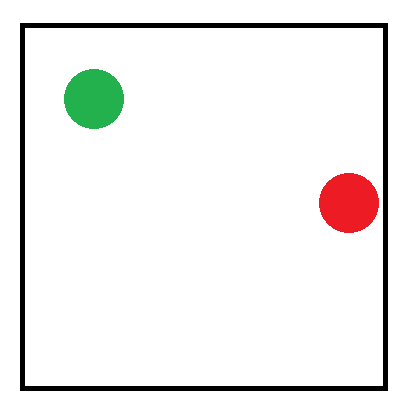
Let’s imagine the situation below where we are trying to find the distance between the red point and the green point:

One way to do this would be to pick one of the points (I’m picking red in this case) and clone it 8 times to surround the cell like the below. You’d calculate the distance from the green point to each of the 9 red points, and whatever distance was smallest would be the answer.

Something not so desirable about this is that it takes 9 distance calculations to find the minimum distance. You can work with squared distances instead of regular distances to avoid a square root on each of these distance calculations, but that’s still a bit of calculation to do.

Going up in dimensions makes the problem even worse. In 3D, it requires 27 distance calculations to find the shortest point, and 81 distance calculations in 4D!

Luckily there’s a better way to approach this.

Let’s say that our universe (image) is 1 unit by 1 unit big (aka we are working in texture UVs). If you look at the image with 9 copies of the red dot, you can see that they are just the 9 possible combinations of having -1, +0, +1 on each axis added to the red dot’s coordinates. All possible combinations of the x and y axis having -1, +0 or +1 added to them are valid locations of the red dot.

Looking at the distance formula we can see that if we minimize each axis individually, that we will also end up with the minimal distance overall.

d = \sqrt{(x_2-x_1)^2+(y_2-y_1)^2}

So, the better way is to minimize each axis individually.

On the x axis you’d find if the x axis distance between the red and green point is minimal when you subtract 1 from the red dot’s x axis position, leave it alone, or add 1.

Whichever x axis value of the red dot gives you the minimal x axis 1D distance is the x axis location to use.

You’d repeat for the y axis to get the y axis location to use (and would repeat for any further axes for higher dimensions).

This gives you the closest point which you can then plug into the distance formula to get the distance between the points in this wrap around space.

You can actually do better though.

Still working on each axis individually, you can calculate the absoluate value of the 1D distance between the two points on that axis. If that distance is greater than 0.5, the real distance for that axis is 1-distance.

The intuition here is that if you are in a 1d repeating space, if going from A to B is more than half the distance, it means that you went the wrong way, and that going the other way is shorter. The distance of that other way is one minus whatever distance you just calculated since the distance from one point to itself is 1!

Do that for each axis and use those 1d distances in the distance formula to get the actual distance.

This lets you minimize the distance without having to explicitly figure out which combination makes the point closest.

More importantly, it lets you efficiently calculate the distance between the two points in toroidal space (doughnut space!)

The computational complexity is a lot better. It’s now linear in the number of dimensions: O(N), instead of O(3^N).

Here is some C++ to show you how it would work in 2D.

float ToroidalDistance (float x1, float y1, float x2, float y2)
{
    float dx = std::abs(x2 - x1);
    float dy = std::abs(y2 - y1);

    if (dx > 0.5f)
        dx = 1.0f - dx;

    if (dy > 0.5f)
        dy = 1.0f - dy;

    return std::sqrt(dx*dx + dy*dy);
}

I hit this problem trying to make a tileable texture. I needed to place a few circles on a texture such that the circles weren’t too close to each other, even when the texture was tiled.

The calculations above gave me the basic tool needed to be able to calculate distances between points. Subtracting circle radii from the distance between points let me get toroidal distance between circles and make sure I didn’t place them too closely to each other.

That let me make an image that kept the distance constraints even when it was tiled.

Here’s an example image by itself:

Here is the image tiled:

Half Tile Offset Streaming World Grids

A number of years ago I worked on an open world game that got cancelled. Despite it not being released, I learned a few things.

If you try to make a game where the player can walk around a large world without loading screens, chances are that the whole world won’t fit in memory at once.

Since it can’t all fit in memory at once, as the player moves around you are going to have to unload old chunks of the world to make room for the new chunks that the player is about to enter.

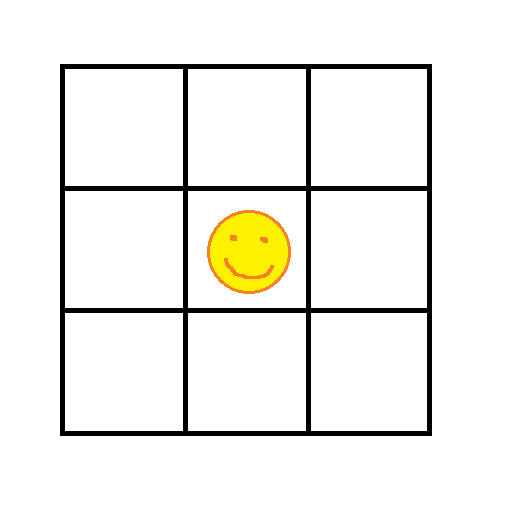
To simplify the problem, it’s really common to break the world up into a grid, and keep a radius of tiles loaded around the player at any one time.

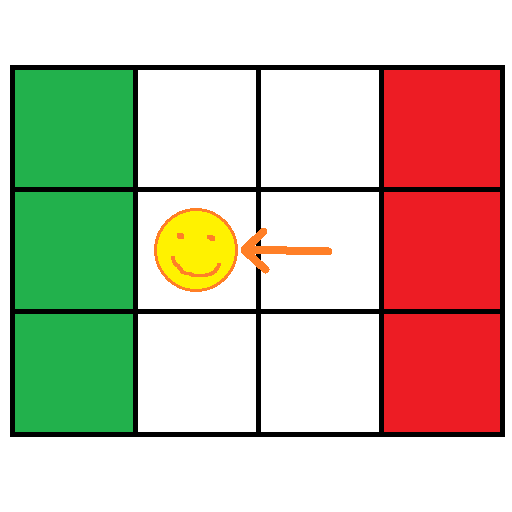
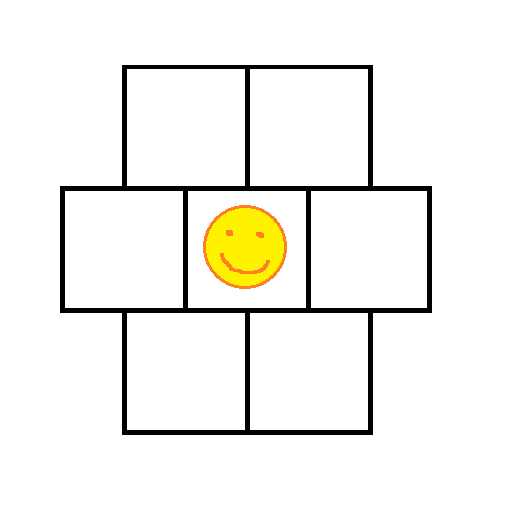
In the above you can see that 9 tiles are kept in memory. If the player crosses the boundary to the cell to the left, we unload the cells on the right (red cells) and load new cells in on the left (green cells).

The idea is that we keep a border of cells loaded around the player at all times so that they never see the edge of the world, but we don’t have to keep the whole world in memory at the same time.

The size of the cells can vary depending on the actual needs of your game. If you can travel very quickly in your game, you may need larger cells.

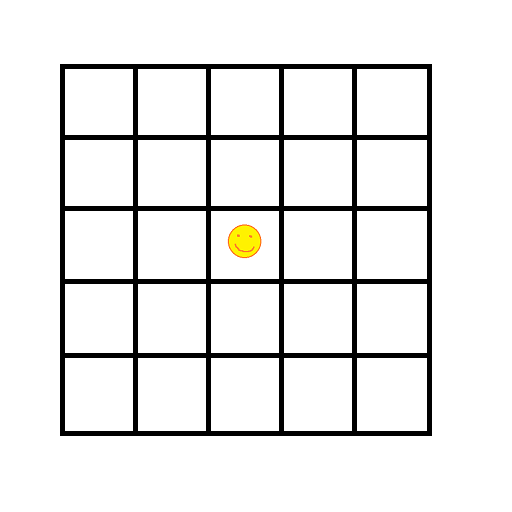
Instead of just having 9 large cells loaded at any one time, you may instead opt to have smaller cells but have more layers of them loaded at any one time. The below has 2 layers of cells loaded around the player, so has to keep 5×5 = 25 cells loaded at any one time. This can give you more granularity if you need it.

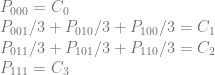
The number of cells you have to keep in memory when keeping N layers of cells loaded around the player is (2N+1)^2.

1 layer means 9 cells, 2 layers mean 25 cells, 3 layers mean 49 cells, 4 layers mean 81 cells and so on.

This isn’t the only way to arrange your world tiles though. You can also make it so every row of tiles is offset by half a tile from the one above it. That gives you a setup like this:

With this setup, keeping a single layer of cells loaded around the player takes only 7 cells instead of 9. That might not sound like much, but that means that your memory budget is 129% of what it was the other way.

Alternately, it means you can keep your cells at the same quality level but only have to load 78% as much stuff from disk as the player moves around the world.

For keeping N layers of cells around the player you need to keep 3N^2+3N+1 cells in memory.

1 layer means 7 cells, 2 layers mean 19 cells, 3 layers mean 37 cells, 4 layers mean 61 cells.

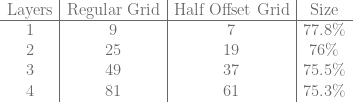
Here’s a table to show you how the regular grid compares to the half offset grid for cell counts. The savings do get better with more layers, but not very quickly.

\begin{array}{c|c|c|c} \text{Layers} & \text{Regular Grid} & \text{Half Offset Grid} & \text{Size} \\ \hline 1 & 9 & 7 & 77.8\%\\ 2 & 25 & 19 & 76\%\\ 3 & 49 & 37 & 75.5\%\\ 4 & 81 & 61 & 75.3\%\\ \end{array}

Overall, this is a pretty cool technique that is pretty low cost if you do this early in the project. Once you have a lot of content divided into a regular grid, it can be a challenge to move over to this half tile offset grid.

Some Notes From Readers

@chrispewebb said that an issue he’s faced when going this method is having T junctions on LODed terrain, but that skirts should be able to help there.

@runevision pointed out that while the memory requirements are lowered, so is the shortest distance (radius) from the player to data that isn’t loaded. One idea to deal with this if it’s a problem could be to use smaller cell sizes and to do more layers to make up for it.

Generating Random Numbers From a Specific Distribution With Rejection Sampling

The last post showed how to transform uniformly generated random numbers into any random number distribution you desired.

It did so by turning the PDF (probability density function) into a CDF (cumulative density function) and then inverting it – either analytically (making a function) or numerically (making a look up table).

This post will show you how to generate numbers from a PDF as well, but will do so using rejection sampling.

Dice

Let’s say you wanted to simulate a fair five sided die but that you only had a six sided die.

You can use rejection sampling for this by rolling a six sided die and ignoring the roll any time a six came up. Doing that, you do in fact get a fair five sided die roll!

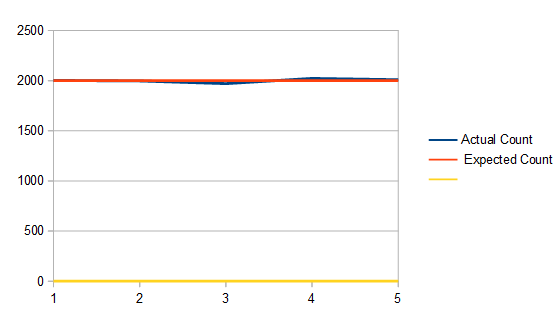
This shows doing that to get 10,000 five sided die rolls:

One disadvantage to this method is that you are throwing away die rolls which can be a source of inefficiency. In this setup it takes 1.2 six sided die rolls on average to get a valid five sided die roll since a roll will be thrown away 1/6 of the time.

Another disadvantage is that each time you need a new value, there are an unknown number of die rolls needed to get it. On average it’s true that you only need 1.2 die rolls, but in reality, it’s possible you may roll 10 sixes in a row. Heck it’s even technically possible (but very unlikely) that you could be rolling dice until the end of time and keep getting sixes. (Using PRNG’s in computers, this won’t happen, but it does take a variable number of rolls).

This is just to say: there is uneven and unpredictable execution time of this algorithm, and it needs an unknown (but somewhat predictable) amount of random numbers to work. This is true of the other forms of sampling methods I talk about lower down as well.

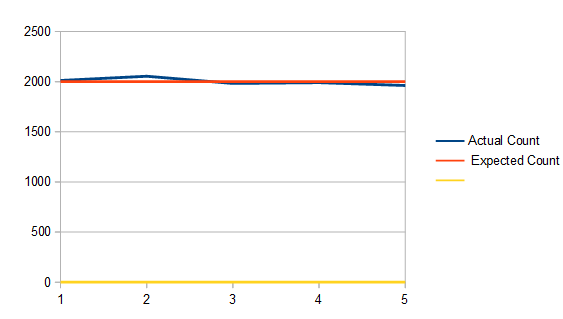
Instead of using a six sided die you could use a die of any size that is greater than (or equal to…) five. Here shows a twenty sided die simulating a five sided die:

It looks basically the same as using a six sided die, which makes sense (that shows that it works), but in this case, it actually took 4 rolls on average to make a valid five sided die roll, since the roll fails 15/20 times (3 out of 4 rolls will fail).

Quick Asides:

  • If straying from rejection sampling ideas for a minute, in the case of the twenty sided die, you could use modulus to get a fair five sided die roll each time: ((roll - 1) \% 5) + 1. This works because there is no remainder for 20 % 5. If there was a remainder it would bias the rolls towards the numbers <= the remainder, making them more likely to come up than the other numbers.
  • You could also get a four sided die roll at the same time if you didn’t want to waste any of this precious random information: ((roll - 1) / 5) + 1
  • Another algorithm to check out for discrete (integer) weighted random numbers is Vose’s method: Vose’s Method.

Box Around PDF

Moving back into the world of continuous valued random numbers and PDF’s, a simple version of how rejection sampling can be used is like this:

  1. Graph your PDF
  2. Draw a box around the PDF
  3. Generate a (uniform) random point in that box
  4. If the point is under the curve of the PDF, use the x axis value as your random number, else throw it out and go to 1

That’s all there is to it!

This works because the x axis value of your 2d point is the random number you might be choosing. The y axis value of your 2d point is a probability of choosing that point. Since the PDF graph is higher in places that are more probable, those places are more likely to accept your 2d point than places that have lower PDF values.

Furthermore, the average number of rejected samples vs accepted samples is based on the area under the PDF compared to the area of the box.

The number of samples on average will be the area of the box divided by the area of the PDF.

Since PDF’s by definition have to integrate to 1, that means that you are dividing by 1. So, to simplify: The number of samples on average will be the same as the area of the box!

If it’s hard to come up with the exact size of the box for the PDF, the box doesn’t have to fit exactly, but of course the tighter you can fit the box around the PDF, the fewer rejected samples you’ll have.

You don’t actually need to graph the PDF and draw a box to do this though. Just generate a 2d random number (a random x and a random y) and reject the point if PDF(x) < y.

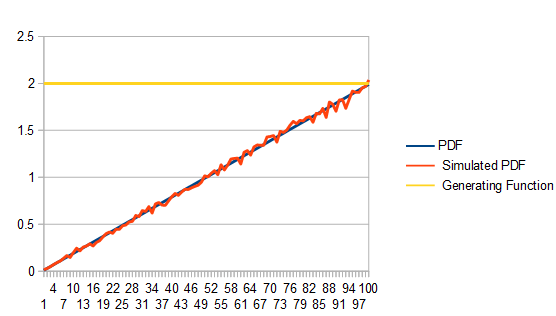
Here I'm using this technique with the PDF y=2x where x is in [0,1) and I'm using a box that goes from (0,0) to (1,2) to get 100,000 samples.

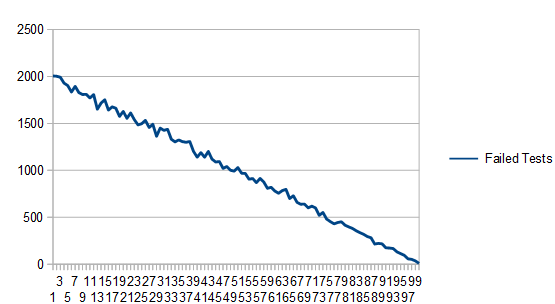
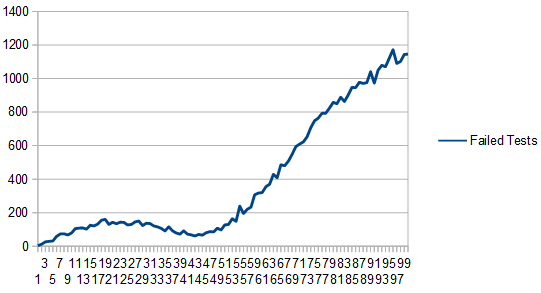
As expected, it took on average 2 points to get a single valid point since the area of the box is 2. Here are how many failed tests each histogram bucket had. Unsurprisingly, lower values of the PDF have more failed tests!

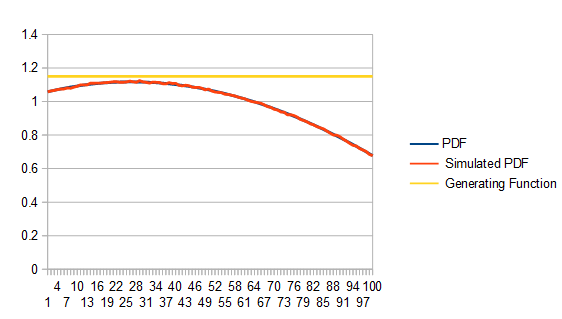
Moving to a more complex PDF, let’s look at y=\frac{x^3-10x^2+5x+11}{10.417}

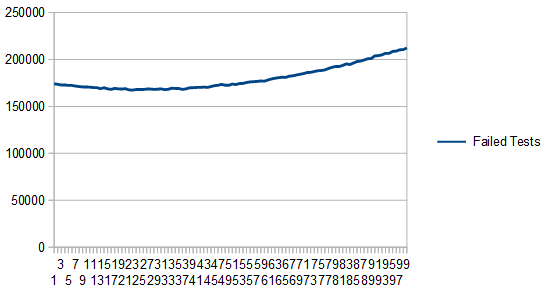
Here are 10 million samples (lots of samples to minimize the noise), using a box height of 1.2, which unsurprisingly takes 1.2 samples on average to get a valid sample:

Here is the graph of the failure counts:

Here the box has a height of 2.8. It still works, but uses 2.8 samples on average which is less efficient:

Here’s the graph of failure counts:

Something interesting about this technique is that technically, the distribution you are sampling from doesn’t even have to be a PDF! If you have negative parts of the graph, they will be treated as zero, assuming your box has a minimum y of 0. Also, the fact that your function may not integrate to (have an area of) 1 doesn’t matter at all.

Here we take the PDF from the last examples, and take off the division by a constant, so that it doesn’t integrate to 1: y=x^3-10x^2+5x+11

The interesting thing is that we get as output a normalized PDF (the red line), even though the distribution we were using to sample was not normalized (the blue line, which is mostly hidden behind the yellow line).

Here are the rejection counts:

Generating One PDF from Another PDF

In the last section we showed how to enclose a PDF in a box, make uniformly random 2d points, and use them to generate points from the PDF.

By enclosing it in a box, all we were really doing is putting it under a uniform distribition that was scaled up to be larger than the PDF at all points.

Now here’s the interesting thing: We aren’t limited to using the uniform distribution!

To generalize this technique, if you are trying to sample from a PDF f(x), you can use any PDF g(x) to do so, so long as you multiply g(x) by a scalar value M so that M*g(x)>= f(x) for all values of x. In other words: scale up g so that it’s always bigger than f.

Using this more generalized technique has one or two more steps than the other way, but allows for a tighter fit of a generating function, resulting in fewer samples thrown away.

Here’s how to do it:

  1. Generate a random number from the distribution g, and call it x.
  2. Calculate the percentage chance of x being chosen by getting a ratio of how likely that number is to be chosen in each PDF: \frac{f(x)}{M*g(x)}
  3. Generate a uniform random number from 0 to 1. If it’s less than the value you just calculated, accept x as the random number, else reject it and go back to 1.

Let’s see this in action!

We’ll generate numbers in a Gaussian distribution with a mean of 15 and a standard deviation of 5. We’ll truncate it to +/- 3 standard deviations so we want to generate random numbers from [0,30).

To generate these numbers, we’ll draw random numbers from the PDF y=x*0.002222. We’ll use an M value of 3 to scale up this PDF to always be greater than the Gaussian one.

Here is how it looks doing this with 20,000 samples:

We generate random numbers along the red line, multiply them by 3 to make them be the yellow line. Then, at whatever point we are at on the x axis, we divide the blue line value by the yellow line value and use that as an acceptance probability. Doing this and counting numbers in a histogram gives us our result – the green line. Since the end goal is the blue line, you can see it is indeed working! With a larger number of samples, the green line would more closely match the blue line.

Here’s the graph of the failed tests:

We have to take on average 3 samples before we get a valid random number. That shouldn’t be too surprising because both PDF’s start with area of 1, but we are multiplying one of them by 3 to make it always be larger than the other.

Something else interesting you might notice is that we have a lot fewer failed tests where the two PDF functions are more similar.

That is the power of this technique: If you can cheaply and easily generate samples that are “pretty close” to a harder distribution to sample from, you can use this technique to more cheaply sample from it.

Something to note is that just like in the last section, the target PDF doesn’t necessarily need to be a real PDF with only positive values and integrating to 1. It would work just the same with a non PDF function, just so long as the PDF generating the random numbers you start with is always above the function.

Some Other Notes

There is family of techniques called “adaptive rejection sampling” that will change the PDF they are drawing from whenever there is a failed test.

Basically, if you imagine the PDF you are drawing from as being a bunch of line segments connected together, you could imagine that whenever you failed a test, you moved a line segment down to be closer to the curve, so that when you sampled from that area again, the chances would be lower that you’d fail the test again.

Taking this to the limit, your sampling PDF will eventually become the PDF you are trying to sample from, and then using this PDF will be a no-op.

These techniques are a continued area of research.

Something else to note is that rejection sampling can be used to find random points within shapes.

For instance, a random point on a triangle, ellipse or circle could be done by putting a (tight) bounding box around the shape, generating points randomly in that box, and only accepting ones within the inner shape.

This can be extended to 3d shapes as well.

Some shapes have better ways to generate points within them that don’t involve iteration and rejected samples, but if all else fails, rejection sampling does indeed work!

At some point in the future I’d like to look into “Markov Chain Monte Carlo” more deeply. It seems like a very interesting technique to approach this same problem, but I have no idea if it’s used often in graphics, especially real time graphics.

Code

Here is the code that generated all the data from this post. The data was visualized with open office.

#define _CRT_SECURE_NO_WARNINGS
 
#include <stdio.h>
#include <random>
#include <array>
#include <unordered_map>

template <size_t NUM_TEST_SAMPLES, size_t SIMULATED_DICE_SIDES, size_t ACTUAL_DICE_SIDES>
void TestDice (const char* fileName)
{
    // seed the random number generator
    std::random_device rd;
    std::mt19937 rng(rd());
    std::uniform_int_distribution<size_t> dist(0, ACTUAL_DICE_SIDES-1);

    // generate the histogram
    std::array<size_t, SIMULATED_DICE_SIDES> histogram = { 0 };
    size_t rejectedSamples = 0;
    for (size_t i = 0; i < NUM_TEST_SAMPLES; ++i)
    {
        size_t roll = dist(rng);
        while (roll >= SIMULATED_DICE_SIDES)
        {
            ++rejectedSamples;
            roll = dist(rng);
        }
        histogram[roll]++;
    }

    // write the histogram and rejected sample count to a csv
    // an extra 0 data point forces the graph to include 0 in the scale. hack to make the data not look noisier than it really is.
    FILE *file = fopen(fileName, "w+t");
    fprintf(file, "Actual Count, Expected Count, , %0.2f samples needed per roll on average.\n", (float(NUM_TEST_SAMPLES) + float(rejectedSamples)) / float(NUM_TEST_SAMPLES));
    for (size_t value : histogram)
        fprintf(file, "%zu,%zu,0\n", value, (size_t)(float(NUM_TEST_SAMPLES) / float(SIMULATED_DICE_SIDES)));
    fclose(file);
}
 
template <size_t NUM_TEST_SAMPLES, size_t NUM_HISTOGRAM_BUCKETS, typename PDF_LAMBDA>
void Test (const char* fileName, float maxPDFValue, const PDF_LAMBDA& PDF)
{
    // seed the random number generator
    std::random_device rd;
    std::mt19937 rng(rd());
    std::uniform_real_distribution<float> dist(0.0f, 1.0f);
 
    // generate the histogram
    std::array<size_t, NUM_HISTOGRAM_BUCKETS> histogram = { 0 };
    std::array<size_t, NUM_HISTOGRAM_BUCKETS> failedTestCounts = { 0 };
    size_t rejectedSamples = 0;
    for (size_t i = 0; i < NUM_TEST_SAMPLES; ++i)
    {
        // Generate a sample from the PDF by generating a random 2d point.
        // If the y axis of the value is <= the value returned by PDF(x), accept it, else reject it.
        // NOTE: this takes an unknown number of iterations, and technically may NEVER finish.
        float pointX = 0.0f;
        float pointY = 0.0f;
        bool validPoint = false;
        while (!validPoint)
        {
            pointX = dist(rng);
            pointY = dist(rng) * maxPDFValue;
            float pdfValue = PDF(pointX);
            validPoint = (pointY <= pdfValue);

            // track number of failed tests per histogram bucket
            if (!validPoint)
            {
                size_t bin = (size_t)std::floor(pointX * float(NUM_HISTOGRAM_BUCKETS));
                failedTestCounts[std::min(bin, NUM_HISTOGRAM_BUCKETS - 1)]++;
                ++rejectedSamples;
            }
        }
 
        // increment the correct bin in the histogram
        size_t bin = (size_t)std::floor(pointX * float(NUM_HISTOGRAM_BUCKETS));
        histogram[std::min(bin, NUM_HISTOGRAM_BUCKETS -1)]++;
    }
 
    // write the histogram and pdf sample to a csv
    FILE *file = fopen(fileName, "w+t");
    fprintf(file, "PDF, Simulated PDF, Generating Function, Failed Tests, %0.2f samples needed per value on average.\n", (float(NUM_TEST_SAMPLES) + float(rejectedSamples)) / float(NUM_TEST_SAMPLES));
    for (size_t i = 0; i < NUM_HISTOGRAM_BUCKETS; ++i)
    {
        float x = (float(i) + 0.5f) / float(NUM_HISTOGRAM_BUCKETS);
        float pdfSample = PDF(x);
        fprintf(file, "%f,%f,%f,%f\n",
            pdfSample,
            NUM_HISTOGRAM_BUCKETS * float(histogram[i]) / float(NUM_TEST_SAMPLES),
            maxPDFValue,
            float(failedTestCounts[i])
        );
    }
    fclose(file);
}

template <size_t NUM_TEST_SAMPLES, size_t NUM_HISTOGRAM_BUCKETS, typename PDF_LAMBDA>
void TestNotPDF (const char* fileName, float maxPDFValue, float normalizationConstant, const PDF_LAMBDA& PDF)
{
    // seed the random number generator
    std::random_device rd;
    std::mt19937 rng(rd());
    std::uniform_real_distribution<float> dist(0.0f, 1.0f);
 
    // generate the histogram
    std::array<size_t, NUM_HISTOGRAM_BUCKETS> histogram = { 0 };
    std::array<size_t, NUM_HISTOGRAM_BUCKETS> failedTestCounts = { 0 };
    size_t rejectedSamples = 0;
    for (size_t i = 0; i < NUM_TEST_SAMPLES; ++i)
    {
        // Generate a sample from the PDF by generating a random 2d point.
        // If the y axis of the value is <= the value returned by PDF(x), accept it, else reject it.
        // NOTE: this takes an unknown number of iterations, and technically may NEVER finish.
        float pointX = 0.0f;
        float pointY = 0.0f;
        bool validPoint = false;
        while (!validPoint)
        {
            pointX = dist(rng);
            pointY = dist(rng) * maxPDFValue;
            float pdfValue = PDF(pointX);
            validPoint = (pointY <= pdfValue);

            // track number of failed tests per histogram bucket
            if (!validPoint)
            {
                size_t bin = (size_t)std::floor(pointX * float(NUM_HISTOGRAM_BUCKETS));
                failedTestCounts[std::min(bin, NUM_HISTOGRAM_BUCKETS - 1)]++;
                ++rejectedSamples;
            }
        }
 
        // increment the correct bin in the histogram
        size_t bin = (size_t)std::floor(pointX * float(NUM_HISTOGRAM_BUCKETS));
        histogram[std::min(bin, NUM_HISTOGRAM_BUCKETS -1)]++;
    }
 
    // write the histogram and pdf sample to a csv
    FILE *file = fopen(fileName, "w+t");
    fprintf(file, "Function, Simulated PDF, Scaled Simulated PDF, Generating Function, Failed Tests, %0.2f samples needed per value on average.\n", (float(NUM_TEST_SAMPLES) + float(rejectedSamples)) / float(NUM_TEST_SAMPLES));
    for (size_t i = 0; i < NUM_HISTOGRAM_BUCKETS; ++i)
    {
        float x = (float(i) + 0.5f) / float(NUM_HISTOGRAM_BUCKETS);
        float pdfSample = PDF(x);
        fprintf(file, "%f,%f,%f,%f,%f\n",
            pdfSample,
            NUM_HISTOGRAM_BUCKETS * float(histogram[i]) / float(NUM_TEST_SAMPLES),
            NUM_HISTOGRAM_BUCKETS * float(histogram[i]) / float(NUM_TEST_SAMPLES) * normalizationConstant,
            maxPDFValue,
            float(failedTestCounts[i])
        );
    }
    fclose(file);
}

template <size_t NUM_TEST_SAMPLES, size_t NUM_HISTOGRAM_BUCKETS, typename PDF_F_LAMBDA, typename PDF_G_LAMBDA, typename INVERSE_CDF_G_LAMBDA>
void TestPDFToPDF (const char* fileName, const PDF_F_LAMBDA& PDF_F, const PDF_G_LAMBDA& PDF_G, float M, const INVERSE_CDF_G_LAMBDA& Inverse_CDF_G, float rngRange)
{
    // We generate a sample from PDF F by generating a sample from PDF G, and accepting it with probability PDF_F(x)/(M*PDF_G(x))

    // seed the random number generator
    std::random_device rd;
    std::mt19937 rng(rd());
    std::uniform_real_distribution<float> dist(0.0f, 1.0f);
 
    // generate the histogram
    std::array<size_t, NUM_HISTOGRAM_BUCKETS> histogram = { 0 };
    std::array<size_t, NUM_HISTOGRAM_BUCKETS> failedTestCounts = { 0 };
    size_t rejectedSamples = 0;
    for (size_t i = 0; i < NUM_TEST_SAMPLES; ++i)
    {
        // generate random points until we have one that's accepted
        // NOTE: this takes an unknown number of iterations, and technically may NEVER finish.
        float sampleG = 0.0f;
        bool validPoint = false;
        while (!validPoint)
        {
            // Generate a sample from the soure PDF G
            sampleG = Inverse_CDF_G(dist(rng));

            // calculate the ratio of how likely we are to accept this sample
            float acceptChance = PDF_F(sampleG) / (M * PDF_G(sampleG));

            // see if we should accept it
            validPoint = dist(rng) <= acceptChance;

            // track number of failed tests per histogram bucket
            if (!validPoint)
            {
                size_t bin = (size_t)std::floor(sampleG * float(NUM_HISTOGRAM_BUCKETS) / rngRange);
                failedTestCounts[std::min(bin, NUM_HISTOGRAM_BUCKETS - 1)]++;
                ++rejectedSamples;
            }
        }

        // increment the correct bin in the histogram
        size_t bin = (size_t)std::floor(sampleG * float(NUM_HISTOGRAM_BUCKETS) / rngRange);
        histogram[std::min(bin, NUM_HISTOGRAM_BUCKETS - 1)]++;
    }
 
    // write the histogram and pdf sample to a csv
    FILE *file = fopen(fileName, "w+t");
    fprintf(file, "PDF F,PDF G,Scaled PDF G,Simulated PDF,Failed Tests,%0.2f samples needed per value on average.\n", (float(NUM_TEST_SAMPLES) + float(rejectedSamples)) / float(NUM_TEST_SAMPLES));
    for (size_t i = 0; i < NUM_HISTOGRAM_BUCKETS; ++i)
    {
        float x = (float(i) + 0.5f) * rngRange / float(NUM_HISTOGRAM_BUCKETS);
        
        fprintf(file, "%f,%f,%f,%f,%f\n",
            PDF_F(x),
            PDF_G(x),
            PDF_G(x)*M,
            NUM_HISTOGRAM_BUCKETS * float(histogram[i]) / (float(NUM_TEST_SAMPLES)*rngRange),
            float(failedTestCounts[i])
        );
    }
    fclose(file);
}
 
int main(int argc, char **argv)
{
    // Dice
    {
        // Simulate a 5 sided dice with a 6 sided dice
        TestDice<10000, 5, 6>("test1_5_6.csv");

        // Simulate a 5 sided dice with a 20 sided dice
        TestDice<10000, 5, 20>("test1_5_20.csv");
    }

    // PDF y=2x, simulated with a uniform distribution
    {
        auto PDF = [](float x) { return 2.0f * x; };

        Test<1000, 100>("test2_1k.csv", 2.0f, PDF);
        Test<100000, 100>("test2_100k.csv", 2.0f, PDF);
        Test<1000000, 100>("test2_1m.csv", 2.0f, PDF);
    }

    // PDF y=(x^3-10x^2+5x+11)/10.417, simulated with a uniform distribution
    {
        auto PDF = [](float x) {return (x*x*x - 10.0f*x*x + 5.0f*x + 11.0f) / (10.417f); };
        Test<10000000, 100>("test3_10m_1_15.csv", 1.15f, PDF);
        Test<10000000, 100>("test3_10m_1_5.csv", 1.5f, PDF);
        Test<10000000, 100>("test3_10m_2_8.csv", 2.8f, PDF);
    }

    // function (not PDF, Doesn't integrate to 1!) y=(x^3-10x^2+5x+11), simulated with a scaled up uniform distribution
    {
        auto PDF = [](float x) {return (x*x*x - 10.0f*x*x + 5.0f*x + 11.0f); };
        TestNotPDF<10000000, 100>("test4_10m_12_5.csv", 12.5f, 10.417f, PDF);
    }

    // Generate samples from PDF F using samples from PDF G.  random numbers are from 0 to 30.
    // F PDF = gaussian distribution, mean 15, std dev of 5.  Truncated to +/- 3 stddeviations.
    // G PDF = x*0.002222
    // G CDF = 0.001111 * x^2
    // G inverted CDF = (1000 * sqrt(x)) / sqrt(1111)
    // M = 3
    {
        // gaussian PDF F
        const float mean = 15.0f;
        const float stddev = 5.0f;
        auto PDF_F = [=] (float x) -> float
        {
            return (1.0f / (stddev * sqrt(2.0f * (float)std::_Pi))) * std::exp(-0.5f * pow((x - mean) / stddev, 2.0f));
        };

        // PDF G
        auto PDF_G = [](float x) -> float
        {
            return x * 0.002222f;
        };

        // Inverse CDF of G
        auto Inverse_CDF_G = [] (float x) -> float
        {
            return 1000.0f * std::sqrtf(x) / std::sqrtf(1111.0f);
        };

        TestPDFToPDF<20000, 100>("test5.csv", PDF_F, PDF_G, 3.0f, Inverse_CDF_G, 30.0f);
    }

    return 0;
}

Generating Random Numbers From a Specific Distribution By Inverting the CDF

The last post talked about the normal distribution and showed how to generate random numbers from that distribution by generating regular (uniform) random numbers and then counting the bits.

What would you do if you wanted to generate random numbers from a different, arbitrary distribution though? Let’s say the distribution is defined by a function even.

It turns out that in general this is a hard problem, but in practice there are a few ways to approach it. The below are the most common techniques for achieving this that I’ve seen.

  • Inverting the CDF (analytically or numerically)
  • Rejection Sampling
  • Markov Chain Monte Carlo
  • Ziggurat algorithm

This post talks about the first one listed: Inverting the CDF.

What Is A CDF?

The last post briefly explained that a PDF is a probability density function and that it describes the relative probability of numbers being chosen at random. A requirement of a PDF is that it has non negative value everywhere and also that the area under the curve is 1.

It needs to be non negative everywhere because a negative probability doesn’t make any sense. It needs to have an area under the curve of 1 because that means it represents the full 100% probability of all possible outcomes.

CDF stands for “Cumulative distribution function” and is related to the PDF.

A PDF is a function y=f(x) where y is the probability of the number x number being chosen at random from the distribution.

A CDF is a function y=f(x) where y is the probability of the number x, or any lower number, being chosen at random from that distribution.

You get a CDF from a PDF by integrating the PDF. From there you make sure that the CDF has a starting y value of 0, and an ending value of 1. You might have to do a bias (addition or subtraction) and/or scale (multiplication or division) to make that happen.

Why Invert the CDF? (And Not the PDF?)

With both a PDF and a CDF, you plug in a number, and you get information about probabilities relating to that number.

To get a random number from a specific distribution, we want to do the opposite. We want to plug in a probability and get out the number corresponding to that probability.

Basically, we want to flip x and y in the equation and solve for y, so that we have a function that does this. That is what we have to do to invert the CDF.

Why invert the CDF though and not the PDF? Check out the images below from Wikipedia. The first is some Gaussian PDF’s and the second is the same distributions as CDF’s:


The issue is that if we flip x and y’s in a PDF, there would be multiple y values corresponding to the same x. This isn’t true in a CDF.

Let’s work through sampling some PDFs by inverting the CDF.

Example 0: y=1

This is the easiest case and represents uniform random numbers, where every number is evenly likely to be chosen.

Our PDF equation is: y=1 where x \in [0,1]. The graph looks like this:

If we integrate the pdf to get the cdf, we get y=x where x \in [0,1] which looks like this:

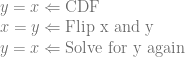
Now, to invert the cdf, we flip x and y, and then solve for y again. It’s trivially easy…

y=x \Leftarrow \text{CDF}\\ x=y \Leftarrow \text{Flip x and y}\\ y=x \Leftarrow \text{Solve for y again}

Now that we have our inverted CDF, which is y=x, we can generate uniform random numbers, plug them into that equation as x and get y which is the actual value drawn from our PDF.

You can see that since we are plugging in numbers from an even distribution and not doing anything to them at all, that the result is going to an even distribution as well. So, we are in fact generating uniformly distributed random numbers using this inverted CDF, just like our PDF asked for.

This is so trivially simple it might be confusing. If so, don’t sweat it. Move onto the next example and you can come back to this later if you want to understand what I’m talking about here.

Note: The rest of the examples are going to have x in [0,1] as well but we are going to stop explicitly saying so. This process still works when x is in a different range of values, but for simplicity we’ll just have x be in [0,1] for the rest of the post.

Example 1: y=2x

The next easiest case for a PDF is y=2x which looks like this:

You might wonder why it’s y=2x instead of y=x. This is because the area under the curve y=x is 0.5. PDF’s need to have an area of 1, so I multiplied by 2 to make it have an area of 1.

What this PDF means is that small numbers are less likely to be picked than large numbers.

If we integrate the PDF y=2x to get the CDF, we get y=x^2 which looks like this:

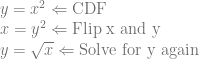
Now let’s flip x and y and solve for y again.

y=x^2 \Leftarrow \text{CDF}\\ x=y^2 \Leftarrow \text{Flip x and y}\\ y=\sqrt{x} \Leftarrow \text{Solve for y again}

We now have our inverted CDF which is y=\sqrt{x} and looks like this:

Now, if we plug uniformly random numbers into that formula as x, we should get as output samples that follow the probability of our PDF.

We can use a histogram to see if this is really true. We can generate some random numbers, square root them, and count how many are in each range of values.

Here is a histogram where I took 1,000 random numbers, square rooted them, and put their counts into 100 buckets. Bucket 1 counted how many numbers were in [0, 0.01), bucket 2 counted how many numbers were in [0.01, 0.02) and so on until bucket 100 which counted how many numbers were in [0.99, 1.0).

Increasing the number of samples to 100,000 it gets closer:

At 1,000,000 samples you can barely see a difference:

The reason it doesn’t match up at lower sample counts is just due to the nature of random numbers being random. It does match up, but you’ll have some variation with lower sample counts.

Example 2: y=3x^2

Let’s check out the PDF y=3x^2. The area under that curve where x is in [0,1) is 1.0 and it’s non negative everywhere in that range too, so it’s a valid PDF.

Integrating that, we get y=x^3 for the CDF. Then we invert the CDF:

y=x^3 \Leftarrow \text{CDF}\\ x=y^3 \Leftarrow \text{Flip x and y}\\ y=\sqrt[3]{x} \Leftarrow \text{Solve for y again}

And here is a 100,000 sample histogram vs the PDF to verify that we got the right answer:

Example 3: Numeric Solution

So far we’ve been able to invert the CDF to get a nice easy function to transform uniform distribution random numbers into numbers from the distribution described by the PDF.

Sometimes though, inverting a CDF isn’t possible, or gives a complex equation that is costly to evaluate. In these cases, you can actually invert the CDF numerically via a lookup table.

A lookup table may also be desired in cases where eg you have a pixel shader that is drawing numbers from a PDF, and instead of making N shaders for N different PDFs, you want to unify them all into a single shader. Passing a lookup table via a constant buffer, or perhaps even via a texture can be a decent solution here. (Note: if storing in a texture you may be interested in fitting the data with curves and using this technique to store it and recall it from the texture: GPU Texture Sampler Bezier Curve Evaluation)

Let’s invert a PDF numerically using a look up table to see how that would work.

Our PDF will be:

y=\frac{x^3-10x^2+5x+11}{10.417}

And looks like this:

It’s non negative in the range we care about and it integrates to 1.0 – or it integrates closely enough… the division by 10.417 is there for that reason, and using more digits would get it closer to 1.0.

What we are going to do is evaluate that PDF at N points to get a probability for those samples of numbers. That will give us a lookup table for our PDF.

We are then going to make each point be the sum of all the PDF samples to the left of it to make a lookup table for a CDF. We’ll also have to normalize the CDF table since it’s likely that our PDF samples don’t all add up (integrate) to 1.0. We do this by dividing every item in the CDF by the last entry in the CDF. If you look at the table after that, it will fully cover everything from 0% to 100% probability.

Below are some histogram comparisons of the lookup table technique vs the actual PDF.

Here is 100 million samples (to make it easier to see the data without very much random noise), in 100 histogram buckets, and a lookup table size of 3 which is pretty low quality:

Increasing it to a lookup table of size 5 gives you this:

Here’s 10:

25:

And here’s 100:

So, not surprisingly, the size of the lookup table affects the quality of the results!

Code

here is the code I used to generate the data in this post, which i visualized with open office. I visualized the function graphs using wolfram alpha.

#define _CRT_SECURE_NO_WARNINGS

#include 
#include 
#include 
#include 

template 
void Test (const char* fileName, const PDF_LAMBDA& PDF, const INVERSE_CDF_LAMBDA& inverseCDF)
{
    // seed the random number generator
    std::random_device rd;
    std::mt19937 rng(rd());
    std::uniform_real_distribution dist(0.0f, 1.0f);

    // generate the histogram
    std::array histogram = { 0 };
    for (size_t i = 0; i < NUM_TEST_SAMPLES; ++i)
    {
        // put a uniform random number into the inverted CDF to sample the PDF
        float x = dist(rng);
        float y = inverseCDF(x);

        // increment the correct bin on the histogram
        size_t bin = (size_t)std::floor(y * float(NUM_HISTOGRAM_BUCKETS));
        histogram[std::min(bin, NUM_HISTOGRAM_BUCKETS -1)]++;
    }

    // write the histogram and pdf sample to a csv
    FILE *file = fopen(fileName, "w+t");
    fprintf(file, "PDF, Inverted CDF\n");
    for (size_t i = 0; i < NUM_HISTOGRAM_BUCKETS; ++i)
    {
        float x = (float(i) + 0.5f) / float(NUM_HISTOGRAM_BUCKETS);
        float pdfSample = PDF(x);
        fprintf(file, "%f,%f\n",
            pdfSample,
            NUM_HISTOGRAM_BUCKETS * float(histogram[i]) / float(NUM_TEST_SAMPLES)
        );
    }
    fclose(file);
}

template 
void TestPDFOnly (const char* fileName, const PDF_LAMBDA& PDF)
{
    // make the CDF lookup table by sampling the PDF
    // NOTE: we could integrate the buckets by averaging multiple samples instead of just the 1. This bucket integration is pretty low tech and low quality.
    std::array CDFLookupTable;
    float value = 0.0f;
    for (size_t i = 0; i < LOOKUP_TABLE_SIZE; ++i)
    {
        float x = float(i) / float(LOOKUP_TABLE_SIZE - 1); // The -1 is so we cover the full range from 0% to 100%
        value += PDF(x);
        CDFLookupTable[i] = value;
    }

    // normalize the CDF - make sure we span the probability range 0 to 1.
    for (float& f : CDFLookupTable)
        f /= value;

    // make our LUT based inverse CDF
    // We will binary search over the y's (which are sorted smallest to largest) looking for the x, which is implied by the index.
    // I'm sure there's a better & more clever lookup table setup for this situation but this should give you an idea of the technique
    auto inverseCDF = [&CDFLookupTable] (float y) {

        // there is an implicit entry of "0%" at index -1
        if (y < CDFLookupTable[0])
        {
            float t = y / CDFLookupTable[0];
            return t / float(LOOKUP_TABLE_SIZE);
        }

        // get the lower bound in the lut using a binary search
        auto it = std::lower_bound(CDFLookupTable.begin(), CDFLookupTable.end(), y);

        // figure out where we are at in the table
        size_t index = it - CDFLookupTable.begin();

        // Linearly interpolate between the values
        // NOTE: could do other interpolation methods, like perhaps cubic (https://blog.demofox.org/2015/08/08/cubic-hermite-interpolation/)
        float t = (y - CDFLookupTable[index - 1]) / (CDFLookupTable[index] - CDFLookupTable[index - 1]);
        float fractionalIndex = float(index) + t;
        return fractionalIndex / float(LOOKUP_TABLE_SIZE);
    };

    // call the usual function to do the testing
    Test(fileName, PDF, inverseCDF);
}

int main (int argc, char **argv)
{
    // PDF: y=2x
    // inverse CDF: y=sqrt(x)
    {
        auto PDF = [] (float x) { return 2.0f * x; };
        auto inverseCDF = [] (float x) { return std::sqrt(x); };

        Test("test1_1k.csv", PDF, inverseCDF);
        Test("test1_100k.csv", PDF, inverseCDF);
        Test("test1_1m.csv", PDF, inverseCDF);
    }

    // PDF: y=3x^2
    // inverse CDF: y=cuberoot(x) aka y = pow(x, 1/3)
    {
        auto PDF = [] (float x) { return 3.0f * x * x; };
        auto inverseCDF = [](float x) { return std::pow(x, 1.0f / 3.0f); };

        Test("test2_100k.csv", PDF, inverseCDF);
    }

    // PDF: y=(x^3-10x^2+5x+11)/10.417
    // Inverse CDF Numerically via a lookup table
    {
        auto PDF = [] (float x) {return (x*x*x - 10.0f*x*x + 5.0f*x + 11.0f) / (10.417f); };
        TestPDFOnly("test3_100m_3.csv", PDF);
        TestPDFOnly("test3_100m_5.csv", PDF);
        TestPDFOnly("test3_100m_10.csv", PDF);
        TestPDFOnly("test3_100m_25.csv", PDF);
        TestPDFOnly("test3_100m_100.csv", PDF);
    }

    return 0;
}

WebGL PBR Implementation

Just want to see the demo? Click the link below. Warning: it loads quite a few images, some of which are ~10MB, so may take some time to load (it does report loading progress though):

http://demofox.org/WebGLPBR/

More Info

There is a great PBR (Physically Based Rendering) tutorial at: https://learnopengl.com/#!PBR/Theory

I followed that tutorial, making a WebGL PBR implementation as I went, but also making some C++ for pre-integrating diffuse and specular IBL (Image Based Lighting) and making the splitsum texture.

Pre-integrating the diffuse and specular (and using the splitsum texture) allows you to use an object’s surroundings as light sources, which is more in line with how real life works; we don’t just have point lights and directional lights in the real world, we have objects that glow because they are illuminated by light sources, and we have light sources which are in odd shapes.

It’s possible that there are one or more math errors or bugs in the C++ as well as my WebGL PBR implementation. At some point in the future I’ll dig deeper into the math of PBR and try and write up some simple blog posts about it, at which point I’ll be more confident about correctness other than “well, it looks right…”.

The source code for the C++ pre-integrations are on github:
IBL Diffuse Cube Map Integration
IBL Specular Cube Map Integration + Split Sum Texture

The WebGL PBR implementation is also on github:
WebGLPBR

Here are some screenshots:


Links

Learn WebGL2:

https://webgl2fundamentals.org/

Free PBR Materials:

http://freepbr.com/materials/rusted-iron-pbr-metal-material-alt/

PBR Links:

http://blog.selfshadow.com/publications/s2014-shading-course/frostbite/s2014_pbs_frostbite_slides.pdf

https://learnopengl.com/#!PBR/Theory

http://renderwonk.com/publications/s2010-shading-course/hoffman/s2010_physically_based_shading_hoffman_b_notes.pdf

https://disney-animation.s3.amazonaws.com/library/s2012_pbs_disney_brdf_notes_v2.pdf

http://blog.selfshadow.com/publications/s2013-shading-course/karis/s2013_pbs_epic_slides.pdf

Why Are Some Shadows Soft And Other Shadows Hard?

This is a quick post on why some shadows have soft edges, and other shadows have hard edges.

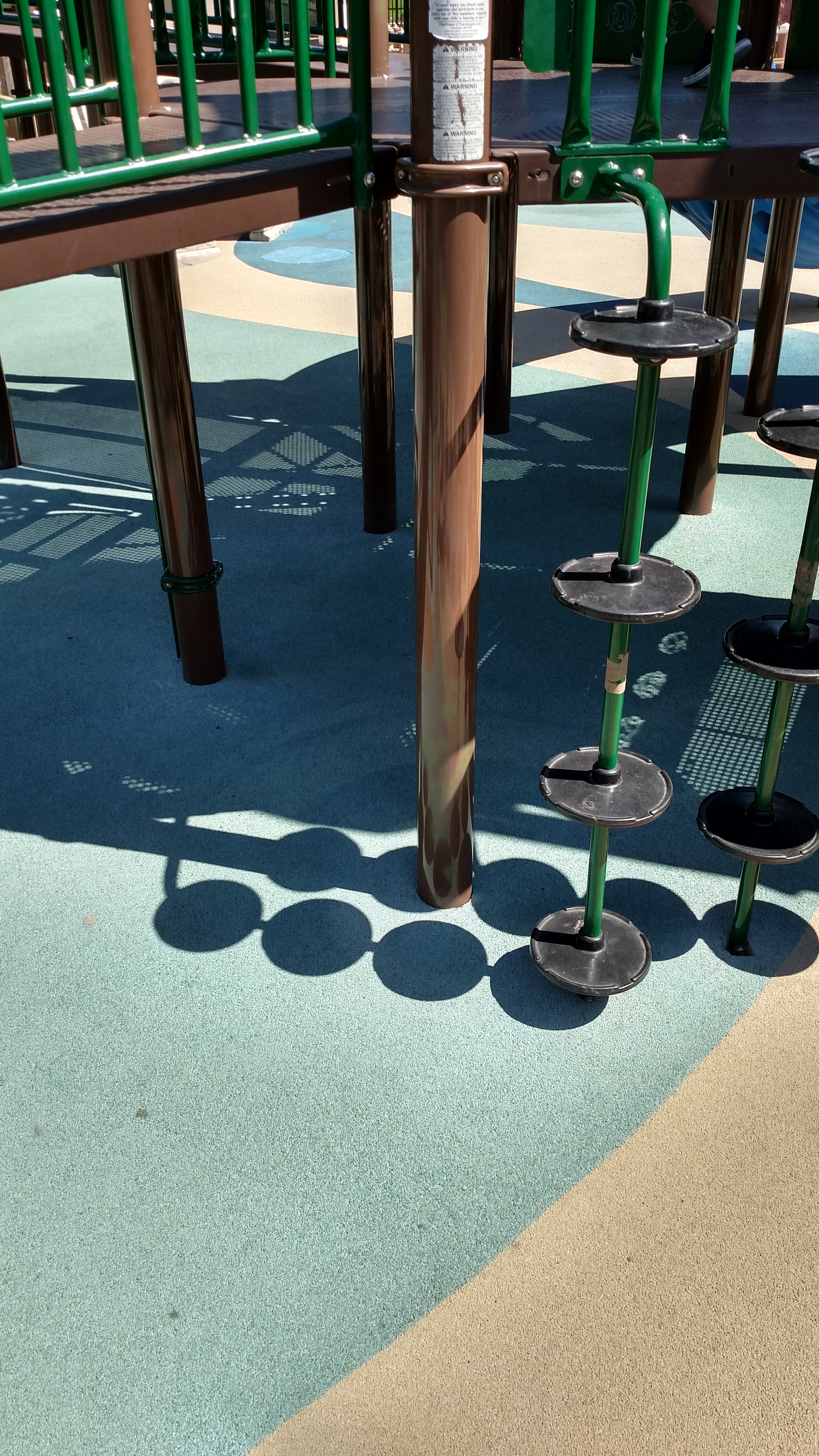
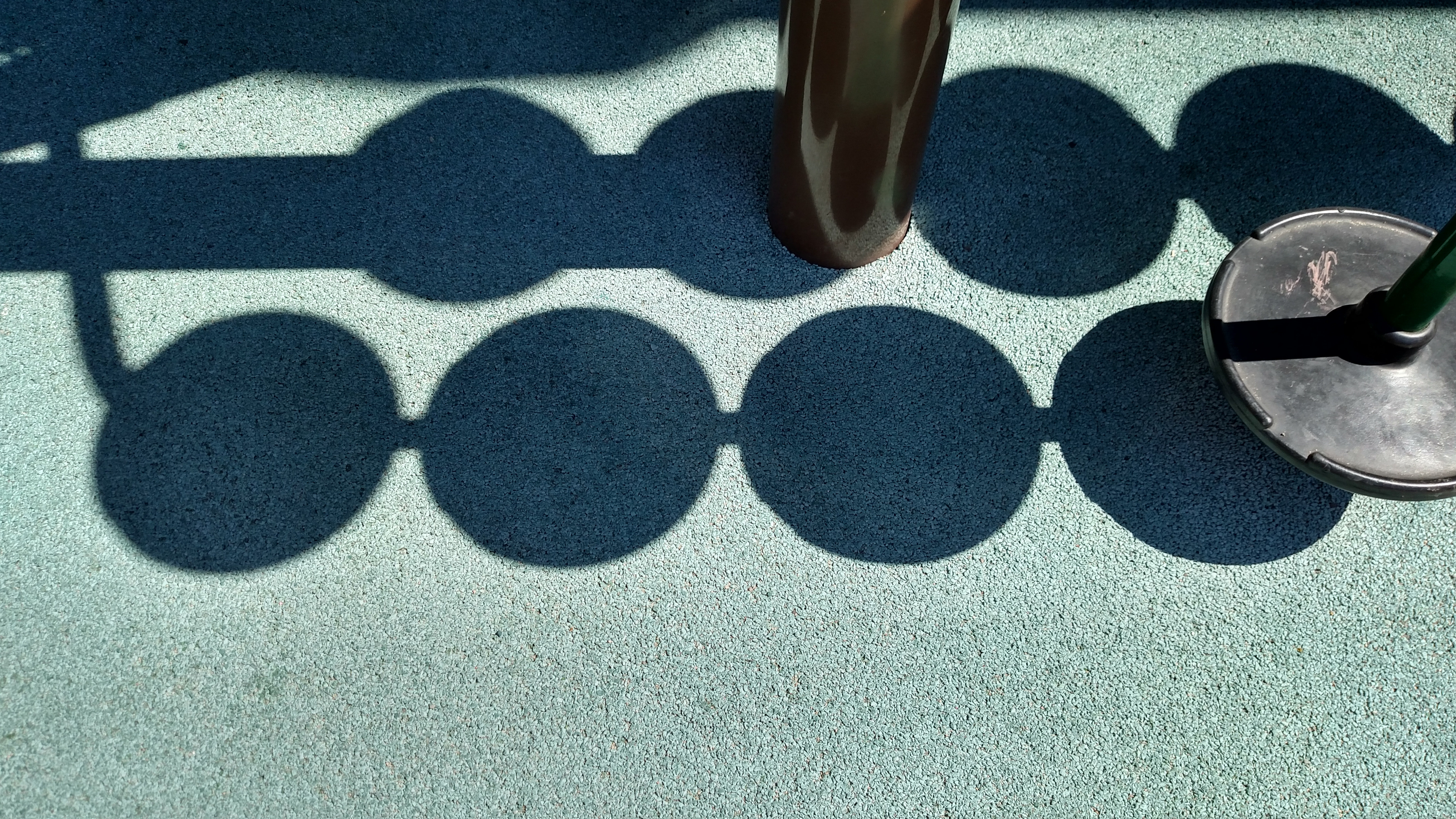
The picture below looks pretty normal right?

Let’s zoom into the shadows on the ground:

The shadows of the circular platforms on the right are sharp, but get softer as they go to left.

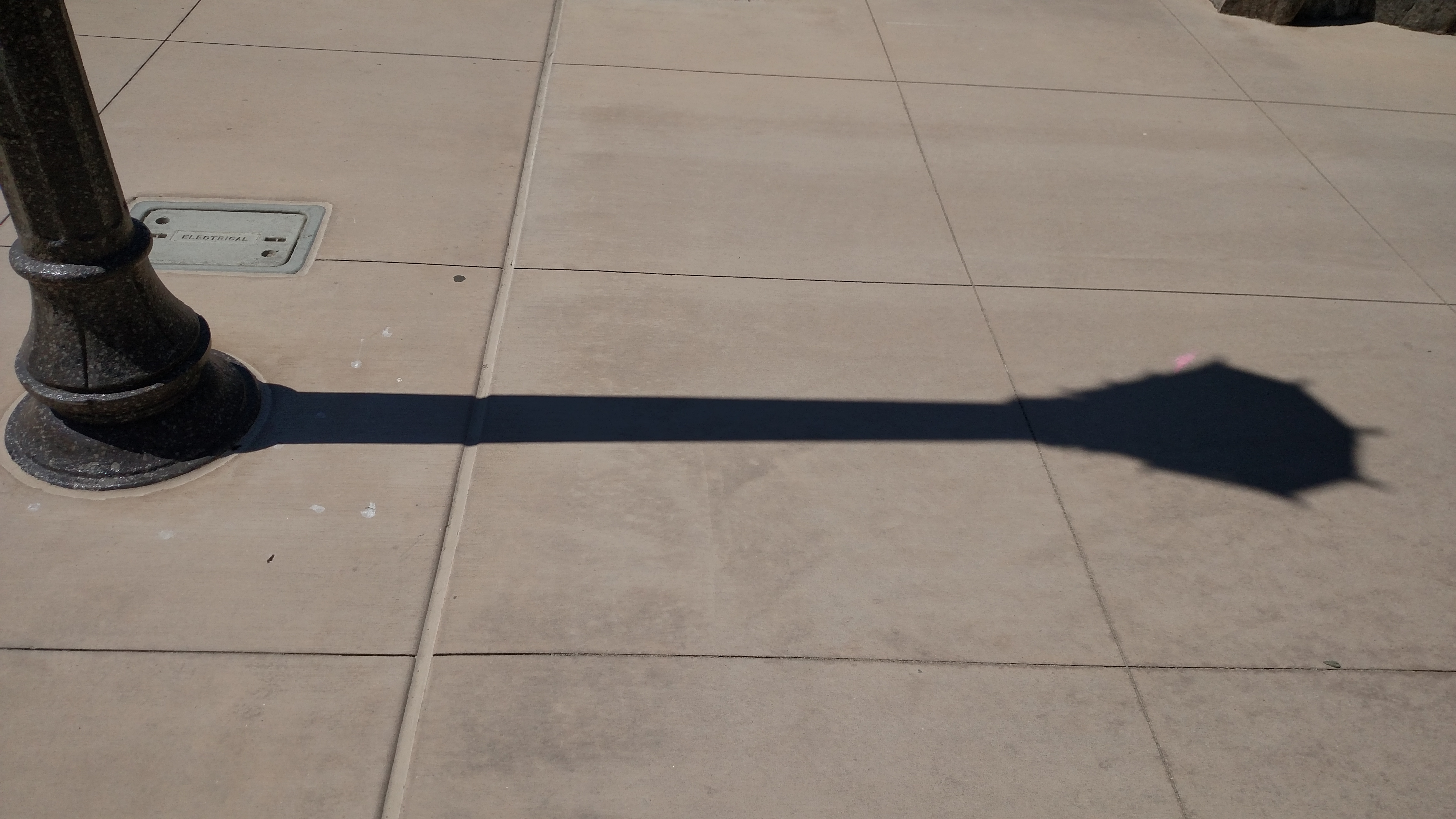
Here you can see a similar effect with a light post, where the shadow is sharp on the left and soft on the right (click these images to zoom in if you want to):

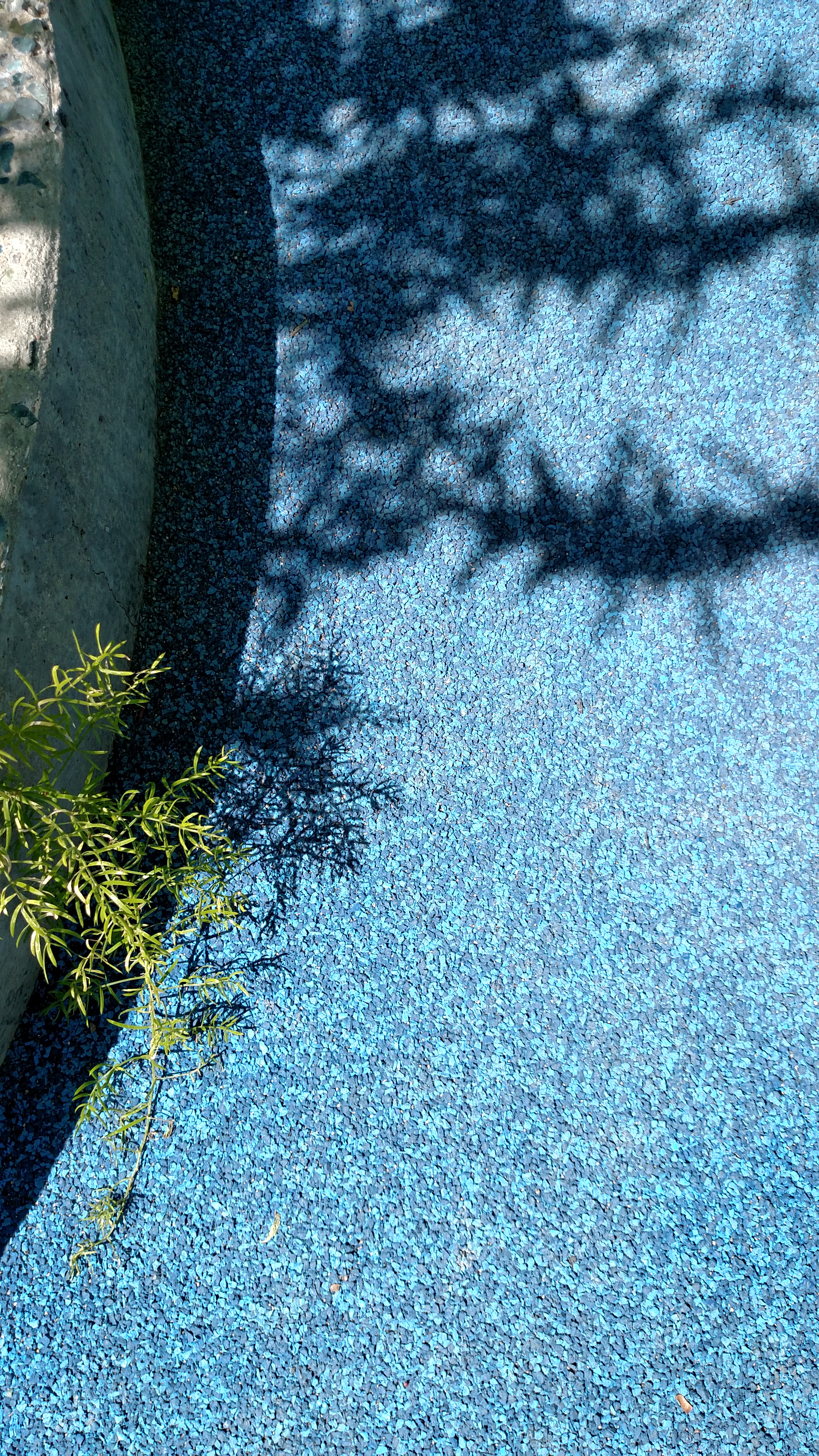
And lastly you can see that the plants in this picture have a sharp shadow (and so does the curb), while the trees above it (out of the picture) cast a soft shadow:

Why are some shadows soft and some shadows hard?

The crux of what is going on here is that shadows that are nearer to the objects casting the shadow are sharper. Shadows that are farther from the objects casting the shadow are softer.

More plainly: Things closer to the ground have sharper edged shadows.

Go have another look at the pictures if you want (click them to see them full sized) and see how distance from the ground affects the sharpness of the shadow’s edge.

Why Does This Happen?

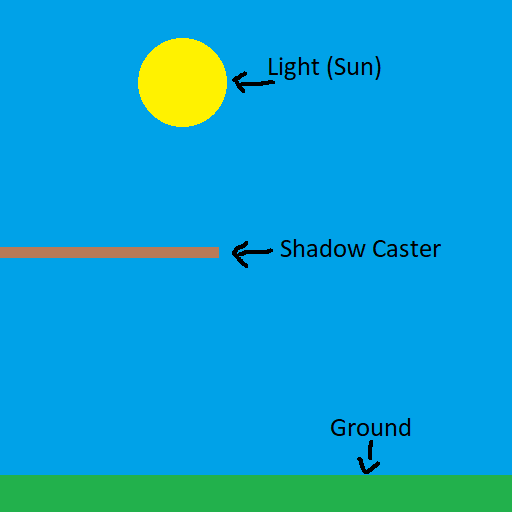
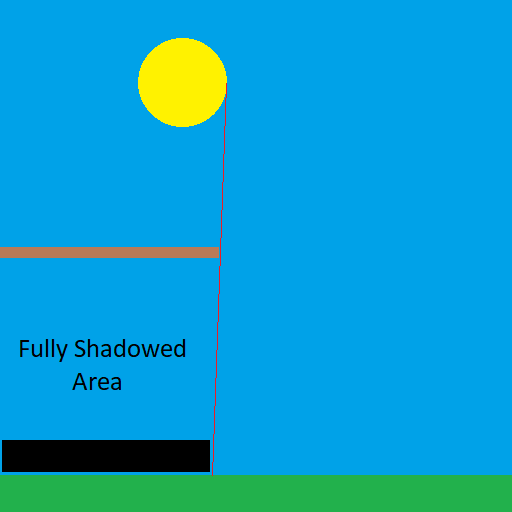
The reason this happens is actually pretty simple. Let’s look at the problem in 2d where we have a light source (the sun), the ground to cast a shadow on, and an object casting a shadow:

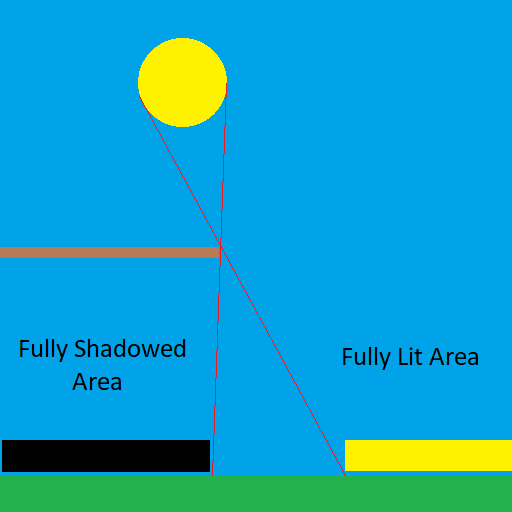
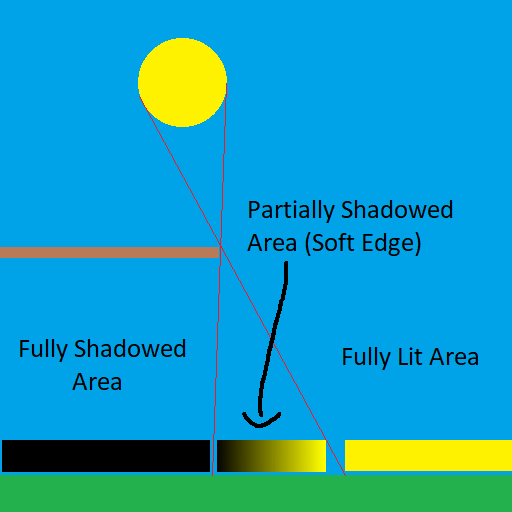
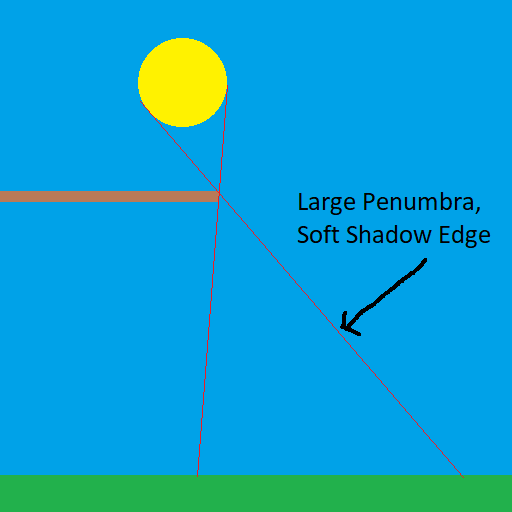
Now let’s think about where the ground would be completely in shadow. We can draw a line where all the ground to the left is completely in shadow. This is the point where all the ground to the right can “see” the sun, but all the ground to the left cannot see it. This area is called the “umbra” which is latin for shadow.

Now let’s think about where the ground would be completely lit up. We can draw a line where all the ground to the right is completely lit up by the sun. This is the point where all the right to the right can “see” the sun completely, but all the ground to the left has some amount of the sun obscured, so can only see some of the sun if any of it.

This leaves us with the area in the middle of the two where the ground can see some of the sun, but not the whole sun. This area is called the “penumbra”, which in latin literally means “almost shadow”. (You may remember the “pen” prefix from peninsula which is also latin, meaning “almost an island”)

So the penumbra is where the soft edge of a shadow is, but how is this related to distance?

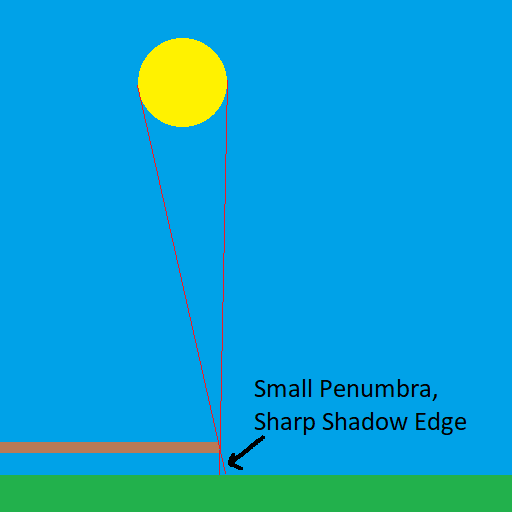
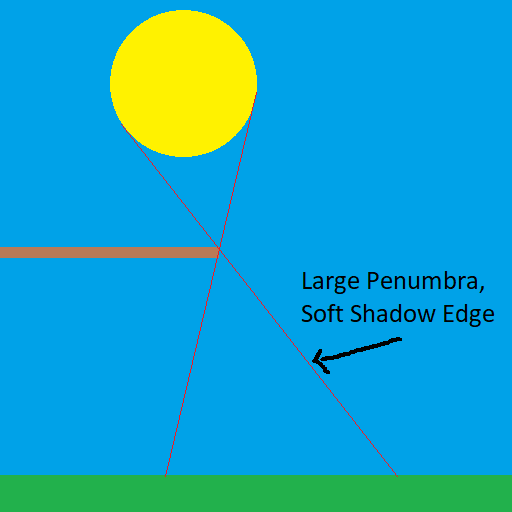
Here is the situation when the shadow casting (brown) object gets closer to the ground. Note how the penumbra is a lot smaller.

Here it is when the shadow casting (brown) object gets farther away from the ground. Note how the penumbra gets larger!

Distance isn’t the only thing that can affect penumbra size though. Here you can see that a larger light makes a larger penumbra.

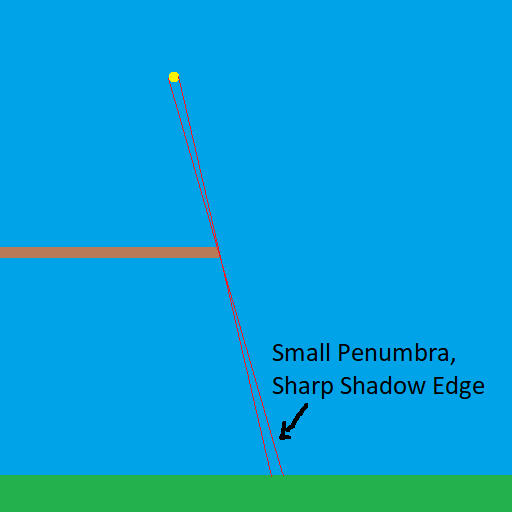
Here you can see how a smaller light makes a smaller penumbra.

If a light was infinitely small (a point light), it would not make a soft shadow edge, no matter how far or close the shadow was to the thing casting the shadow. While point lights do exist in computer graphics, you likely would still want to make a soft shadow for them if you are able to, as point lights can’t exist in real life.

If you’ve never noticed this property of shadows before, you will probably never be able to un-see this.

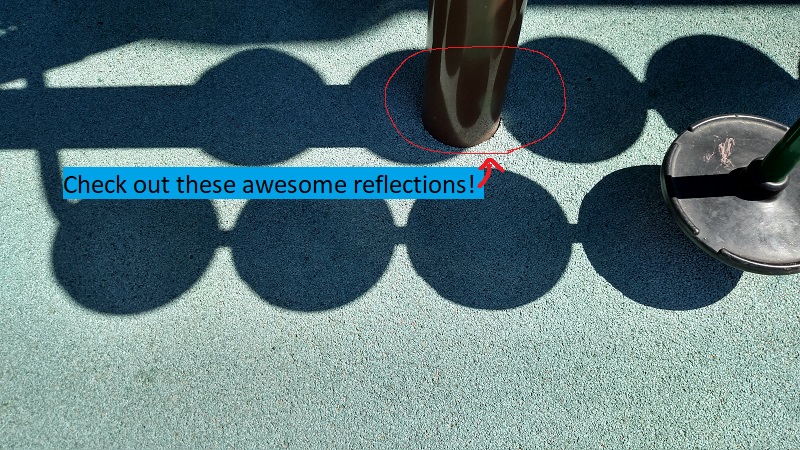
This is what it’s like being a graphics programmer (or an artist, photographer, etc, I’m sure!) – looking at and understanding how things like this work completely changes how you see the world. Lately, everywhere I look, I’m checking out the reflections and thinking about SSR (screen space reflections). Just check out the cool reflections below, that you probably didn’t even think anything of when you first saw the picture!

When Random Numbers Are Too Random: Low Discrepancy Sequences

Random numbers can be useful in graphics and game development, but they have a pesky and sometimes undesirable habit of clumping together.

This is a problem in path tracing and monte carlo integration when you take N samples, but the samples aren’t well spread across the sampling range.

This can also be a problem for situations like when you are randomly placing objects in the world or generating treasure for a treasure chest. You don’t want your randomly placed trees to only be in one part of the forest, and you don’t want a player to get only trash items or only godly items when they open a treasure chest. Ideally you want to have some randomness, but you don’t want the random number generator to give you all of the same or similar random numbers.

The problem is that random numbers can be TOO random, like in the below where you can see clumps and large gaps between the 100 samples.

For cases like that, when you want random numbers that are a little bit more well distributed, you might find some use in low discrepancy sequences.

The standalone C++ code (one source file, standard headers, no libraries to link to) I used to generate the data and images are at the bottom of this post, as well as some links to more resources.

What Is Discrepancy?

In this context, discrepancy is a measurement of the highest or lowest density of points in a sequence. High discrepancy means that there is either a large area of empty space, or that there is an area that has a high density of points. Low discrepancy means that there are neither, and that your points are more or less pretty evenly distributed.

The lowest discrepancy possible has no randomness at all, and in the 1 dimensional case means that the points are evenly distributed on a grid. For monte carlo integration and the game dev usage cases I mentioned, we do want some randomness, we just want the random points to be spread out a little more evenly.

If more formal math notation is your thing, discrepancy is defined as:
D_{N}(P)=\sup _{{B\in J}}\left|{\frac  {A(B;P)}{N}}-\lambda _{s}(B)\right|

You can read more about the formal definition here: Wikipedia:
Equidistributed sequence

For monte carlo integration specifically, this is the behavior each thing gives you:

  • High Discrepancy: Random Numbers / White Noise aka Uniform Distribution – At lower sample counts, convergance is slower (and have higher variance) due to the possibility of not getting good coverage over the area you integrating. At higher sample counts, this problem disappears. (Hint: real time graphics and preview renderings use a smaller number of samples)
  • Lowest Discrepancy: Regular Grid – This will cause aliasing, unlike the other “random” based sampling, which trade aliasing for noise. Noise is preferred over aliasing.
  • Low Discrepancy: Low Discrepancy Sequences – In lower numbers of samples, this will have faster convergence by having better coverage of the sampling space, but will use randomness to get rid of aliasing by introducing noise.

Also interesting to note, Quasi Monte Carlo has provably better asymptotic convergence than regular monte carlo integration.

1 Dimensional Sequences

We’ll first look at 1 dimensional sequences.

Grid

Here are 100 samples evenly spaced:

Random Numbers (White Noise)

This is actually a high discrepancy sequence. To generate this, you just use a standard random number generator to pick 100 points between 0 and 1. I used std::mt19937 with a std::uniform_real_distribution from 0 to 1:

Subrandom Numbers

Subrandom numbers are ways to decrease the discrepancy of white noise.

One way to do this is to break the sampling space in half. You then generate even numbered samples in the first half of the space, and odd numbered samples in the second half of the space.

There’s no reason you can’t generalize this into more divisions of space though.

This splits the space into 4 regions:

8 regions:

16 regions:

32 regions:

There are other ways to generate subrandom numbers though. One way is to generate random numbers between 0 and 0.5, and add them to the last sample, plus 0.5. This gives you a random walk type setup.

Here is that:

Uniform Sampling + Jitter

If you take the first subrandom idea to the logical maximum, you break your sample space up into N sections and place one point within those N sections to make a low discrepancy sequence made up of N points.

Another way to look at this is that you do uniform sampling, but add some random jitter to the samples, between +/- half a uniform sample size, to keep the samples in their own areas.

This is that:

I have heard that Pixar invented this technique interestingly.

Irrational Numbers

Rational numbers are numbers which can be described as fractions, such as 0.75 which can be expressed as 3/4. Irrational numbers are numbers which CANNOT be described as fractions, such as pi, or the golden ratio, or the square root of a prime number.

Interestingly you can use irrational numbers to generate low discrepancy sequences. You start with some value (could be 0, or could be a random number), add the irrational number, and modulus against 1.0. To get the next sample you add the irrational value again, and modulus against 1.0 again. Rinse and repeat until you get as many samples as you want.

Some values work better than others though, and apparently the golden ratio is provably the best choice (1.61803398875…), says Wikipedia.

Here is the golden ratio, using 4 different random (white noise) starting values:


Here I’ve used the square root of 2, with 4 different starting random numbers again:


Lastly, here is pi, with 4 random starting values:


Van der Corput Sequence

The Van der Corput sequence is the 1d equivelant of the Halton sequence which we’ll talk about later.

How you generate values in the Van der Corput sequence is you convert the index of your sample into some base.

For instance if it was base 2, you would convert your index to binary. If it was base 16, you would convert your index to hexadecimal.

Now, instead of treating the digits as if they are B^0, B^1, B^2, etc (where B is the base), you instead treat them as B^{-1}, B^{-2}, B^{-3} and so on. In other words, you multiply each digit by a fraction and add up the results.

To show a couple quick examples, let’s say we wanted sample 6 in the sequence of base 2.

First we convert 6 to binary which is 110. From right to left, we have 3 digits: a 0 in the 1’s place, a 1 in the 2’s place, and a 1 in the 4’s place. 0*1 + 1*2 + 1*4 = 6, so we can see that 110 is in fact 6 in binary.

To get the Van der Corput value for this, instead of treating it as the 1’s, 2’s and 4’s digit, we treat it as the 1/2, 1/4 and 1/8’s digit.

0 * 1/2 + 1 * 1/4 + 1 * 1/8 = 3/8.

So, sample 6 in the Van der Corput sequence using base 2 is 3/8.

Let’s try sample 21 in base 3.

First we convert 21 to base 3 which is 210. We can verify this is right by seeing that 0 * 1 + 1 * 3 + 2 * 9 = 21.

Instead of a 1’s, 3’s and 9’s digit, we are going to treat it like a 1/3, 1/9 and 1/27 digit.

0 * 1/3 + 1 * 1/9 + 2 * 1/27 = 5/27

So, sample 21 in the Van der Corput sequence using base 3 is 5/27.

Here is the Van der Corput sequence for base 2:

Here it is for base 3:

Base 4:

Base 5:

Sobol

One dimensional Sobol is actually just the Van der Corput sequence base 2 re-arranged a little bit, but it’s generated differently.

You start with 0 (either using it as sample 0 or sample -1, doesn’t matter which), and for each sample you do this:

  1. Calculate the Ruler function value for the current sample’s index(more info in a second)
  2. Make the direction vector by shifting 1 left (in binary) 31 – ruler times.
  3. XOR the last sample by the direction vector to get the new sample
  4. To interpret the sample as a floating point number you divide it by 2^{32}

That might sound completely different than the Van der Corput sequence but it actually is the same thing – just re-ordered.

In the final step when dividing by 2^{32}, we are really just interpreting the binary number as a fraction just like before, but it’s the LEFT most digit that is the 1/2 spot, not the RIGHT most digit.

The Ruler Function goes like: 0, 1, 0, 2, 0, 1, 0, 3, 0, 1, 0, 2, 0, 1, 0, …

It’s pretty easy to calculate too. Calculating the ruler function for an index (starting at 1) is just the zero based index of the right most 1’s digit after converting the number to binary.

1 in binary is 001 so Ruler(1) is 0.
2 in binary is 010 so Ruler(2) is 1.
3 in binary is 011 so Ruler(3) is 0.
4 in binary is 100 so Ruler(4) is 2.
5 in binary is 101 so Ruler(5) is 0.
and so on.

Here is 1D Sobol:

Hammersley

In one dimension, the Hammersley sequence is the same as the base 2 Van der Corput sequence, and in the same order. If that sounds strange that it’s the same, it’s a 2d sequence I broke down into a 1d sequence for comparison. The one thing Hammersley has that makes it unique in the 1d case is that you can truncate bits.

It doesn’t seem that useful for 1d Hammersley to truncate bits but knowing that is useful info too I guess. Look at the 2d version of Hammersley to get a fairer look at it, because it’s meant to be a 2d sequence.

Here is Hammersley:

With 1 bit truncated:

With 2 bits truncated:

Poisson Disc

Poisson disc points are points which are densely packed, but have a minimum distance from each other.

Computer scientists are still working out good algorithms to generate these points efficiently.

I use “Mitchell’s Best-Candidate” which means that when you want to generate a new point in the sequence, you generate N new points, and choose whichever point is farthest away from the other points you’ve generated so far.

Here it is where N is 100:

2 Dimensional Sequences

Next up, let’s look at some 2 dimensional sequences.

Grid

Below is 2d uniform samples on a grid.

Note that uniform grid is not particularly low discrepancy for the 2d case! More info here: Is it expected that uniform points would have non zero discrepancy?

Random

Here are 100 random points:

Uniform Grid + Jitter

Here is a uniform grid that has random jitter applied to the points. Jittered grid is a pretty commonly used low discrepancy sampling technique that has good success.

Subrandom

Just like in 1 dimensions, you can apply the subrandom ideas to 2 dimensions where you divide the X and Y axis into so many sections, and randomly choose points in the sections.

If you divide X and Y into the same number of sections though, you are going to have a problem because some areas are not going to have any points in them.

@Reedbeta pointed out that instead of using i%x and i%y, that you could use i%x and (i/x)%y to make it pick points in all regions.

Picking different numbers for X and Y can be another way to give good results. Here’s dividing X and Y into 2 and 3 sections respectively:

If you choose co-prime numbers for divisions for each axis you can get maximal period of repeats. 2 and 3 are coprime so the last example is a good example of that, but here is 3 and 11:

Here is 3 and 97. 97 is large enough that with only doing 100 samples, we are almost doing jittered grid on the y axis.

Here is the other subrandom number from 1d, where we start with a random value for X and Y, and then add a random number between 0 and 0.5 to each, also adding 0.5, to make a “random walk” type setup again:

Halton

The Halton sequence is just the Van der Corput sequence, but using a different base on each axis.

Here is the Halton sequence where X and Y use bases 2 and 3:

Here it is using bases 5 and 7:

Here are bases 13 and 9:

Irrational Numbers

The irrational numbers technique can be used for 2d as well but I wasn’t able to find out how to make it give decent looking output that didn’t have an obvious diagonal pattern in them. Bart Wronski shared a neat paper that explains how to use the golden ratio in 2d with great success: Golden Ratio Sequences For Low-Discrepancy Sampling

This uses the golden ratio for the X axis and the square root of 2 for the Y axis. Below that is the same, with a random starting point, to make it give a different sequence.

Here X axis uses square root of 2 and Y axis uses square root of 3. Below that is a random starting point, which gives the same discrepancy.

Hammersley

In 2 dimensions, the Hammersley sequence uses the 1d Hammersley sequence for the X axis: Instead of treating the binary version of the index as binary, you treat it as fractions like you do for Van der Corput and sum up the fractions.

For the Y axis, you just reverse the bits and then do the same!

Here is the Hammersley sequence. Note we would have to take 128 samples (not just the 100 we did) if we wanted it to fill the entire square with samples.

Truncating bits in 2d is a bit useful. Here is 1 bit truncated:

2 bits truncated:

Poisson Disc

Using the same method we did for 1d, we can generate points in 2d space:

N Rooks

There is a sampling pattern called N-Rooks where you put N rooks onto a chess board and arrange them such that no two are in the same row or column.

A way to generate these samples is to realize that there will be only one rook per row, and that none of them will ever be in the same column. So, you make an array that has numbers 0 to N-1, and then shuffle the array. The index into the array is the row, and the value in the array is the column.

Here are 100 rooks:

Sobol

Sobol in two dimensions is more complex to explain so I’ll link you to the source I used: Sobol Sequences Made Simple.

The 1D sobol already covered is used for the X axis, and then something more complex was used for the Y axis:

Links

Bart Wronski has a really great series on a related topic: Dithering in Games

Wikipedia: Low Discrepancy Sequence

Wikipedia: Halton Sequence

Wikipedia: Van der Corput Sequence

Using Fibonacci Sequence To Generate Colors

Deeper info and usage cases for low discrepancy sequences

Poisson-Disc Sampling

Low discrepancy sequences are related to blue noise. Where white noise contains all frequencies evenly, blue noise has more high frequencies and fewer low frequencies. Blue noise is essentially the ultimate in low discrepancy, but can be expensive to compute. Here are some pages on blue noise:

Free Blue Noise Textures

The problem with 3D blue noise

Stippling and Blue Noise

Vegetation placement in “The Witness”

Here are some links from @marc_b_reynolds:
Sobol (low-discrepancy) sequence in 1-3D, stratified in 2-4D.
Classic binary-reflected gray code.
Sobol.h

Weyl Sequence

Code

#define _CRT_SECURE_NO_WARNINGS

#include <windows.h>  // for bitmap headers and performance counter.  Sorry non windows people!
#include <vector>
#include <stdint.h>
#include <random>
#include <array>
#include <algorithm>
#include <stdlib.h>
#include <set>

typedef uint8_t uint8;

#define NUM_SAMPLES 100  // to simplify some 2d code, this must be a square
#define NUM_SAMPLES_FOR_COLORING 100

// Turning this on will slow things down significantly because it's an O(N^5) operation for 2d!
#define CALCULATE_DISCREPANCY 0

#define IMAGE1D_WIDTH 600
#define IMAGE1D_HEIGHT 50
#define IMAGE2D_WIDTH 300
#define IMAGE2D_HEIGHT 300
#define IMAGE_PAD   30

#define IMAGE1D_CENTERX ((IMAGE1D_WIDTH+IMAGE_PAD*2)/2)
#define IMAGE1D_CENTERY ((IMAGE1D_HEIGHT+IMAGE_PAD*2)/2)
#define IMAGE2D_CENTERX ((IMAGE2D_WIDTH+IMAGE_PAD*2)/2)
#define IMAGE2D_CENTERY ((IMAGE2D_HEIGHT+IMAGE_PAD*2)/2)

#define AXIS_HEIGHT 40
#define DATA_HEIGHT 20
#define DATA_WIDTH 2

#define COLOR_FILL SColor(255,255,255)
#define COLOR_AXIS SColor(0, 0, 0)

//======================================================================================
struct SImageData
{
    SImageData ()
        : m_width(0)
        , m_height(0)
    { }
  
    size_t m_width;
    size_t m_height;
    size_t m_pitch;
    std::vector<uint8> m_pixels;
};

struct SColor
{
    SColor (uint8 _R = 0, uint8 _G = 0, uint8 _B = 0)
        : R(_R), G(_G), B(_B)
    { }

    uint8 B, G, R;
};

//======================================================================================
bool SaveImage (const char *fileName, const SImageData &image)
{
    // open the file if we can
    FILE *file;
    file = fopen(fileName, "wb");
    if (!file) {
        printf("Could not save %s\n", fileName);
        return false;
    }
  
    // make the header info
    BITMAPFILEHEADER header;
    BITMAPINFOHEADER infoHeader;
  
    header.bfType = 0x4D42;
    header.bfReserved1 = 0;
    header.bfReserved2 = 0;
    header.bfOffBits = 54;
  
    infoHeader.biSize = 40;
    infoHeader.biWidth = (LONG)image.m_width;
    infoHeader.biHeight = (LONG)image.m_height;
    infoHeader.biPlanes = 1;
    infoHeader.biBitCount = 24;
    infoHeader.biCompression = 0;
    infoHeader.biSizeImage = (DWORD) image.m_pixels.size();
    infoHeader.biXPelsPerMeter = 0;
    infoHeader.biYPelsPerMeter = 0;
    infoHeader.biClrUsed = 0;
    infoHeader.biClrImportant = 0;
  
    header.bfSize = infoHeader.biSizeImage + header.bfOffBits;
  
    // write the data and close the file
    fwrite(&header, sizeof(header), 1, file);
    fwrite(&infoHeader, sizeof(infoHeader), 1, file);
    fwrite(&image.m_pixels[0], infoHeader.biSizeImage, 1, file);
    fclose(file);
 
    return true;
}

//======================================================================================
void ImageInit (SImageData& image, size_t width, size_t height)
{
    image.m_width = width;
    image.m_height = height;
    image.m_pitch = 4 * ((width * 24 + 31) / 32);
    image.m_pixels.resize(image.m_pitch * image.m_width);
    std::fill(image.m_pixels.begin(), image.m_pixels.end(), 0);
}

//======================================================================================
void ImageClear (SImageData& image, const SColor& color)
{
    uint8* row = &image.m_pixels[0];
    for (size_t rowIndex = 0; rowIndex < image.m_height; ++rowIndex)
    {
        SColor* pixels = (SColor*)row;
        std::fill(pixels, pixels + image.m_width, color);

        row += image.m_pitch;
    }
}

//======================================================================================
void ImageBox (SImageData& image, size_t x1, size_t x2, size_t y1, size_t y2, const SColor& color)
{
    for (size_t y = y1; y < y2; ++y)
    {
        uint8* row = &image.m_pixels[y * image.m_pitch];
        SColor* start = &((SColor*)row)[x1];
        std::fill(start, start + x2 - x1, color);
    }
}

//======================================================================================
float Distance (float x1, float y1, float x2, float y2)
{
    float dx = (x2 - x1);
    float dy = (y2 - y1);

    return std::sqrtf(dx*dx + dy*dy);
}

//======================================================================================
SColor DataPointColor (size_t sampleIndex)
{
    SColor ret;
    float percent = (float(sampleIndex) / (float(NUM_SAMPLES_FOR_COLORING) - 1.0f));

    ret.R = uint8((1.0f - percent) * 255.0f);
    ret.G = 0;
    ret.B = uint8(percent * 255.0f);

    float mag = (float)sqrt(ret.R*ret.R + ret.G*ret.G + ret.B*ret.B);
    ret.R = uint8((float(ret.R) / mag)*255.0f);
    ret.G = uint8((float(ret.G) / mag)*255.0f);
    ret.B = uint8((float(ret.B) / mag)*255.0f);

    return ret;
}

//======================================================================================
float RandomFloat (float min, float max)
{
    static std::random_device rd;
    static std::mt19937 mt(rd());
    std::uniform_real_distribution<float> dist(min, max);
    return dist(mt);
}

//======================================================================================
size_t Ruler (size_t n)
{
    size_t ret = 0;
    while (n != 0 && (n & 1) == 0)
    {
        n /= 2;
        ++ret;
    }
    return ret;
}

//======================================================================================
float CalculateDiscrepancy1D (const std::array<float, NUM_SAMPLES>& samples)
{
    // some info about calculating discrepancy
    // https://math.stackexchange.com/questions/1681562/how-to-calculate-discrepancy-of-a-sequence

    // Calculates the discrepancy of this data.
    // Assumes the data is [0,1) for valid sample range
    std::array<float, NUM_SAMPLES> sortedSamples = samples;
    std::sort(sortedSamples.begin(), sortedSamples.end());

    float maxDifference = 0.0f;
    for (size_t startIndex = 0; startIndex <= NUM_SAMPLES; ++startIndex)
    {
        // startIndex 0 = 0.0f.  startIndex 1 = sortedSamples[0]. etc

        float startValue = 0.0f;
        if (startIndex > 0)
            startValue = sortedSamples[startIndex - 1];

        for (size_t stopIndex = startIndex; stopIndex <= NUM_SAMPLES; ++stopIndex)
        {
            // stopIndex 0 = sortedSamples[0].  startIndex[N] = 1.0f. etc

            float stopValue = 1.0f;
            if (stopIndex < NUM_SAMPLES)
                stopValue = sortedSamples[stopIndex];

            float length = stopValue - startValue;

            // open interval (startValue, stopValue)
            size_t countInside = 0;
            for (float sample : samples)
            {
                if (sample > startValue &&
                    sample < stopValue)
                {
                    ++countInside;
                }
            }
            float density = float(countInside) / float(NUM_SAMPLES);
            float difference = std::abs(density - length);
            if (difference > maxDifference)
                maxDifference = difference;

            // closed interval [startValue, stopValue]
            countInside = 0;
            for (float sample : samples)
            {
                if (sample >= startValue &&
                    sample <= stopValue)
                {
                    ++countInside;
                }
            }
            density = float(countInside) / float(NUM_SAMPLES);
            difference = std::abs(density - length);
            if (difference > maxDifference)
                maxDifference = difference;
        }
    }
    return maxDifference;
}

//======================================================================================
float CalculateDiscrepancy2D (const std::array<std::array<float, 2>, NUM_SAMPLES>& samples)
{
    // some info about calculating discrepancy
    // https://math.stackexchange.com/questions/1681562/how-to-calculate-discrepancy-of-a-sequence

    // Calculates the discrepancy of this data.
    // Assumes the data is [0,1) for valid sample range.

    // Get the sorted list of unique values on each axis
    std::set<float> setSamplesX;
    std::set<float> setSamplesY;
    for (const std::array<float, 2>& sample : samples)
    {
        setSamplesX.insert(sample[0]);
        setSamplesY.insert(sample[1]);
    }
    std::vector<float> sortedXSamples;
    std::vector<float> sortedYSamples;
    sortedXSamples.reserve(setSamplesX.size());
    sortedYSamples.reserve(setSamplesY.size());
    for (float f : setSamplesX)
        sortedXSamples.push_back(f);
    for (float f : setSamplesY)
        sortedYSamples.push_back(f);

    // Get the sorted list of samples on the X axis, for faster interval testing
    std::array<std::array<float, 2>, NUM_SAMPLES> sortedSamplesX = samples;
    std::sort(sortedSamplesX.begin(), sortedSamplesX.end(),
        [] (const std::array<float, 2>& itemA, const std::array<float, 2>& itemB)
        {
            return itemA[0] < itemB[0];
        }
    );

    // calculate discrepancy
    float maxDifference = 0.0f;
    for (size_t startIndexY = 0; startIndexY <= sortedYSamples.size(); ++startIndexY)
    {
        float startValueY = 0.0f;
        if (startIndexY > 0)
            startValueY = *(sortedYSamples.begin() + startIndexY - 1);

        for (size_t startIndexX = 0; startIndexX <= sortedXSamples.size(); ++startIndexX)
        {
            float startValueX = 0.0f;
            if (startIndexX > 0)
                startValueX = *(sortedXSamples.begin() + startIndexX - 1);

            for (size_t stopIndexY = startIndexY; stopIndexY <= sortedYSamples.size(); ++stopIndexY)
            {
                float stopValueY = 1.0f;
                if (stopIndexY < sortedYSamples.size())
                    stopValueY = sortedYSamples[stopIndexY];

                for (size_t stopIndexX = startIndexX; stopIndexX <= sortedXSamples.size(); ++stopIndexX)
                {
                    float stopValueX = 1.0f;
                    if (stopIndexX < sortedXSamples.size())
                        stopValueX = sortedXSamples[stopIndexX];

                    // calculate area
                    float length = stopValueX - startValueX;
                    float height = stopValueY - startValueY;
                    float area = length * height;

                    // open interval (startValue, stopValue)
                    size_t countInside = 0;
                    for (const std::array<float, 2>& sample : samples)
                    {
                        if (sample[0] > startValueX &&
                            sample[1] > startValueY &&
                            sample[0] < stopValueX &&
                            sample[1] < stopValueY)
                        {
                            ++countInside;
                        }
                    }
                    float density = float(countInside) / float(NUM_SAMPLES);
                    float difference = std::abs(density - area);
                    if (difference > maxDifference)
                        maxDifference = difference;

                    // closed interval [startValue, stopValue]
                    countInside = 0;
                    for (const std::array<float, 2>& sample : samples)
                    {
                        if (sample[0] >= startValueX &&
                            sample[1] >= startValueY &&
                            sample[0] <= stopValueX &&
                            sample[1] <= stopValueY)
                        {
                            ++countInside;
                        }
                    }
                    density = float(countInside) / float(NUM_SAMPLES);
                    difference = std::abs(density - area);
                    if (difference > maxDifference)
                        maxDifference = difference;
                }
            }
        }
    }

    return maxDifference;
}

//======================================================================================
void Test1D (const char* fileName, const std::array<float, NUM_SAMPLES>& samples)
{
    // create and clear the image
    SImageData image;
    ImageInit(image, IMAGE1D_WIDTH + IMAGE_PAD * 2, IMAGE1D_HEIGHT + IMAGE_PAD * 2);

    // setup the canvas
    ImageClear(image, COLOR_FILL);

    // calculate the discrepancy
    #if CALCULATE_DISCREPANCY
        float discrepancy = CalculateDiscrepancy1D(samples);
        printf("%s Discrepancy = %0.2f%%\n", fileName, discrepancy*100.0f);
    #endif

    // draw the sample points
    size_t i = 0;
    for (float f: samples)
    {
        size_t pos = size_t(f * float(IMAGE1D_WIDTH)) + IMAGE_PAD;
        ImageBox(image, pos, pos + 1, IMAGE1D_CENTERY - DATA_HEIGHT / 2, IMAGE1D_CENTERY + DATA_HEIGHT / 2, DataPointColor(i));
        ++i;
    }

    // draw the axes lines. horizontal first then the two vertical
    ImageBox(image, IMAGE_PAD, IMAGE1D_WIDTH + IMAGE_PAD, IMAGE1D_CENTERY, IMAGE1D_CENTERY + 1, COLOR_AXIS);
    ImageBox(image, IMAGE_PAD, IMAGE_PAD + 1, IMAGE1D_CENTERY - AXIS_HEIGHT / 2, IMAGE1D_CENTERY + AXIS_HEIGHT / 2, COLOR_AXIS);
    ImageBox(image, IMAGE1D_WIDTH + IMAGE_PAD, IMAGE1D_WIDTH + IMAGE_PAD + 1, IMAGE1D_CENTERY - AXIS_HEIGHT / 2, IMAGE1D_CENTERY + AXIS_HEIGHT / 2, COLOR_AXIS);

    // save the image
    SaveImage(fileName, image);
}

//======================================================================================
void Test2D (const char* fileName, const std::array<std::array<float,2>, NUM_SAMPLES>& samples)
{
    // create and clear the image
    SImageData image;
    ImageInit(image, IMAGE2D_WIDTH + IMAGE_PAD * 2, IMAGE2D_HEIGHT + IMAGE_PAD * 2);
    
    // setup the canvas
    ImageClear(image, COLOR_FILL);

    // calculate the discrepancy
    #if CALCULATE_DISCREPANCY
        float discrepancy = CalculateDiscrepancy2D(samples);
        printf("%s Discrepancy = %0.2f%%\n", fileName, discrepancy*100.0f);
    #endif

    // draw the sample points
    size_t i = 0;
    for (const std::array<float, 2>& sample : samples)
    {
        size_t posx = size_t(sample[0] * float(IMAGE2D_WIDTH)) + IMAGE_PAD;
        size_t posy = size_t(sample[1] * float(IMAGE2D_WIDTH)) + IMAGE_PAD;
        ImageBox(image, posx - 1, posx + 1, posy - 1, posy + 1, DataPointColor(i));
        ++i;
    }

    // horizontal lines
    ImageBox(image, IMAGE_PAD - 1, IMAGE2D_WIDTH + IMAGE_PAD + 1, IMAGE_PAD - 1, IMAGE_PAD, COLOR_AXIS);
    ImageBox(image, IMAGE_PAD - 1, IMAGE2D_WIDTH + IMAGE_PAD + 1, IMAGE2D_HEIGHT + IMAGE_PAD, IMAGE2D_HEIGHT + IMAGE_PAD + 1, COLOR_AXIS);

    // vertical lines
    ImageBox(image, IMAGE_PAD - 1, IMAGE_PAD, IMAGE_PAD - 1, IMAGE2D_HEIGHT + IMAGE_PAD + 1, COLOR_AXIS);
    ImageBox(image, IMAGE_PAD + IMAGE2D_WIDTH, IMAGE_PAD + IMAGE2D_WIDTH + 1, IMAGE_PAD - 1, IMAGE2D_HEIGHT + IMAGE_PAD + 1, COLOR_AXIS);

    // save the image
    SaveImage(fileName, image);
}

//======================================================================================
void TestUniform1D (bool jitter)
{
    // calculate the sample points
    const float c_cellSize = 1.0f / float(NUM_SAMPLES+1);
    std::array<float, NUM_SAMPLES> samples;
    for (size_t i = 0; i < NUM_SAMPLES; ++i)
    {
        samples[i] = float(i+1) / float(NUM_SAMPLES+1);
        if (jitter)
            samples[i] += RandomFloat(-c_cellSize*0.5f, c_cellSize*0.5f);
    }

    // save bitmap etc
    if (jitter)
        Test1D("1DUniformJitter.bmp", samples);
    else
        Test1D("1DUniform.bmp", samples);
}

//======================================================================================
void TestUniformRandom1D ()
{
    // calculate the sample points
    const float c_halfJitter = 1.0f / float((NUM_SAMPLES + 1) * 2);
    std::array<float, NUM_SAMPLES> samples;
    for (size_t i = 0; i < NUM_SAMPLES; ++i)
        samples[i] = RandomFloat(0.0f, 1.0f);

    // save bitmap etc
    Test1D("1DUniformRandom.bmp", samples);
}

//======================================================================================
void TestSubRandomA1D (size_t numRegions)
{
    const float c_randomRange = 1.0f / float(numRegions);

    // calculate the sample points
    const float c_halfJitter = 1.0f / float((NUM_SAMPLES + 1) * 2);
    std::array<float, NUM_SAMPLES> samples;
    for (size_t i = 0; i < NUM_SAMPLES; ++i)
    {
        samples[i] = RandomFloat(0.0f, c_randomRange);
        samples[i] += float(i % numRegions) / float(numRegions);
    }

    // save bitmap etc
    char fileName[256];
    sprintf(fileName, "1DSubRandomA_%zu.bmp", numRegions);
    Test1D(fileName, samples);
}

//======================================================================================
void TestSubRandomB1D ()
{
    // calculate the sample points
    std::array<float, NUM_SAMPLES> samples;
    float sample = RandomFloat(0.0f, 0.5f);
    for (size_t i = 0; i < NUM_SAMPLES; ++i)
    {
        sample = std::fmodf(sample + 0.5f + RandomFloat(0.0f, 0.5f), 1.0f);
        samples[i] = sample;
    }

    // save bitmap etc
    Test1D("1DSubRandomB.bmp", samples);
}

//======================================================================================
void TestVanDerCorput (size_t base)
{
    // calculate the sample points
    std::array<float, NUM_SAMPLES> samples;
    for (size_t i = 0; i < NUM_SAMPLES; ++i)
    {
        samples[i] = 0.0f;
        float denominator = float(base);
        size_t n = i;
        while (n > 0)
        {
            size_t multiplier = n % base;
            samples[i] += float(multiplier) / denominator;
            n = n / base;
            denominator *= base;
        }
    }

    // save bitmap etc
    char fileName[256];
    sprintf(fileName, "1DVanDerCorput_%zu.bmp", base);
    Test1D(fileName, samples);
}

//======================================================================================
void TestIrrational1D (float irrational, float seed)
{
    // calculate the sample points
    std::array<float, NUM_SAMPLES> samples;
    float sample = seed;
    for (size_t i = 0; i < NUM_SAMPLES; ++i)
    {
        sample = std::fmodf(sample + irrational, 1.0f);
        samples[i] = sample;
    }

    // save bitmap etc
    char irrationalStr[256];
    sprintf(irrationalStr, "%f", irrational);
    char seedStr[256];
    sprintf(seedStr, "%f", seed);
    char fileName[256];
    sprintf(fileName, "1DIrrational_%s_%s.bmp", &irrationalStr[2], &seedStr[2]);
    Test1D(fileName, samples);
}

//======================================================================================
void TestSobol1D ()
{
    // calculate the sample points
    std::array<float, NUM_SAMPLES> samples;
    size_t sampleInt = 0;
    for (size_t i = 0; i < NUM_SAMPLES; ++i)
    {
        size_t ruler = Ruler(i + 1);
        size_t direction = size_t(size_t(1) << size_t(31 - ruler));
        sampleInt = sampleInt ^ direction;
        samples[i] = float(sampleInt) / std::pow(2.0f, 32.0f);
    }

    // save bitmap etc
    Test1D("1DSobol.bmp", samples);
}

//======================================================================================
void TestHammersley1D (size_t truncateBits)
{
    // calculate the sample points
    std::array<float, NUM_SAMPLES> samples;
    size_t sampleInt = 0;
    for (size_t i = 0; i < NUM_SAMPLES; ++i)
    {
        size_t n = i >> truncateBits;
        float base = 1.0f / 2.0f;
        samples[i] = 0.0f;
        while (n)
        {
            if (n & 1)
                samples[i] += base;
            n /= 2;
            base /= 2.0f;
        }
    }

    // save bitmap etc
    char fileName[256];
    sprintf(fileName, "1DHammersley_%zu.bmp", truncateBits);
    Test1D(fileName, samples);
}

//======================================================================================
float MinimumDistance1D (const std::array<float, NUM_SAMPLES>& samples, size_t numSamples, float x)
{
    // Used by poisson.
    // This returns the minimum distance that point (x) is away from the sample points, from [0, numSamples).
    float minimumDistance = 0.0f;
    for (size_t i = 0; i < numSamples; ++i)
    {
        float distance = std::abs(samples[i] - x);
        if (i == 0 || distance < minimumDistance)
            minimumDistance = distance;
    }
    return minimumDistance;
}

//======================================================================================
void TestPoisson1D ()
{
    // every time we want to place a point, we generate this many points and choose the one farthest away from all the other points (largest minimum distance)
    const size_t c_bestOfAttempts = 100;

    // calculate the sample points
    std::array<float, NUM_SAMPLES> samples;
    for (size_t sampleIndex = 0; sampleIndex < NUM_SAMPLES; ++sampleIndex)
    {
        // generate some random points and keep the one that has the largest minimum distance from any of the existing points
        float bestX = 0.0f;
        float bestMinDistance = 0.0f;
        for (size_t attempt = 0; attempt < c_bestOfAttempts; ++attempt)
        {
            float attemptX = RandomFloat(0.0f, 1.0f);
            float minDistance = MinimumDistance1D(samples, sampleIndex, attemptX);

            if (minDistance > bestMinDistance)
            {
                bestX = attemptX;
                bestMinDistance = minDistance;
            }
        }
        samples[sampleIndex] = bestX;
    }

    // save bitmap etc
    Test1D("1DPoisson.bmp", samples);
}

//======================================================================================
void TestUniform2D (bool jitter)
{
    // calculate the sample points
    std::array<std::array<float, 2>, NUM_SAMPLES> samples;
    const size_t c_oneSide = size_t(std::sqrt(NUM_SAMPLES));
    const float c_cellSize = 1.0f / float(c_oneSide+1);
    for (size_t iy = 0; iy < c_oneSide; ++iy)
    {
        for (size_t ix = 0; ix < c_oneSide; ++ix)
        {
            size_t sampleIndex = iy * c_oneSide + ix;

            samples[sampleIndex][0] = float(ix + 1) / (float(c_oneSide + 1));
            if (jitter)
                samples[sampleIndex][0] += RandomFloat(-c_cellSize*0.5f, c_cellSize*0.5f);

            samples[sampleIndex][1] = float(iy + 1) / (float(c_oneSide) + 1.0f);
            if (jitter)
                samples[sampleIndex][1] += RandomFloat(-c_cellSize*0.5f, c_cellSize*0.5f);
        }
    }

    // save bitmap etc
    if (jitter)
        Test2D("2DUniformJitter.bmp", samples);
    else
        Test2D("2DUniform.bmp", samples);
}

//======================================================================================
void TestUniformRandom2D ()
{
    // calculate the sample points
    std::array<std::array<float, 2>, NUM_SAMPLES> samples;
    const size_t c_oneSide = size_t(std::sqrt(NUM_SAMPLES));
    const float c_halfJitter = 1.0f / float((c_oneSide + 1) * 2);
    for (size_t i = 0; i < NUM_SAMPLES; ++i)
    {
        samples[i][0] = RandomFloat(0.0f, 1.0f);
        samples[i][1] = RandomFloat(0.0f, 1.0f);
    }

    // save bitmap etc
    Test2D("2DUniformRandom.bmp", samples);
}

//======================================================================================
void TestSubRandomA2D (size_t regionsX, size_t regionsY)
{
    const float c_randomRangeX = 1.0f / float(regionsX);
    const float c_randomRangeY = 1.0f / float(regionsY);

    // calculate the sample points
    std::array<std::array<float, 2>, NUM_SAMPLES> samples;
    for (size_t i = 0; i < NUM_SAMPLES; ++i)
    {
        samples[i][0] = RandomFloat(0.0f, c_randomRangeX);
        samples[i][0] += float(i % regionsX) / float(regionsX);

        samples[i][1] = RandomFloat(0.0f, c_randomRangeY);
        samples[i][1] += float(i % regionsY) / float(regionsY);
    }

    // save bitmap etc
    char fileName[256];
    sprintf(fileName, "2DSubRandomA_%zu_%zu.bmp", regionsX, regionsY);
    Test2D(fileName, samples);
}

//======================================================================================
void TestSubRandomB2D ()
{
    // calculate the sample points
    float samplex = RandomFloat(0.0f, 0.5f);
    float sampley = RandomFloat(0.0f, 0.5f);
    std::array<std::array<float, 2>, NUM_SAMPLES> samples;
    for (size_t i = 0; i < NUM_SAMPLES; ++i)
    {
        samplex = std::fmodf(samplex + 0.5f + RandomFloat(0.0f, 0.5f), 1.0f);
        sampley = std::fmodf(sampley + 0.5f + RandomFloat(0.0f, 0.5f), 1.0f);
        samples[i][0] = samplex;
        samples[i][1] = sampley;
    }
    
    // save bitmap etc
    Test2D("2DSubRandomB.bmp", samples);
}

//======================================================================================
void TestHalton (size_t basex, size_t basey)
{
    // calculate the sample points
    std::array<std::array<float, 2>, NUM_SAMPLES> samples;
    const size_t c_oneSide = size_t(std::sqrt(NUM_SAMPLES));
    const float c_halfJitter = 1.0f / float((c_oneSide + 1) * 2);
    for (size_t i = 0; i < NUM_SAMPLES; ++i)
    {
        // x axis
        samples[i][0] = 0.0f;
        {
            float denominator = float(basex);
            size_t n = i;
            while (n > 0)
            {
                size_t multiplier = n % basex;
                samples[i][0] += float(multiplier) / denominator;
                n = n / basex;
                denominator *= basex;
            }
        }

        // y axis
        samples[i][1] = 0.0f;
        {
            float denominator = float(basey);
            size_t n = i;
            while (n > 0)
            {
                size_t multiplier = n % basey;
                samples[i][1] += float(multiplier) / denominator;
                n = n / basey;
                denominator *= basey;
            }
        }
    }

    // save bitmap etc
    char fileName[256];
    sprintf(fileName, "2DHalton_%zu_%zu.bmp", basex, basey);
    Test2D(fileName, samples);
}

//======================================================================================
void TestSobol2D ()
{
    // calculate the sample points

    // x axis
    std::array<std::array<float, 2>, NUM_SAMPLES> samples;
    size_t sampleInt = 0;
    for (size_t i = 0; i < NUM_SAMPLES; ++i)
    {
        size_t ruler = Ruler(i + 1);
        size_t direction = size_t(size_t(1) << size_t(31 - ruler));
        sampleInt = sampleInt ^ direction;
        samples[i][0] = float(sampleInt) / std::pow(2.0f, 32.0f);
    }

    // y axis
    // Code adapted from http://web.maths.unsw.edu.au/~fkuo/sobol/
    // uses numbers: new-joe-kuo-6.21201

    // Direction numbers
    std::vector<size_t> V;
    V.resize((size_t)ceil(log((double)NUM_SAMPLES) / log(2.0)));
    V[0] = size_t(1) << size_t(31);
    for (size_t i = 1; i < V.size(); ++i)
        V[i] = V[i - 1] ^ (V[i - 1] >> 1);

    // Samples
    sampleInt = 0;
    for (size_t i = 0; i < NUM_SAMPLES; ++i) {
        size_t ruler = Ruler(i + 1);
        sampleInt = sampleInt ^ V[ruler];
        samples[i][1] = float(sampleInt) / std::pow(2.0f, 32.0f);
    }

    // save bitmap etc
    Test2D("2DSobol.bmp", samples);
}

//======================================================================================
void TestHammersley2D (size_t truncateBits)
{
    // figure out how many bits we are working in.
    size_t value = 1;
    size_t numBits = 0;
    while (value < NUM_SAMPLES)
    {
        value *= 2;
        ++numBits;
    }

    // calculate the sample points
    std::array<std::array<float, 2>, NUM_SAMPLES> samples;
    size_t sampleInt = 0;
    for (size_t i = 0; i < NUM_SAMPLES; ++i)
    {
        // x axis
        samples[i][0] = 0.0f;
        {
            size_t n = i >> truncateBits;
            float base = 1.0f / 2.0f;
            while (n)
            {
                if (n & 1)
                    samples[i][0] += base;
                n /= 2;
                base /= 2.0f;
            }
        }

        // y axis
        samples[i][1] = 0.0f;
        {
            size_t n = i >> truncateBits;
            size_t mask = size_t(1) << (numBits - 1 - truncateBits);

            float base = 1.0f / 2.0f;
            while (mask)
            {
                if (n & mask)
                    samples[i][1] += base;
                mask /= 2;
                base /= 2.0f;
            }
        }
    }


    // save bitmap etc
    char fileName[256];
    sprintf(fileName, "2DHammersley_%zu.bmp", truncateBits);
    Test2D(fileName, samples);
}

//======================================================================================
void TestRooks2D ()
{
    // make and shuffle rook positions
    std::random_device rd;
    std::mt19937 mt(rd());
    std::array<size_t, NUM_SAMPLES> rookPositions;
    for (size_t i = 0; i < NUM_SAMPLES; ++i)
        rookPositions[i] = i;
    std::shuffle(rookPositions.begin(), rookPositions.end(), mt);

    // calculate the sample points
    std::array<std::array<float, 2>, NUM_SAMPLES> samples;
    for (size_t i = 0; i < NUM_SAMPLES; ++i)
    {
        // x axis
        samples[i][0] = float(rookPositions[i]) / float(NUM_SAMPLES-1);

        // y axis
        samples[i][1] = float(i) / float(NUM_SAMPLES - 1);
    }

    // save bitmap etc
    Test2D("2DRooks.bmp", samples);
}

//======================================================================================
void TestIrrational2D (float irrationalx, float irrationaly, float seedx, float seedy)
{
    // calculate the sample points
    std::array<std::array<float, 2>, NUM_SAMPLES> samples;
    float samplex = seedx;
    float sampley = seedy;
    for (size_t i = 0; i < NUM_SAMPLES; ++i)
    {
        samplex = std::fmodf(samplex + irrationalx, 1.0f);
        sampley = std::fmodf(sampley + irrationaly, 1.0f);

        samples[i][0] = samplex;
        samples[i][1] = sampley;
    }

    // save bitmap etc
    char irrationalxStr[256];
    sprintf(irrationalxStr, "%f", irrationalx);
    char irrationalyStr[256];
    sprintf(irrationalyStr, "%f", irrationaly);
    char seedxStr[256];
    sprintf(seedxStr, "%f", seedx);
    char seedyStr[256];
    sprintf(seedyStr, "%f", seedy);
    char fileName[256];
    sprintf(fileName, "2DIrrational_%s_%s_%s_%s.bmp", &irrationalxStr[2], &irrationalyStr[2], &seedxStr[2], &seedyStr[2]);
    Test2D(fileName, samples);
}

//======================================================================================
float MinimumDistance2D (const std::array<std::array<float, 2>, NUM_SAMPLES>& samples, size_t numSamples, float x, float y)
{
    // Used by poisson.
    // This returns the minimum distance that point (x,y) is away from the sample points, from [0, numSamples).
    float minimumDistance = 0.0f;
    for (size_t i = 0; i < numSamples; ++i)
    {
        float distance = Distance(samples[i][0], samples[i][1], x, y);
        if (i == 0 || distance < minimumDistance)
            minimumDistance = distance;
    }
    return minimumDistance;
}

//======================================================================================
void TestPoisson2D ()
{
    // every time we want to place a point, we generate this many points and choose the one farthest away from all the other points (largest minimum distance)
    const size_t c_bestOfAttempts = 100;

    // calculate the sample points
    std::array<std::array<float, 2>, NUM_SAMPLES> samples;
    for (size_t sampleIndex = 0; sampleIndex < NUM_SAMPLES; ++sampleIndex)
    {
        // generate some random points and keep the one that has the largest minimum distance from any of the existing points
        float bestX = 0.0f;
        float bestY = 0.0f;
        float bestMinDistance = 0.0f;
        for (size_t attempt = 0; attempt < c_bestOfAttempts; ++attempt)
        {
            float attemptX = RandomFloat(0.0f, 1.0f);
            float attemptY = RandomFloat(0.0f, 1.0f);
            float minDistance = MinimumDistance2D(samples, sampleIndex, attemptX, attemptY);

            if (minDistance > bestMinDistance)
            {
                bestX = attemptX;
                bestY = attemptY;
                bestMinDistance = minDistance;
            }
        }
        samples[sampleIndex][0] = bestX;
        samples[sampleIndex][1] = bestY;
    }

    // save bitmap etc
    Test2D("2DPoisson.bmp", samples);
}

//======================================================================================
int main (int argc, char **argv)
{
    // 1D tests
    {
        TestUniform1D(false);
        TestUniform1D(true);

        TestUniformRandom1D();

        TestSubRandomA1D(2);
        TestSubRandomA1D(4);
        TestSubRandomA1D(8);
        TestSubRandomA1D(16);
        TestSubRandomA1D(32);

        TestSubRandomB1D();

        TestVanDerCorput(2);
        TestVanDerCorput(3);
        TestVanDerCorput(4);
        TestVanDerCorput(5);

        // golden ratio mod 1 aka (sqrt(5) - 1)/2
        TestIrrational1D(0.618034f, 0.0f);
        TestIrrational1D(0.618034f, 0.385180f);
        TestIrrational1D(0.618034f, 0.775719f);
        TestIrrational1D(0.618034f, 0.287194f);

        // sqrt(2) - 1
        TestIrrational1D(0.414214f, 0.0f);
        TestIrrational1D(0.414214f, 0.385180f);
        TestIrrational1D(0.414214f, 0.775719f);
        TestIrrational1D(0.414214f, 0.287194f);

        // PI mod 1
        TestIrrational1D(0.141593f, 0.0f);
        TestIrrational1D(0.141593f, 0.385180f);
        TestIrrational1D(0.141593f, 0.775719f);
        TestIrrational1D(0.141593f, 0.287194f);
        
        TestSobol1D();

        TestHammersley1D(0);
        TestHammersley1D(1);
        TestHammersley1D(2);

        TestPoisson1D();
    }

    // 2D tests
    {
        TestUniform2D(false);
        TestUniform2D(true);

        TestUniformRandom2D();

        TestSubRandomA2D(2, 2);
        TestSubRandomA2D(2, 3);
        TestSubRandomA2D(3, 11);
        TestSubRandomA2D(3, 97);

        TestSubRandomB2D();

        TestHalton(2, 3);
        TestHalton(5, 7);
        TestHalton(13, 9);

        TestSobol2D();

        TestHammersley2D(0);
        TestHammersley2D(1);
        TestHammersley2D(2);

        TestRooks2D();

        // X axis = golden ratio mod 1 aka (sqrt(5)-1)/2
        // Y axis = sqrt(2) mod 1
        TestIrrational2D(0.618034f, 0.414214f, 0.0f, 0.0f);
        TestIrrational2D(0.618034f, 0.414214f, 0.775719f, 0.264045f);

        // X axis = sqrt(2) mod 1
        // Y axis = sqrt(3) mod 1
        TestIrrational2D(std::fmodf((float)std::sqrt(2.0f), 1.0f), std::fmodf((float)std::sqrt(3.0f), 1.0f), 0.0f, 0.0f);
        TestIrrational2D(std::fmodf((float)std::sqrt(2.0f), 1.0f), std::fmodf((float)std::sqrt(3.0f), 1.0f), 0.775719f, 0.264045f);

        TestPoisson2D();
    }

    #if CALCULATE_DISCREPANCY
        printf("\n");
        system("pause");
    #endif
}

Improved Storage Space Efficiency of GPU Texture Sampler Bezier Curve Evaluation

This is an extension of a paper I wrote which shows how to use the linear texture sampling capabilities of the GPU to calculate points on Bezier curves (also just polynomials in general as well as rational polynomials, and also surfaces and volumes made by tensor products). You store the control points in the texture, then sample along the texture’s diagonal to get points on the curve:
GPU Texture Sampler Bezier Curve Evaluation

This extension improves on the efficiency of the storage space usage, allowing a higher density of curve data per pixel, but the post also talks about some caveats and limitations.

This post is divided into the following sections:

  1. Basic Idea of Extension
  2. 2D Texture / Quadratic Piecewise Curves
  3. 2D Texture / Quadratic Piecewise Curves – C0 Continuity
  4. 2D Texture / Quadratic Piecewise Curves – Storage Efficiency
  5. Real World Limitations
  6. 3D Texture / Cubic Piecewise Curves
  7. 3D Texture / Cubic Piecewise Curves – Multiple Curves?
  8. 3D Texture / Cubic Piecewise Curves – C0 Continuity
  9. 3D Texture / Cubic Piecewise Curves – Storage Efficiency
  10. Generalizing The Unit Hyper Cube
  11. Closing
  12. Code

1. Basic Idea of Extension

Let’s talk about the base technique before going into the details of the extension.

The image below shows how bilinear interpolation across the diagonal between pixels can calculate points on curves. Bilinear interpolation is exactly equivalent to the De Casteljau algorithm when the u and v coordinate are the same value.

Linear interpolation between two values A and B at time t is done with this formula:
A(1-t) + Bt

I’ve found useful to replace (1-t) with it’s own symbol s. That makes it become this:
As + Bt

Now, if you bilinear interpolate between 4 values, you have two rows. One row has A,B in it and the other row has C,D in it. To bilinear interpolate between these four values at time (t,t), the formula is this:
(As + Bt)s + (Cs+Dt)t

If you expand that and collect like terms you come up with this equation:
As^2 + (B+C)st + Dt^2

At this point, the last step is to make B and C the same value (make them both into B) and then rename D to C since that letter is unused. The resulting formula turns out to be the formula for a quadratic Bezier curve. This shows that mathematically, bilinear interpolation can be made to be mathematically the same as the quadratic Bezier formula. (Note: there are extensions to get higher order curves and surfaces as well)

As^2 + 2Bst + Ct^2

However, for this extension we are going to take one step back to the prior equation:
As^2 + (B+C)st + Dt^2

What you may notice is that the two values in the corners of the 2×2 bilinear interpolation don’t have to be the exact value of the middle control point of the quadratic Bezier curve – they only have to AVERAGE to that value.

This is interesting because to encode two different piecewise quadratic curves (C0-C2 and C3-C5) into a 2d texture before this extension, I would do it like this:
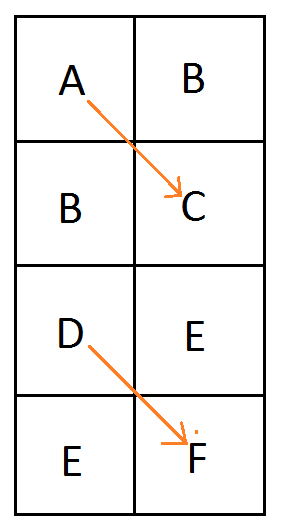
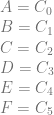
A = C_0 \\ B = C_1 \\ C = C_2 \\ D = C_3 \\ E = C_4 \\ F = C_5\\

That uses 8 pixels to store the 6 control points of the two quadratic curves.

With the ideas of this extension, one way it could look now is this:
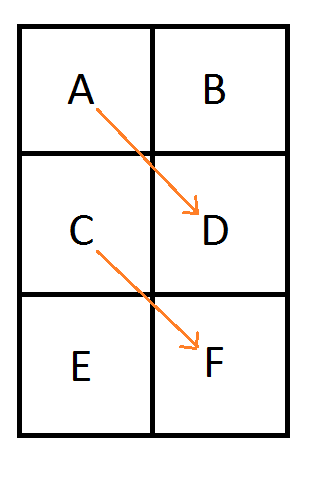
A = C_0 \\ B + C = 2*C_1 : B = 2*C_1 - C_3 \\ D = C_2 \\ C = C_3 \\ D + E = 2*C_4 : E = 2*C_4 - C_2\\ F = C_5\\

The result is that 6 pixels are used instead of 8, for storing the 6 control points of the two quadratic curves.

That isn’t the only result though, so let’s explore the details (:

2. 2D Texture / Quadratic Piecewise Curves

Let’s start by more formally looking at the 2d texture / quadratic curve case.

We are going to number the pixels by their texture coordinate location (in the form of Pyx) instead of using letters. Later on that will help show a pattern of generalization. We are still using the same notation for control points where C0 is the first control point, C1 is the second control point and so on.

Looking at a single quadratic curve we have this texture which has these constraints on it’s pixel values:
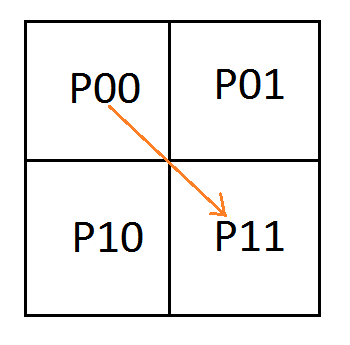
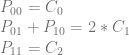
P_{00} = C_0 \\ P_{01}+P_{10} = 2*C_1 \\ P_{11} = C_2 \\

To analyze this, let’s make an augmented matrix. The left matrix is a 3×4 matrix where each column is a pixel and each row is the left side of the equation for a constraint. The right matrix is a 3×3 matrix where each column is a control point and each row is the right side of the equation for a constraint. The first row of the matrix is column labels to help see what’s going on more easily.

Note that i put my pixel columns and control point columns in ascending order in the matrix, but if you put them in a different order, you’d get the same (or equivalent) results as I did. It’s just my convention they are in this order.

\left[\begin{array}{rrrr|rrr} P_{00} & P_{01} & P_{10} & P_{11} & C_0 & C_1 & C_2 \\ 1 & 0 & 0 & 0 & 1 & 0 & 0 \\ 0 & 1 & 1 & 0 & 0 & 2 & 0\\ 0 & 0 & 0 & 1 & 0 & 0 & 1 \end{array}\right]

The next step would be to put this matrix into reduced row echelon form to solve the equations to see what the values of the pixels need to be, but the matrix is in fact already in rref form! (For more information on rref, check out my last post: Solving N equations and N unknowns: The Fine Print (Gauss Jordan Elimination))

What we can see by looking at the rref of the matrix is that either P01 or P10 can be a free variable – meaning we can choose whatever value we want for it. After we choose a value for either of those variables (pixels), the rest of the pixels are fully defined.

Deciding that P10 is the free variable (just by convention that it isn’t the leading non zero value), the second equation (constraint) becomes P01 = 2*C1-P10.

If we choose the value C1 for P10, that means that P01 must equal C1 too (this is how the original technique worked). If we choose 0 for P10, that means that P01 must equal 2*C1. This is because P01 must always equal 2*C1-P10. We then are in the new territory of this extension, where the pixels representing the middle control point have some freedom about what values they can take on, so long as they average to the middle control point value.

Let’s add a row of pixels and try encoding a second quadratic curve:
P_{00} = C_0 \\ P_{01}+P_{10} = 2*C_1 \\ P_{11} = C_2 \\ P_{10} = C_3 \\ P_{11}+P_{20} = 2*C_4 \\ P_{21} = C_5

Let’s again make an augmented matrix with pixels on the left and control points on the right.

\left[\begin{array}{rrrrrr|rrrrrr} P_{00} & P_{01} & P_{10} & P_{11} & P_{20} & P_{21} & C_0 & C_1 & C_2 & C_3 & C_4 & C_5\\ 1 & 0 & 0 & 0 & 0 & 0 & 1 & 0 & 0 & 0 & 0 & 0\\ 0 & 1 & 1 & 0 & 0 & 0 & 0 & 2 & 0 & 0 & 0 & 0 \\ 0 & 0 & 0 & 1 & 0 & 0 & 0 & 0 & 1 & 0 & 0 & 0 \\ 0 & 0 & 1 & 0 & 0 & 0 & 0 & 0 & 0 & 1 & 0 & 0 \\ 0 & 0 & 0 & 1 & 1 & 0 & 0 & 0 & 0 & 0 & 2 & 0 \\ 0 & 0 & 0 & 0 & 0 & 1 & 0 & 0 & 0 & 0 & 0 & 1  \end{array}\right]

Putting that into rref to solve for the pixel values we get this:

\left[\begin{array}{rrrrrr|rrrrrr} P_{00} & P_{01} & P_{10} & P_{11} & P_{20} & P_{21} & C_0 & C_1 & C_2 & C_3 & C_4 & C_5\\ 1 & 0 & 0 & 0 & 0 & 0 & 1 & 0 & 0 & 0 & 0 & 0\\ 0 & 1 & 0 & 0 & 0 & 0 & 0 & 2 & 0 & -1 & 0 & 0 \\ 0 & 0 & 1 & 0 & 0 & 0 & 0 & 0 & 0 & 1 & 0 & 0 \\ 0 & 0 & 0 & 1 & 0 & 0 & 0 & 0 & 1 & 0 & 0 & 0 \\ 0 & 0 & 0 & 0 & 1 & 0 & 0 & 0 & -1 & 0 & 2 & 0 \\ 0 & 0 & 0 & 0 & 0 & 1 & 0 & 0 & 0 & 0 & 0 & 1  \end{array}\right]

We got the identity matrix on the left, so we don’t have any inconsistencies or free variables.

If we turn that matrix back into equations we get this:

P_{00} = C_0 \\ P_{01} = 2*C_1 - C_3 \\ P_{10} = C_3 \\ P_{11} = C_2 \\ P_{20} = 2*C_4 - C_2 \\ P_{21} = C_5

We were successful! We can store two piecewise Bezier curves in 6 pixels by setting the pixel values to these specific values.

The last example we’ll show is the next stage, where it falls apart. We’ll add another row of pixels and try to encode 3 Bezier curves (9 control points) into those 8 pixels.
P_{00} = C_0 \\ P_{01}+P_{10} = 2*C_1 \\ P_{11} = C_2 \\ P_{10} = C_3 \\ P_{11}+P_{20} = 2*C_4 \\ P_{21} = C_5 \\ P_{20} = C_6 \\ P_{21}+P_{30} = 2*C_7 \\ P_{31} = C_8

This is the augmented matrix with pixels on the left and control points on the right:

\left[\begin{array}{rrrrrrrr|rrrrrrrrr} P_{00} & P_{01} & P_{10} & P_{11} & P_{20} & P_{21} & P_{30} & P_{31} & C_0 & C_1 & C_2 & C_3 & C_4 & C_5 & C_6 & C_7 & C_8\\ 1 & 0 & 0 & 0 & 0 & 0 & 0 & 0 & 1 & 0 & 0 & 0 & 0 & 0 & 0 & 0 & 0\\ 0 & 1 & 1 & 0 & 0 & 0 & 0 & 0 & 0 & 2 & 0 & 0 & 0 & 0 & 0 & 0 & 0\\ 0 & 0 & 0 & 1 & 0 & 0 & 0 & 0 & 0 & 0 & 1 & 0 & 0 & 0 & 0 & 0 & 0 \\ 0 & 0 & 1 & 0 & 0 & 0 & 0 & 0 & 0 & 0 & 0 & 1 & 0 & 0 & 0 & 0 & 0 \\ 0 & 0 & 0 & 1 & 1 & 0 & 0 & 0 & 0 & 0 & 0 & 0 & 2 & 0 & 0 & 0 & 0 \\ 0 & 0 & 0 & 0 & 0 & 1 & 0 & 0 & 0 & 0 & 0 & 0 & 0 & 1 & 0 & 0 & 0 \\ 0 & 0 & 0 & 0 & 1 & 0 & 0 & 0 & 0 & 0 & 0 & 0 & 0 & 0 & 1 & 0 & 0 \\ 0 & 0 & 0 & 0 & 0 & 1 & 1 & 0 & 0 & 0 & 0 & 0 & 0 & 0 & 0 & 2 & 0 \\ 0 & 0 & 0 & 0 & 0 & 0 & 0 & 1 & 0 & 0 & 0 & 0 & 0 & 0 & 0 & 0 & 1 \\ \end{array}\right]

The rref form is:

\left[\begin{array}{rrrrrrrr|rrrrrrrrr} P_{00} & P_{01} & P_{10} & P_{11} & P_{20} & P_{21} & P_{30} & P_{31} & C_0 & C_1 & C_2 & C_3 & C_4 & C_5 & C_6 & C_7 & C_8\\ 1 & 0 & 0 & 0 & 0 & 0 & 0 & 0 & 1 & 0 & 0 & 0 & 0 & 0 & 0 & 0 & 0\\ 0 & 1 & 0 & 0 & 0 & 0 & 0 & 0 & 0 & 2 & 0 & -1 & 0 & 0 & 0 & 0 & 0\\ 0 & 0 & 1 & 0 & 0 & 0 & 0 & 0 & 0 & 0 & 0 & 1 & 0 & 0 & 0 & 0 & 0 \\ 0 & 0 & 0 & 1 & 0 & 0 & 0 & 0 & 0 & 0 & 0 & 0 & 2 & 0 & -1 & 0 & 0 \\ 0 & 0 & 0 & 0 & 1 & 0 & 0 & 0 & 0 & 0 & 0 & 0 & 0 & 0 & 1 & 0 & 0 \\ 0 & 0 & 0 & 0 & 0 & 1 & 0 & 0 & 0 & 0 & 0 & 0 & 0 & 1 & 0 & 0 & 0 \\ 0 & 0 & 0 & 0 & 0 & 0 & 1 & 0 & 0 & 0 & 0 & 0 & 0 & -1 & 0 & 2 & 0 \\ 0 & 0 & 0 & 0 & 0 & 0 & 0 & 1 & 0 & 0 & 0 & 0 & 0 & 0 & 0 & 0 & 1 \\ 0 & 0 & 0 & 0 & 0 & 0 & 0 & 0 & 0 & 0 & 1 & 0 & -2 & 0 & 1 & 0 & 0 \\ \end{array}\right]

Let’s turn that back into equations.

P_{00} = C_0 \\ P_{01} = 2*C_1 - C_3 \\ P_{10} = C_3 \\ P_{11} = 2*C_4 - C_6 \\ P_{20} = C_6 \\ P_{21} = C_5 \\ P_{30} = 2*C_7 - C_5 \\ P_{31} = C_8 \\ 0 = C_2 - 2*C_4 + C_6

We have a problem unfortunately! The bottom row says this:

0 = C_2 - 2*C_4 + C_6

That means that we can only store these curves in this pixel configuration if we limit the values of the control points 2,4,6 to values that make that last equation true.

Since my desire is to be able to store curves in textures without “unusual” restrictions on what the control points can be, I’m going to count this as a failure for a general case solution.

It only gets worse from here for the case of trying to add another row of pixels for each curve you want to add.

It looks like storing two quadratic curves in a 2×6 group of pixels is the most optimal (data dense) storage. If you go any higher, it puts restrictions on the control points. If you go any lower, you have a free variable, which means you aren’t making full use of all of the pixels you have.

This means that if you are storing piecewise quadratic curves in 2d textures, doing it this way will cause you to use 3/4 as many pixels as doing it the other way, and you will be using 1 pixel per control point stored, instead of 1.333 pixels per control point stored.

This isn’t the end of the story though, so let’s continue (:

3. 2D Texture / Quadratic Piecewise Curves – C0 Continuity

If we add the requirement that our piecewise curves must be connected (aka that they have C0 continuity), we can actually do something pretty interesting. Take a look at this setup:
P_{00} = C_0 \\ P_{01}+P_{10} = 2*C_1 \\ P_{11} = C_2 \\ P_{11} = C_3 \\ P_{10}+P_{21} = 2*C_4 \\ P_{20} = C_5

Putting this into matrix form looks like this:

\left[\begin{array}{rrrrrr|rrrrrr} P_{00} & P_{01} & P_{10} & P_{11} & P_{20} & P_{21} & C_0 & C_1 & C_2 & C_3 & C_4 & C_5\\ 1 & 0 & 0 & 0 & 0 & 0 & 1 & 0 & 0 & 0 & 0 & 0\\ 0 & 1 & 1 & 0 & 0 & 0 & 0 & 2 & 0 & 0 & 0 & 0 \\ 0 & 0 & 0 & 1 & 0 & 0 & 0 & 0 & 1 & 0 & 0 & 0 \\ 0 & 0 & 0 & 1 & 0 & 0 & 0 & 0 & 0 & 1 & 0 & 0 \\ 0 & 0 & 1 & 0 & 0 & 1 & 0 & 0 & 0 & 0 & 2 & 0 \\ 0 & 0 & 0 & 0 & 1 & 0 & 0 & 0 & 0 & 0 & 0 & 1 \\ \end{array}\right]

In rref it becomes this:

\left[\begin{array}{rrrrrr|rrrrrr} P_{00} & P_{01} & P_{10} & P_{11} & P_{20} & P_{21} & C_0 & C_1 & C_2 & C_3 & C_4 & C_5\\ 1 & 0 & 0 & 0 & 0 & 0 & 1 & 0 & 0 & 0 & 0 & 0\\ 0 & 1 & 0 & 0 & 0 & -1 & 0 & 2 & 0 & 0 & -2 & 0 \\ 0 & 0 & 1 & 0 & 0 & 1 & 0 & 0 & 0 & 0 & 2 & 0 \\ 0 & 0 & 0 & 1 & 0 & 0 & 0 & 0 & 0 & 1 & 0 & 0 \\ 0 & 0 & 0 & 0 & 1 & 0 & 0 & 0 & 0 & 0 & 0 & 1 \\ 0 & 0 & 0 & 0 & 0 & 0 & 0 & 0 & 1 & -1 & 0 & 0 \\ \end{array}\right]

Turning the rref back into equations we get:

P_{00} = C_0 \\ P_{01} - P_{21} = 2*C_1-2*C_4 \\ P_{10} + P_{21} = 2*C_4 \\ P_{11} = C_3 \\ P_{20} = C_5 \\ 0 = C_2 - C_3

P21 is a free variable, so we can set it to whatever we want. Once we choose a value, the pixel values P01 and P10 will be fully defined.

The bottom equation might have you worried, because it looks like an inconsistency (aka restriction) but it is actually expected.

That last equation says 0 = C2-C3 which can be rearranged into C2 = C3. That just means that the end of our first curve has to equal the beginning of our second curve. That is C0 just the continuity we already said we’d agree to.

So, it worked! Let’s try adding a row of pixels and another curve to see what happens.
P_{00} = C_0 \\ P_{01}+P_{10} = 2*C_1 \\ P_{11} = C_2 \\ P_{11} = C_3 \\ P_{10}+P_{21} = 2*C_4 \\ P_{20} = C_5\\ P_{20} = C_6\\ P_{21}+P_{30} = 2*C_7\\ P_{31} = C_8

Putting that into matrix form:

\left[\begin{array}{rrrrrrrr|rrrrrrrrr} P_{00} & P_{01} & P_{10} & P_{11} & P_{20} & P_{21} & P_{30} & P_{31} & C_0 & C_1 & C_2 & C_3 & C_4 & C_5 & C_6 & C_7 & C_8\\ 1 & 0 & 0 & 0 & 0 & 0 & 0 & 0 & 1 & 0 & 0 & 0 & 0 & 0 & 0 & 0 & 0\\ 0 & 1 & 1 & 0 & 0 & 0 & 0 & 0 & 0 & 2 & 0 & 0 & 0 & 0 & 0 & 0 & 0\\ 0 & 0 & 0 & 1 & 0 & 0 & 0 & 0 & 0 & 0 & 1 & 0 & 0 & 0 & 0 & 0 & 0\\ 0 & 0 & 0 & 1 & 0 & 0 & 0 & 0 & 0 & 0 & 0 & 1 & 0 & 0 & 0 & 0 & 0\\ 0 & 0 & 1 & 0 & 0 & 1 & 0 & 0 & 0 & 0 & 0 & 0 & 2 & 0 & 0 & 0 & 0\\ 0 & 0 & 0 & 0 & 1 & 0 & 0 & 0 & 0 & 0 & 0 & 0 & 0 & 1 & 0 & 0 & 0\\ 0 & 0 & 0 & 0 & 1 & 0 & 0 & 0 & 0 & 0 & 0 & 0 & 0 & 0 & 1 & 0 & 0\\ 0 & 0 & 0 & 0 & 0 & 1 & 1 & 0 & 0 & 0 & 0 & 0 & 0 & 0 & 0 & 2 & 0\\ 0 & 0 & 0 & 0 & 0 & 0 & 0 & 1 & 0 & 0 & 0 & 0 & 0 & 0 & 0 & 0 & 1\\ \end{array}\right]

And in rref:

\left[\begin{array}{rrrrrrrr|rrrrrrrrr} P_{00} & P_{01} & P_{10} & P_{11} & P_{20} & P_{21} & P_{30} & P_{31} & C_0 & C_1 & C_2 & C_3 & C_4 & C_5 & C_6 & C_7 & C_8\\ 1 & 0 & 0 & 0 & 0 & 0 & 0 & 0 & 1 & 0 & 0 & 0 & 0 & 0 & 0 & 0 & 0\\ 0 & 1 & 0 & 0 & 0 & 0 & 1 & 0 & 0 & 2 & 0 & 0 & -2 & 0 & 0 & 2 & 0\\ 0 & 0 & 1 & 0 & 0 & 0 & -1 & 0 & 0 & 0 & 0 & 0 & 2 & 0 & 0 & -2 & 0\\ 0 & 0 & 0 & 1 & 0 & 0 & 0 & 0 & 0 & 0 & 0 & 1 & 0 & 0 & 0 & 0 & 0\\ 0 & 0 & 0 & 0 & 1 & 0 & 0 & 0 & 0 & 0 & 0 & 0 & 0 & 0 & 1 & 0 & 0\\ 0 & 0 & 0 & 0 & 0 & 1 & 1 & 0 & 0 & 0 & 0 & 0 & 0 & 0 & 0 & 2 & 0\\ 0 & 0 & 0 & 0 & 0 & 0 & 0 & 1 & 0 & 0 & 0 & 0 & 0 & 0 & 0 & 0 & 1\\ 0 & 0 & 0 & 0 & 0 & 0 & 0 & 0 & 0 & 0 & 1 & -1 & 0 & 0 & 0 & 0 & 0\\ 0 & 0 & 0 & 0 & 0 & 0 & 0 & 0 & 0 & 0 & 0 & 0 & 0 & 1 & -1 & 0 & 0\\ \end{array}\right]

Turning the rref back into equations:

P_{00} = C_0 \\ P_{01}+P_{30} = 2*C_1 - 2*C_4+2*C_7 \\ P_{10}-P_{30} = 2*C_4-2*C_7 \\ P_{11} = C_3 \\ P_{20} = C_6 \\ P_{21} + P_{30} = 2*C_7\\ P_{31} = C_8\\ 0 = C_2 - C_3\\ 0 = C_5 - C_6\\

We see that P30 is a free variable, and the last two rows show us we have the C0 continuity requirements: C2 = C3 and C5 = C6.

The last section without C0 continuity reached it’s limit of storage space efficiency after storing two curves (6 control points) in 6 pixels.

When we add the C0 continuity requirement, we were able to take it further and store 3 curves in 8 pixels. Technically those 3 curves have 9 control points, but because the end point of each curve has to be the same as the start point of the next curve it makes it so in reality there is only 3 control points for the first curve and then 2 additional control points for each additional curve. That makes 8 control points for 3 curves, not 9.

Unlike the last section, using this zigzag pattern with C0 continuity, you can encode any number of curves. I am not sure how to prove it, but from observation, there is no sign of any shrinking of capacity as we increase the number of curves, adding two more rows of pixels for each curve. If you know how to prove this more formally, please let me know!

Note that instead of explicitly having 3 control points per curve, where the first control point of a curve has to equal the last control point of the previous curve, you can instead describe the piecewise curves with fewer control points. You need 3 control points for the first curve, and then 2 control points for each curve after that.

Mathematically both ways are equivelant and you’ll get to the same answer. The accompanying source code works that way, but I show this example in this longer way to more explicitly show how things work.

4. 2D Texture / Quadratic Piecewise Curves – Storage Efficiency

Let’s compare the storage efficiency of the last two sections to each other, as well as to the original technique.
\begin{array}{|cccccc|} \hline & & \rlap{\text{2d / Quadratic - Extension}} & & & \\ \hline \text{Curves} & \text{Dimensions} & \text{Pixels} & \text{Control Points} & \text{Pixels Per Control Point} & \text{Pixels Per Curve} \\ \hline 1 & 2x2 & 4 & 3 & 1.33 & 4.00 \\ 2 & 2x3 & 6 & 6 & 1.00 & 3.00 \\ 3 & 2x5 & 10 & 9 & 1.11 & 3.33 \\ 4 & 2x6 & 12 & 12 & 1.00 & 3.00 \\ 5 & 2x8 & 16 & 15 & 1.06 & 3.20 \\ 6 & 2x9 & 18 & 18 & 1.00 & 3.00 \\ \hline \end{array}

\begin{array}{|cccccc|} \hline & & \rlap{\text{2d / Quadratic - Extension + C0 Continuity}} & & & \\ \hline \text{Curves} & \text{Dimensions} & \text{Pixels} & \text{Control Points} & \text{Pixels Per Control Point} & \text{Pixels Per Curve} \\ \hline 1 & 2x2 & 4 & 3 & 1.33 & 4.00 \\ 2 & 2x3 & 6 & 5 & 1.20 & 3.00 \\ 3 & 2x4 & 8 & 7 & 1.14 & 2.66 \\ 4 & 2x5 & 10 & 9 & 1.11 & 2.50 \\ 5 & 2x6 & 12 & 11 & 1.09 & 2.40 \\ 6 & 2x7 & 14 & 13 & 1.08 & 2.33 \\ \hline \end{array}

\begin{array}{|cccccc|} \hline & & \rlap{\text{2d / Quadratic - Original Technique}} & & & \\ \hline \text{Curves} & \text{Dimensions} & \text{Pixels} & \text{Control Points} & \text{Pixels Per Control Point} & \text{Pixels Per Curve} \\ \hline 1 & 2x2 & 4 & 3 & 1.33 & 4.00 \\ 2 & 2x4 & 8 & 6 & 1.33 & 4.00 \\ 3 & 2x6 & 12 & 9 & 1.33 & 4.00 \\ 4 & 2x8 & 16 & 12 & 1.33 & 4.00 \\ 5 & 2x10 & 20 & 15 & 1.33 & 4.00 \\ 6 & 2x12 & 24 & 18 & 1.33 & 4.00 \\ \hline \end{array}

The tables show that the first method uses fewer pixels per control point, while the second method uses fewer pixels per curve.

The first method can get you to what I believe to be the maximum density of 1 pixel per control point if you store an even number of curves. It can also give you a curve for every 3 pixels of storage.

The second method approaches the 1 pixel per control point as you store more and more curves and also approaches 2 pixels of storage per curve stored. Note that the second method’s table is using the convention of 3 control points are used for the first curve, and 2 additional control points for each curve after that.

The deciding factor for which method to use is probably going to be whether or not you want to force C0 continuity of your curve data. If so, you’d use the second technique, else you’d use the first.

The original technique uses a constant 1.33 pixels per control point, and 4 pixels to store each curve. Those numbers shows how this extension improves on the storage efficiency of the original technique.

5. Real World Limitations

This extension has a problem that the original technique does not have unfortunately.

While the stuff above is correct mathematically, there are limitations on the values we can store in actual textures. For instance, if we have 8 bit uint8 color channels we can only store values 0 to 255.

Looking at one of the equations P_{01} = 2*C_1 - C_3 , if C1 is 255 and C3 is 0, we are going to need to store 510 in the 8 bits we have for P01, which we can’t. If C1 is 0 and C3 is not zero, we are going to have to store a negative value in the 8 bits we have for P01, which we can’t.

This becomes less of a problem when using 16 bit floats per color channel, and is basically solved when using 32 bit floats per color channels, but that makes the technique hungrier for storage and less efficient again.

While that limits the usefulness of this extension, there are situations where this would still be appropriate – like if you already have your data stored in 16 or 32 bit color channels like some data (eg position data) would require..

The extension goes further, into 3d textures and beyond though, so let’s explore a little bit more.

6. 3D Texture / Cubic Piecewise Curves

The original technique talks about how to use a 2x2x2 3d volume texture to store a cubic Bezier curve (per color channel) and to retrieve it by doing a trilinear interpolated texture read.

If you have four control points A,B,C,D then the first slice of the volume texture will be a 2d texture storing the quadratic Bezier curve defined by A,B,C and the second slice will store B,C,D. You still sample along the diagonal of the texture but this time it’s a 3d diagonal instead of 2d. Here is that setup, where the texture is sampled along the diagonal from from A to D:
A = C_0 \\ B = C_1 \\ C = C_2 \\ D = C_3

Let’s look at what this extension means for 3d textures / cubic curves.

The equation for a cubic Bezier curve looks like this:

As^3 + 3Bs^2t + 3Cst^2 + Dt^3

If we derive that from trilinear interpolation between 8 points A,B,C,D,E,F,G,H, the second to last step would look like this:

As^3 + (B+C+E)s^2t + (D+F+G)st^2 + Ht^3

So, similar to our 2d setup, we have some freedom about our values.

In the original technique, B,C,E would have to be equal to the second control point, and D,F,G would have to be equal to the third control point. With the new extension, in both cases, those groups of values only have to AVERAGE to their specific control points. Once again, this gives us some freedoms for the values we can use, and lets us use our pixels more efficiently.

Here is the setup, again using texture coordinates (in the form Pzyx) for the pixels instead of letters.
P_{000} = C_0\\ P_{001}+P_{010}+P_{100} = 3*C_1\\ P_{011}+P_{101}+P_{110} = 3*C_2\\ P_{111} = C_3

here’s how the equations look in matrix form, which also happens to already be in rref:

\left[\begin{array}{rrrrrrrr|rrrr} P_{000} & P_{001} & P_{010} & P_{011} & P_{100} & P_{101} & P_{110} & P_{111} &    C_0 & C_1 & C_2 & C_3 \\ 1 & 0 & 0 & 0 & 0 & 0 & 0 & 0 &    1 & 0 & 0 & 0 \\ 0 & 1 & 1 & 0 & 1 & 0 & 0 & 0 &    0 & 3 & 0 & 0 \\ 0 & 0 & 0 & 1 & 0 & 1 & 1 & 0 &    0 & 0 & 3 & 0 \\ 0 & 0 & 0 & 0 & 0 & 0 & 0 & 1 &    0 & 0 & 0 & 1 \\ \end{array}\right]

P010 and P100 are free variables and so are P101 and P110, making a total of four free variables. They can be set to any value desired, which will then define the value that P001 and P011 need to be.

Let’s add another piecewise cubic Bezier curve, and another row of pixels to the texture to see what happens.
P_{000} = C_{0}\\ P_{001} + P_{010} + P_{100} = 3C_{1}\\ P_{011} + P_{101} + P_{110} = 3C_{2}\\ P_{111} = C_{3}\\ P_{010} = C_{4}\\ P_{011} + P_{020} + P_{110} = 3C_{5}\\ P_{021} + P_{111} + P_{120} = 3C_{6}\\ P_{121} = C_{7}\\

Here are the equations in matrix form:

\left[\begin{array}{rrrrrrrrrrrr|rrrrrrrr} P_{000} & P_{001} & P_{010} & P_{011} & P_{020} & P_{021} & P_{100} & P_{101} & P_{110} & P_{111} & P_{120} & P_{121} & C_{0} & C_{1} & C_{2} & C_{3} & C_{4} & C_{5} & C_{6} & C_{7} \\ 1 & 0 & 0 & 0 & 0 & 0 & 0 & 0 & 0 & 0 & 0 & 0 & 1 & 0 & 0 & 0 & 0 & 0 & 0 & 0 \\ 0 & 1 & 1 & 0 & 0 & 0 & 1 & 0 & 0 & 0 & 0 & 0 & 0 & 3 & 0 & 0 & 0 & 0 & 0 & 0 \\ 0 & 0 & 0 & 1 & 0 & 0 & 0 & 1 & 1 & 0 & 0 & 0 & 0 & 0 & 3 & 0 & 0 & 0 & 0 & 0 \\ 0 & 0 & 0 & 0 & 0 & 0 & 0 & 0 & 0 & 1 & 0 & 0 & 0 & 0 & 0 & 1 & 0 & 0 & 0 & 0 \\ 0 & 0 & 1 & 0 & 0 & 0 & 0 & 0 & 0 & 0 & 0 & 0 & 0 & 0 & 0 & 0 & 1 & 0 & 0 & 0 \\ 0 & 0 & 0 & 1 & 1 & 0 & 0 & 0 & 1 & 0 & 0 & 0 & 0 & 0 & 0 & 0 & 0 & 3 & 0 & 0 \\ 0 & 0 & 0 & 0 & 0 & 1 & 0 & 0 & 0 & 1 & 1 & 0 & 0 & 0 & 0 & 0 & 0 & 0 & 3 & 0 \\ 0 & 0 & 0 & 0 & 0 & 0 & 0 & 0 & 0 & 0 & 0 & 1 & 0 & 0 & 0 & 0 & 0 & 0 & 0 & 1 \\ \end{array}\right]

Here it is in rref:

\left[\begin{array}{rrrrrrrrrrrr|rrrrrrrr} P_{000} & P_{001} & P_{010} & P_{011} & P_{020} & P_{021} & P_{100} & P_{101} & P_{110} & P_{111} & P_{120} & P_{121} & C_{0} & C_{1} & C_{2} & C_{3} & C_{4} & C_{5} & C_{6} & C_{7} \\ 1 & 0 & 0 & 0 & 0 & 0 & 0 & 0 & 0 & 0 & 0 & 0 & 1 & 0 & 0 & 0 & 0 & 0 & 0 & 0 \\ 0 & 1 & 0 & 0 & 0 & 0 & 1 & 0 & 0 & 0 & 0 & 0 & 0 & 3 & 0 & 0 & -1 & 0 & 0 & 0 \\ 0 & 0 & 1 & 0 & 0 & 0 & 0 & 0 & 0 & 0 & 0 & 0 & 0 & 0 & 0 & 0 & 1 & 0 & 0 & 0 \\ 0 & 0 & 0 & 1 & 0 & 0 & 0 & 1 & 1 & 0 & 0 & 0 & 0 & 0 & 3 & 0 & 0 & 0 & 0 & 0 \\ 0 & 0 & 0 & 0 & 1 & 0 & 0 & -1 & 0 & 0 & 0 & 0 & 0 & 0 & -3 & 0 & 0 & 3 & 0 & 0 \\ 0 & 0 & 0 & 0 & 0 & 1 & 0 & 0 & 0 & 0 & 1 & 0 & 0 & 0 & 0 & -1 & 0 & 0 & 3 & 0 \\ 0 & 0 & 0 & 0 & 0 & 0 & 0 & 0 & 0 & 1 & 0 & 0 & 0 & 0 & 0 & 1 & 0 & 0 & 0 & 0 \\ 0 & 0 & 0 & 0 & 0 & 0 & 0 & 0 & 0 & 0 & 0 & 1 & 0 & 0 & 0 & 0 & 0 & 0 & 0 & 1 \\ \end{array}\right]

Putting that back into equations we have this:

P_{000} = C_{0}\\ P_{001} + P_{100} = 3C_{1} + -C_{4}\\ P_{010} = C_{4}\\ P_{011} + P_{101} + P_{110} = 3C_{2}\\ P_{020} + -P_{101} = -3C_{2} + 3C_{5}\\ P_{021} + P_{120} = -C_{3} + 3C_{6}\\ P_{111} = C_{3}\\ P_{121} = C_{7}\\

The result is that we still have four free variables: P100, P101, P110 and P120. When we give values to those pixels, we will then be able to calculate the values for P001, P011, P020 and P021.

There is a limit to this pattern though. Where the maximum number of curves to follow the pattern was 2 with the 2d / quadratic case, the maximum number of curves to follow this pattern with the 3d / cubic case is 3. As soon as you try to put 4 curves in this pattern it fails by having constraints. Interestingly, we still have 4 free variables when putting 3 curves in there, so it doesn’t follow the 2d case where free variables disappeared as we put more curves in, indicating when the failure would happen.

If you know how to more formally analyze when these patterns of equations will fail, please let me know!

7. 3D Texture / Cubic Piecewise Curves – Multiple Curves?

Looking at the 3d texture case of 2x2x2 storing a single curve, I saw that there were 4 free variables. Since it takes 4 control points to define a cubic curve, I wondered if we could use those 4 free variables to encode another cubic curve.

Here’s a setup where the x axis is flipped for the second curve. It’s a little bit hard to tell from the diagram, but the blue line does still go through the center of the 3d cube. It goes from P001 to P110, while the first curve still goes from P000 to P111.

Here’s what the equations look like:

P_{000} = C_{0}\\ P_{001} + P_{010} + P_{100} = 3*C_{1}\\ P_{011} + P_{101} + P_{110} = 3*C_{2}\\ P_{111} = C_{3}\\ P_{001} = C_{4}\\ P_{000} + P_{011} + P_{101} = 3*C_{5}\\ P_{010} + P_{100} + P_{111} = 3*C_{6}\\ P_{110} = C_{7}\\

And in matrix form:

\left[\begin{array}{rrrrrrrr|rrrrrrrr} P_{000} & P_{001} & P_{010} & P_{011} & P_{100} & P_{101} & P_{110} & P_{111} & C_{0} & C_{1} & C_{2} & C_{3} & C_{4} & C_{5} & C_{6} & C_{7} \\ 1 & 0 & 0 & 0 & 0 & 0 & 0 & 0 & 1 & 0 & 0 & 0 & 0 & 0 & 0 & 0 \\ 0 & 1 & 1 & 0 & 1 & 0 & 0 & 0 & 0 & 3 & 0 & 0 & 0 & 0 & 0 & 0 \\ 0 & 0 & 0 & 1 & 0 & 1 & 1 & 0 & 0 & 0 & 3 & 0 & 0 & 0 & 0 & 0 \\ 0 & 0 & 0 & 0 & 0 & 0 & 0 & 1 & 0 & 0 & 0 & 1 & 0 & 0 & 0 & 0 \\ 0 & 1 & 0 & 0 & 0 & 0 & 0 & 0 & 0 & 0 & 0 & 0 & 1 & 0 & 0 & 0 \\ 1 & 0 & 0 & 1 & 0 & 1 & 0 & 0 & 0 & 0 & 0 & 0 & 0 & 3 & 0 & 0 \\ 0 & 0 & 1 & 0 & 1 & 0 & 0 & 1 & 0 & 0 & 0 & 0 & 0 & 0 & 3 & 0 \\ 0 & 0 & 0 & 0 & 0 & 0 & 1 & 0 & 0 & 0 & 0 & 0 & 0 & 0 & 0 & 1 \\ \end{array}\right]

After putting the matrix in rref to solve the equations, we get this matrix:

\left[\begin{array}{rrrrrrrr|rrrrrrrr} P_{000} & P_{001} & P_{010} & P_{011} & P_{100} & P_{101} & P_{110} & P_{111} & C_{0} & C_{1} & C_{2} & C_{3} & C_{4} & C_{5} & C_{6} & C_{7} \\ 1 & 0 & 0 & 0 & 0 & 0 & 0 & 0 & 0 & 0 & -3 & 0 & 0 & 3 & 0 & 1 \\ 0 & 1 & 0 & 0 & 0 & 0 & 0 & 0 & 0 & 0 & 0 & 0 & 1 & 0 & 0 & 0 \\ 0 & 0 & 1 & 0 & 1 & 0 & 0 & 0 & 0 & 0 & 0 & -1 & 0 & 0 & 3 & 0 \\ 0 & 0 & 0 & 1 & 0 & 1 & 0 & 0 & 0 & 0 & 3 & 0 & 0 & 0 & 0 & -1 \\ 0 & 0 & 0 & 0 & 0 & 0 & 1 & 0 & 0 & 0 & 0 & 0 & 0 & 0 & 0 & 1 \\ 0 & 0 & 0 & 0 & 0 & 0 & 0 & 1 & 0 & 0 & 0 & 1 & 0 & 0 & 0 & 0 \\ 0 & 0 & 0 & 0 & 0 & 0 & 0 & 0 & 1 & 0 & 3 & 0 & 0 & -3 & 0 & -1 \\ 0 & 0 & 0 & 0 & 0 & 0 & 0 & 0 & 0 & 1 & 0 & \frac{1}{3} & \frac{-1}{3} & 0 & -1 & 0 \\ \end{array}\right]

Which is this set of equations:

P_{000} = -3C_{2} + 3C_{5} + C_{7}\\ P_{001} = C_{4}\\ P_{010} + P_{100} = -C_{3} + 3C_{6}\\ P_{011} + P_{101} = 3C_{2} + -C_{7}\\ P_{110} = C_{7}\\ P_{111} = C_{3}\\ 0 = C_{0} + 3C_{2} - 3C_{5} - C_{7}\\ 0 = C_{1} + C_{3}/3 - C_{4}/3 + -C_{6}\\

In the end there are 2 free variables, but also 2 constraints on the values that the control points can take. The constraints mean it doesn’t work which is unfortunate. That would have been a nice way to bring the 3d / cubic case to using 1 pixel per control point!

I also tried other variations like flipping y or z along with x (flipping all three just makes the first curve in the reverse direction!) but couldn’t find anything that worked. Too bad!

8. 3D Texture / Cubic Piecewise Curves – C0 Continuity

Since the regular 3d texture / cubic curve pattern has a limit (3 curves), let’s look at the C0 continuity version like we did for the 2d texture / quadratic case where we sample zig zag style.

Since the sampling has to pass through the center of the cube, we need to flip both x and z each curve.

That gives us a setup like this:
Here are the constraints for the pixel values:
P_{000} = C_{0}\\ P_{001} + P_{010} + P_{100} = 3C_{1}\\ P_{011} + P_{101} + P_{110} = 3C_{2}\\ P_{111} = C_{3}\\ P_{011} + P_{110} + P_{121} = 3C_{4}\\ P_{010} + P_{021} + P_{120} = 3C_{5}\\ P_{020} = C_{6}\\

Which looks like this in matrix form:

\left[\begin{array}{rrrrrrrrrrrr|rrrrrrr} P_{000} & P_{001} & P_{010} & P_{011} & P_{020} & P_{021} & P_{100} & P_{101} & P_{110} & P_{111} & P_{120} & P_{121} & C_{0} & C_{1} & C_{2} & C_{3} & C_{4} & C_{5} & C_{6} \\ 1 & 0 & 0 & 0 & 0 & 0 & 0 & 0 & 0 & 0 & 0 & 0 & 1 & 0 & 0 & 0 & 0 & 0 & 0 \\ 0 & 1 & 1 & 0 & 0 & 0 & 1 & 0 & 0 & 0 & 0 & 0 & 0 & 3 & 0 & 0 & 0 & 0 & 0 \\ 0 & 0 & 0 & 1 & 0 & 0 & 0 & 1 & 1 & 0 & 0 & 0 & 0 & 0 & 3 & 0 & 0 & 0 & 0 \\ 0 & 0 & 0 & 0 & 0 & 0 & 0 & 0 & 0 & 1 & 0 & 0 & 0 & 0 & 0 & 1 & 0 & 0 & 0 \\ 0 & 0 & 0 & 1 & 0 & 0 & 0 & 0 & 1 & 0 & 0 & 1 & 0 & 0 & 0 & 0 & 3 & 0 & 0 \\ 0 & 0 & 1 & 0 & 0 & 1 & 0 & 0 & 0 & 0 & 1 & 0 & 0 & 0 & 0 & 0 & 0 & 3 & 0 \\ 0 & 0 & 0 & 0 & 1 & 0 & 0 & 0 & 0 & 0 & 0 & 0 & 0 & 0 & 0 & 0 & 0 & 0 & 1 \\ \end{array}\right]

Here is the matrix solved in rref:

\left[\begin{array}{rrrrrrrrrrrr|rrrrrrr} P_{000} & P_{001} & P_{010} & P_{011} & P_{020} & P_{021} & P_{100} & P_{101} & P_{110} & P_{111} & P_{120} & P_{121} & C_{0} & C_{1} & C_{2} & C_{3} & C_{4} & C_{5} & C_{6} \\ 1 & 0 & 0 & 0 & 0 & 0 & 0 & 0 & 0 & 0 & 0 & 0 & 1 & 0 & 0 & 0 & 0 & 0 & 0 \\ 0 & 1 & 0 & 0 & 0 & -1 & 1 & 0 & 0 & 0 & -1 & 0 & 0 & 3 & 0 & 0 & 0 & -3 & 0 \\ 0 & 0 & 1 & 0 & 0 & 1 & 0 & 0 & 0 & 0 & 1 & 0 & 0 & 0 & 0 & 0 & 0 & 3 & 0 \\ 0 & 0 & 0 & 1 & 0 & 0 & 0 & 0 & 1 & 0 & 0 & 1 & 0 & 0 & 0 & 0 & 3 & 0 & 0 \\ 0 & 0 & 0 & 0 & 1 & 0 & 0 & 0 & 0 & 0 & 0 & 0 & 0 & 0 & 0 & 0 & 0 & 0 & 1 \\ 0 & 0 & 0 & 0 & 0 & 0 & 0 & 1 & 0 & 0 & 0 & -1 & 0 & 0 & 3 & 0 & -3 & 0 & 0 \\ 0 & 0 & 0 & 0 & 0 & 0 & 0 & 0 & 0 & 1 & 0 & 0 & 0 & 0 & 0 & 1 & 0 & 0 & 0 \\ \end{array}\right]

And here is that matrix put back into equations form:

P_{000} = C_{0}\\ P_{001} - P_{021} + P_{100} - P_{120} = 3C_{1} - 3C_{5}\\ P_{010} + P_{021} + P_{120} = 3C_{5}\\ P_{011} + P_{110} + P_{121} = 3C_{4}\\ P_{020} = C_{6}\\ P_{101} - P_{121} = 3C_{2} - 3C_{4}\\ P_{111} = C_{3}\\

It worked! It also has 5 free variables.

This pattern works for as many curves as i tried (21 of them), and each time you add another curve / row of this pattern you gain another free variable.

So, storing 2 curves results in 6 free variables, 3 curves has 7 free variables, 4 curves has 8 free variables and so on.

9. 3D Texture / Cubic Piecewise Curves – Storage Efficiency

Let’s compare storage efficiency of these 3d texture / cubic curve techniques like we did for the 2d texture / quadratic curve techniques.

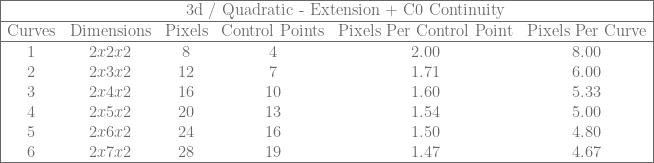
\begin{array}{|cccccc|} \hline & & \rlap{\text{3d / Cubic - Extension}} & & & \\ \hline \text{Curves} & \text{Dimensions} & \text{Pixels} & \text{Control Points} & \text{Pixels Per Control Point} & \text{Pixels Per Curve} \\ \hline 1 & 2x2x2 & 8 & 4 & 2.00 & 8.00 \\ 2 & 2x3x2 & 12 & 8 & 1.50 & 6.00 \\ 3 & 2x4x2 & 16 & 12 & 1.33 & 5.33 \\ 4 & 2x6x2 & 24 & 16 & 1.50 & 6.00 \\ 5 & 2x7x2 & 28 & 20 & 1.40 & 5.60 \\ 6 & 2x8x2 & 32 & 24 & 1.33 & 5.33 \\ \hline \end{array}

\begin{array}{|cccccc|} \hline & & \rlap{\text{3d / Quadratic - Extension + C0 Continuity}} & & & \\ \hline \text{Curves} & \text{Dimensions} & \text{Pixels} & \text{Control Points} & \text{Pixels Per Control Point} & \text{Pixels Per Curve} \\ \hline 1 & 2x2x2 & 8 & 4 & 2.00 & 8.00 \\ 2 & 2x3x2 & 12 & 7 & 1.71 & 6.00 \\ 3 & 2x4x2 & 16 & 10 & 1.60 & 5.33 \\ 4 & 2x5x2 & 20 & 13 & 1.54 & 5.00 \\ 5 & 2x6x2 & 24 & 16 & 1.50 & 4.80 \\ 6 & 2x7x2 & 28 & 19 & 1.47 & 4.67 \\ \hline \end{array}

\begin{array}{|cccccc|} \hline & & \rlap{\text{3d / Cubic - Original Technique}} & & & \\ \hline \text{Curves} & \text{Dimensions} & \text{Pixels} & \text{Control Points} & \text{Pixels Per Control Point} & \text{Pixels Per Curve} \\ \hline 1 & 2x2x2 & 8 & 4 & 2.00 & 8.00 \\ 2 & 2x4x2 & 16 & 8 & 2.00 & 8.00 \\ 3 & 2x6x2 & 24 & 12 & 2.00 & 8.00 \\ 4 & 2x8x2 & 32 & 16 & 2.00 & 8.00 \\ 5 & 2x10x2 & 40 & 20 & 2.00 & 8.00 \\ 6 & 2x12x2 & 48 & 24 & 2.00 & 8.00 \\ \hline \end{array}

The original technique had a constant 2 pixels per control point and 8 pixels per cubic curve.

The basic extension lets you bring that down to 1.33 pixels per control point, and 5.33 pixels per curve.

If C0 continuity is desired, as you store more and more curves the extension can bring things down towards 1.33 pixels per control point, and 4 pixels per curve. (Remember that with the C0 extension you have 4 control points for the first curve and then 3 more for each subsequent curve, so that 1.33 pixels per control point isn’t exactly an apples to apples comparison vs the basic extension).

The pattern continues for 4D textures and higher (for higher than cubic curves too!), but working through the 2d and 3d cases for quadratic / cubic curves is the most likely usage case both because 4d textures and higher are kind of excessive (probably you’d need to do multiple texture reads to simulate them), but also when fitting curves to data, quadratic and cubic curves tend to do well in that they don’t usually overfit the data or have as many problems with ringing.

Despite that, I do think it’s useful to look at it from an N dimensional point of view to see the larger picture, so let’s do that next.

10. Generalizing The Unit Hyper Cube

Let’s ignore the zig zag sampling pattern and storing multiple curves in a texture and just get back to the basic idea.

Given an N dimensional texture that is 2x2x…x2 that you are going to sample across the diagonal to get a degree N Bezier curve from, how do you know what values to put in which control points to use this technique?

You could derive it from N-linear interpolation, but that is a lot of work.

The good news is it turns out there is a simple pattern, that is also pretty interesting.

Let’s check out the 1d, 2d and 3d cases to see what patterns we might be able to see.

1d Texture / linear Bezier / linear interpolation:
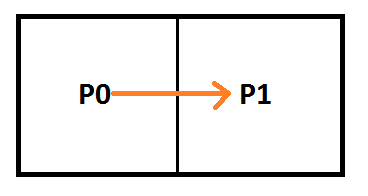
P_{0} = C_0 \\ P_{1} = C_1 \\

\left[\begin{array}{rr|rr} P_{0} & P_{1} & C_0 & C_1\\ 1 & 0 & 1 & 0 \\ 0 & 1 & 0 & 1 \\ \end{array}\right]

2d Texture / Quadratic Bezier:

P_{00} = C_0 \\ P_{01}+P_{10} = 2*C_1 \\ P_{11} = C_2 \\

\left[\begin{array}{rrrr|rrr} P_{00} & P_{01} & P_{10} & P_{11} & C_0 & C_1 & C_2 \\ 1 & 0 & 0 & 0 & 1 & 0 & 0 \\ 0 & 1 & 1 & 0 & 0 & 2 & 0\\ 0 & 0 & 0 & 1 & 0 & 0 & 1 \end{array}\right]

3d Texture / Cubic Bezier:

P_{000} = C_0\\ P_{001}+P_{010}+P_{100} = 3*C_1\\ P_{011}+P_{101}+P_{110} = 3*C_2\\ P_{111} = C_3

\left[\begin{array}{rrrrrrrr|rrrr} P_{000} & P_{001} & P_{010} & P_{011} & P_{100} & P_{101} & P_{110} & P_{111} &    C_0 & C_1 & C_2 & C_3 \\ 1 & 0 & 0 & 0 & 0 & 0 & 0 & 0 &    1 & 0 & 0 & 0 \\ 0 & 1 & 1 & 0 & 1 & 0 & 0 & 0 &    0 & 3 & 0 & 0 \\ 0 & 0 & 0 & 1 & 0 & 1 & 1 & 0 &    0 & 0 & 3 & 0 \\ 0 & 0 & 0 & 0 & 0 & 0 & 0 & 1 &    0 & 0 & 0 & 1 \\ \end{array}\right]

The first pattern you might see is that the right side of the equations for an N dimensional hypercube is the identity matrix, but instead of using 1 for the value along the diagonal, it uses values from Pascal’s Triangle (binomial coefficients).

To simplify this a bit though, we could also notice that the number on the right side of the equation equals the sum of the numbers on the left side of the equation. Mathematically it would be the same to say that the numbers on the left side of the equation have to sum up to 1. This would make the matrix on the right just be the identity matrix and we can forget about Pascal’s triangle numbers (they will show up implicitly as divisors of the left side equation coefficients but there’s no need to explicitly calculate them).

But then we are still left with the matrix on the left. How do we know which pixels belong in which rows?

It turns out there is another interesting pattern here. In all the matrices above it follows this pattern:

  • Row 0 has a “1” wherever the pixel coordinate has 0 ones set
  • Row 1 has a “1” wherever the pixel coordinate has 1 ones set
  • Row 2 has a “1” wherever the pixel coordinate has 2 ones set
  • Row 3 has a “1” wherever the pixel coordinate has 3 ones set
  • ….

That pattern continues indefinitely, but don’t forget that the numbers (coefficients) on the left side of the equation must add up to one.

Here is the matrix form of 1d / linear, 2d / quadratic, and 3d / cubic again with the right matrix being the identity matrix, and the equations below them. Notice the pattern about counts of one bits in each row!

1D:

\left[\begin{array}{rr|rr} P_{0} & P_{1} & C_0 & C_1\\ 1 & 0 & 1 & 0 \\ 0 & 1 & 0 & 1 \\ \end{array}\right]

P_0 = C_0 \\ P_1 = C_1 \\

2D:

\left[\begin{array}{rrrr|rrr} P_{00} & P_{01} & P_{10} & P_{11} & C_0 & C_1 & C_2 \\ 1 & 0 & 0 & 0 & 1 & 0 & 0 \\ 0 & \frac{1}{2} & \frac{1}{2} & 0 & 0 & 1 & 0\\ 0 & 0 & 0 & 1 & 0 & 0 & 1 \end{array}\right]

P_{00} = C_0 \\ P_{01}/2 + P_{10}/2 = C_1 \\ P_{11} = C_2 \\

3D:

\left[\begin{array}{rrrrrrrr|rrrr} P_{000} & P_{001} & P_{010} & P_{011} & P_{100} & P_{101} & P_{110} & P_{111} &    C_0 & C_1 & C_2 & C_3 \\ 1 & 0 & 0 & 0 & 0 & 0 & 0 & 0 &    1 & 0 & 0 & 0 \\ 0 & \frac{1}{3} & \frac{1}{3} & 0 & \frac{1}{3} & 0 & 0 & 0 &    0 & 1 & 0 & 0 \\ 0 & 0 & 0 & \frac{1}{3} & 0 & \frac{1}{3} & \frac{1}{3} & 0 &    0 & 0 & 1 & 0 \\ 0 & 0 & 0 & 0 & 0 & 0 & 0 & 1 &    0 & 0 & 0 & 1 \\ \end{array}\right]

P_{000} = C_0 \\ P_{001}/3 + P_{010}/3 + P_{100}/3 = C_1 \\ P_{011}/3 + P_{101}/3 + P_{110}/3 = C_2 \\ P_{111} = C_3 \\

Here are the formulas for linear, quadratic and cubic Bezier curves to show a different way of looking at this. Below each is the same formula but with the 1d, 2d and 3d pixels in the formula instead of the control points, using the formulas above which relate pixel values to control point values. Note that I have replaced (1-t) with s for easier reading.
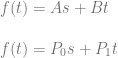
f(t) = As + Bt \\ \\ f(t) = P_0s + P_1t\\

f(t) = As^2 + 2Bst + Ct^2 \\ \\ f(t) = P_{00}s^2 + (P_{01}+P_{10})st + P_{11}t^2 \\

f(t) = As^3 + 3Bs^2t + 3Cst^2 + Dt^3 \\ f(t) = P_{000}s^3 + (P_{001}+P_{010}+P_{100})s^2t + (P_{011}+P_{101}+P_{110})st^2 + P_{111}t^3

I think it’s really interesting how in the last equation as an example, “3B” literally becomes 3 values which could have the value of B. In the plain vanilla technique they did have the value of B. In this extension, the only requirement is that they average to B.

It’s also interesting to notice that if you have an N bit number and you count how many permutations have each possible number of bits turned on, the resulting counts is the Pascal’s triangle row. That is nothing new, but it seems like there might be a fun way to convert a set of random numbers (white noise) into a Gaussian distribution, just by counting how many one bits there were in each number. That isn’t new either, and there are better algorithms, but still I think it’s an interesting idea, and may be useful in a pinch since it seems pretty computationally inexpensive.

11. Closing

This extension makes storage efficiency a bit better than the plain vanilla technique, especially if you are interested in C0 continuous curves.

The extension does come at a price though, as you may find yourself in a situation where you need to store a value that is outside of the possible values for common data formats to store (such as needing to store a negative number or a larger than 255 number in a uint8).

Even so, if these three criteria are met:

  1. You are already storing data in textures. (Counter point: compute is usually preferred over texture lookup these days)
  2. You are relying on the texture interpolator to interpolate values between data points. (Counter point: if you don’t want the interpolation, use a buffer instead so you fit more of the data you actually care about in the cache)
  3. You are storing data in 16 or 32 bit real numbers. (Counter point: uint8 is half as large as 16 bit and a quarter as large as 32 bit already)

Then this may be an attractive solution for you, even over the plain vanilla technique.

For future work, I think it would be interesting to see how this line of thinking applies to surfaces.

I also think there is probably some fertile ground looking into what happens when sampling off of the diagonal of the textures. Intuitively it seems you might be able to store some special case higher order curves in lower dimension / storage textures, but I haven’t looked into it yet.

A common usage case when encoding data in a texture would probably include putting curves side by side on the x axis of the texture. It could be interesting to look into whether curves need to be completely separate from each other horizontally (aka 2 pixel of width for each track of curves in the texture), or if you could perhaps fit two curves side by side in a 3 pixel width, or any similar ideas.

Lastly, when looking at these groups of points on these N dimensional hyper-cubes, I can’t help but wonder what kinds of shapes they are. Are they simplices? If so, is there a pattern to the dimensions they are of?

It’s a bit hard to visualize, but taking a look at the first few rows of pascal’s triangle / hyper cubes here’s what I found:

  • Dimension 1 (line) : Row 2 = 1,1. Those are both points, so are simplices of 0 dimension.
  • Dimension 2 (square) : Row 3 = 1,2,1. The 1’s are points, the 2 is a line, so are simplices of dimension 0, 1, 0.
  • Dimension 3 (cube) : Row 4 = 1,3,3,1. The 1’s are still points. The 3’s are in fact triangles, I checked. So, simplices of dimension 0, 2, 2, 0.
  • Dimension 4 (hypercube) : Row 5 = 1,4,6,4,1. The 1’s are points. The 4’s are tetrahedrons. The 6 is a 3 dimensional object. I’m not sure it’s shape but that makes it not be a simplex. Possibly it’s two simplices fused together some how. I don’t really know. So, the dimensions anyways are: 0, 3, 3, 3, 0.
  • Beyond? That’s as far as I looked. If you look further / deeper and find anything interesting please share!

Update: PBS Infinite Series ended up posting a video on the topic of hypercube slices and pascal’s triangle (seriously!). Give it a watch if you are interested in how these things relate: Dissecting Hypercubes with Pascal’s Triangle | Infinite Series

Questions, comments, corrections, etc? Post a comment below or hit me up on twitter at @Atrix256.

If you have a usage case for this or any of the related techniques, I’d love to hear about them.

Thanks for reading!

12. Code

It’s easy to talk about things and claim that everything is correct, when in fact, the moment you try it, everything falls apart.

I made up some simple standalone c++ code that goes through the cases we talked about, doing the math we did, and also verifying that the texture interpolation is equivalent to actually calculating Bezier curves (using Bernstein polynomials).

You can also use this code as a starting point to explore higher curve counts or other storage patterns. It uses only standard includes and no libraries, so it should be real easy to drop this into a compiler and start experimenting.

Here’s some example output, which shows 6 cubic curves stored in a 3d texture using the zig zag sampling pattern.
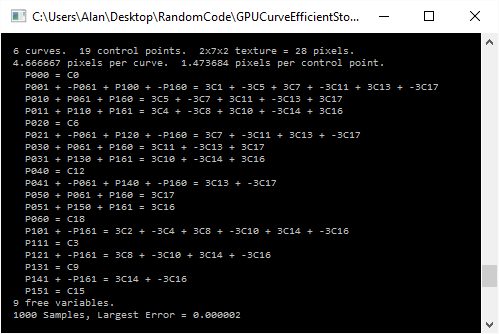
Here’s the code:

#define _CRT_SECURE_NO_WARNINGS

#include <stdio.h>
#include <stdlib.h>
#include <array>
#include <algorithm>
#include <unordered_set>
#include <random>
#include <vector>

#define SHOW_MATHJAX_MATRIX() 0
#define SHOW_MATHJAX_EQUATIONS() 0
#define SHOW_EQUATIONS_BEFORE_SOLVE() 0
#define EQUALITY_TEST_SAMPLES 1000

typedef int32_t TINT;

TINT CalculateGCD (TINT smaller, TINT larger);
TINT CalculateLCM (TINT smaller, TINT larger);

// A rational number, to handle fractional numbers without typical floating point issues
struct CRationalNumber
{
	CRationalNumber (TINT numerator = 0, TINT denominator = 1)
		: m_numerator(numerator)
		, m_denominator(denominator)
	{ }

	TINT m_numerator;
	TINT m_denominator;

	CRationalNumber Reciprocal () const
	{
		return CRationalNumber(m_denominator, m_numerator);
	}

	void Reduce ()
	{
		if (m_numerator != 0 && m_denominator != 0)
		{
			TINT div = CalculateGCD(m_numerator, m_denominator);
			m_numerator /= div;
			m_denominator /= div;
		}

		if (m_denominator < 0)
		{
			m_numerator *= -1;
			m_denominator *= -1;
		}
		
		if (m_numerator == 0)
			m_denominator = 1;
	}

	bool IsZero () const
	{
		return m_numerator == 0 && m_denominator != 0;
	}

	// NOTE: the functions below assume Reduce() has happened
	bool IsOne () const
	{
		return m_numerator == 1 && m_denominator == 1;
	}

	bool IsMinusOne () const
	{
		return m_numerator == -1 && m_denominator == 1;
	}

	bool IsWholeNumber () const
	{
		return m_denominator == 1;
	}
};

// Define a vector as an array of rational numbers
template<size_t N>
using TVector = std::array<CRationalNumber, N>;

// Define a matrix as an array of vectors
template<size_t M, size_t N>
using TMatrix = std::array<TVector<N>, M>;

//===================================================================================================================================
//                                              GCD / LCM
//===================================================================================================================================

// from my blog post: https://blog.demofox.org/2015/01/24/programmatically-calculating-gcd-and-lcm/

TINT CalculateGCD (TINT smaller, TINT larger)
{
	// make sure A <= B before starting
	if (larger < smaller)
		std::swap(smaller, larger);

	// loop
	while (1)
	{
		// if the remainder of larger / smaller is 0, they are the same
		// so return smaller as the GCD
		TINT remainder = larger % smaller;
		if (remainder == 0)
			return smaller;

		// otherwise, the new larger number is the old smaller number, and
		// the new smaller number is the remainder
		larger = smaller;
		smaller = remainder;
	}
}

TINT CalculateLCM (TINT A, TINT B)
{
	// LCM(A,B) = (A/GCD(A,B))*B
	return (A / CalculateGCD(A, B))*B;
}

//===================================================================================================================================
//                                              RATIONAL NUMBER MATH
//===================================================================================================================================

void CommonDenominators (CRationalNumber& a, CRationalNumber& b)
{
	TINT lcm = CalculateLCM(a.m_denominator, b.m_denominator);

	a.m_numerator *= lcm / a.m_denominator;
	b.m_numerator *= lcm / b.m_denominator;

	a.m_denominator = lcm;
	b.m_denominator = lcm;
}

bool operator == (const CRationalNumber& a, const CRationalNumber& b)
{
	CRationalNumber _a(a), _b(b);
	CommonDenominators(_a, _b);
	return _a.m_numerator == _b.m_numerator;
}

void operator *= (CRationalNumber& a, const CRationalNumber& b)
{
	a.m_numerator *= b.m_numerator;
	a.m_denominator *= b.m_denominator;
}

CRationalNumber operator * (const CRationalNumber& a, const CRationalNumber& b)
{
	return CRationalNumber(a.m_numerator * b.m_numerator, a.m_denominator * b.m_denominator);
}

void operator -= (CRationalNumber& a, const CRationalNumber& b)
{
	CRationalNumber _b(b);
	CommonDenominators(a, _b);
	a.m_numerator -= _b.m_numerator;
}

//===================================================================================================================================
//                                              GAUSS-JORDAN ELIMINATION CODE
//===================================================================================================================================

// From my blog post: https://blog.demofox.org/2017/04/10/solving-n-equations-and-n-unknowns-the-fine-print-gauss-jordan-elimination/

// Make a specific row have a 1 in the colIndex, and make all other rows have 0 there
template <size_t M, size_t N>
bool MakeRowClaimVariable (TMatrix<M, N>& matrix, size_t rowIndex, size_t colIndex)
{
    // Find a row that has a non zero value in this column and swap it with this row
    {
        // Find a row that has a non zero value
        size_t nonZeroRowIndex = rowIndex;
        while (nonZeroRowIndex < M && matrix[nonZeroRowIndex][colIndex].IsZero())
            ++nonZeroRowIndex;
 
        // If there isn't one, nothing to do
        if (nonZeroRowIndex == M)
            return false;
 
        // Otherwise, swap the row
        if (rowIndex != nonZeroRowIndex)
            std::swap(matrix[rowIndex], matrix[nonZeroRowIndex]);
    }
 
    // Scale this row so that it has a leading one
    CRationalNumber scale = matrix[rowIndex][colIndex].Reciprocal();
	for (size_t normalizeColIndex = colIndex; normalizeColIndex < N; ++normalizeColIndex)
	{
		matrix[rowIndex][normalizeColIndex] *= scale;
		matrix[rowIndex][normalizeColIndex].Reduce();
	}
 
    // Make sure all rows except this one have a zero in this column.
    // Do this by subtracting this row from other rows, multiplied by a multiple that makes the column disappear.
    for (size_t eliminateRowIndex = 0; eliminateRowIndex < M; ++eliminateRowIndex)
    {
        if (eliminateRowIndex == rowIndex)
            continue;
 
        CRationalNumber scale = matrix[eliminateRowIndex][colIndex];
		for (size_t eliminateColIndex = 0; eliminateColIndex < N; ++eliminateColIndex)
		{
			matrix[eliminateRowIndex][eliminateColIndex] -= matrix[rowIndex][eliminateColIndex] * scale;
			matrix[eliminateRowIndex][eliminateColIndex].Reduce();
		}
    }
 
    return true;
}
 
// make matrix into reduced row echelon form
template <size_t M, size_t N>
void GaussJordanElimination (TMatrix<M, N>& matrix)
{
    size_t rowIndex = 0;
    for (size_t colIndex = 0; colIndex < N; ++colIndex)
    {
        if (MakeRowClaimVariable(matrix, rowIndex, colIndex))
        {
            ++rowIndex;
            if (rowIndex == M)
                return;
        }
    }
}

//===================================================================================================================================
//                                                           Shared Testing Code
//===================================================================================================================================

template <size_t M, size_t N, typename LAMBDA>
void PrintEquations (
	TMatrix<M, N>& augmentedMatrix,
	size_t numPixels,
	LAMBDA& pixelIndexToCoordinates
)
{
	char pixelCoords[10];

#if SHOW_MATHJAX_MATRIX()
	// print the matrix opening stuff
	printf("\left[\begin{array}{");
	for (size_t i = 0; i < N; ++i)
	{
		if (i == numPixels)
			printf("|");
		printf("r");
	}
	printf("}n");
	// print the header row
	for (size_t i = 0; i < numPixels; ++i)
	{
		pixelIndexToCoordinates(i, pixelCoords);
		if (i == 0)
			printf("P_{%s}", pixelCoords);
		else
			printf(" & P_{%s}", pixelCoords);
	}
	for (size_t i = numPixels; i < N; ++i)
	{
		printf(" & C_{%zu}", i-numPixels);
	}
	printf(" \\n");

	// Print the matrix
	for (const TVector<N>& row : augmentedMatrix)
	{
		bool first = true;
		for (const CRationalNumber& n : row)
		{
			if (first)
				first = false;
			else
				printf(" & ");

			if (n.IsWholeNumber())
				printf("%i", n.m_numerator);
			else
				printf("\frac{%i}{%i}", n.m_numerator, n.m_denominator);
		}
		printf(" \\n");
	}

	// print the matrix closing stuff
	printf("\end{array}\right]n");
#endif

	// print equations
	for (const TVector<N>& row : augmentedMatrix)
	{
		// indent
		#if SHOW_MATHJAX_EQUATIONS() == 0
			printf("    ");
		#endif

		// left side of the equation
		bool leftHasATerm = false;
		for (size_t i = 0; i < numPixels; ++i)
		{
			if (!row[i].IsZero())
			{
				if (leftHasATerm)
					printf(" + ");
				pixelIndexToCoordinates(i, pixelCoords);

				#if SHOW_MATHJAX_EQUATIONS()
					if (row[i].IsOne())
						printf("P_{%s}", pixelCoords);
					else if (row[i].IsMinusOne())
						printf("-P_{%s}", pixelCoords);
					else if (row[i].IsWholeNumber())
						printf("%iP_{%s}", row[i].m_numerator, pixelCoords);
					else if (row[i].m_numerator == 1)
						printf("P_{%s}/%i", pixelCoords, row[i].m_denominator);
					else
						printf("P_{%s} * %i/%i", pixelCoords, row[i].m_numerator, row[i].m_denominator);
				#else
					if (row[i].IsOne())
						printf("P%s", pixelCoords);
					else if (row[i].IsMinusOne())
						printf("-P%s", pixelCoords);
					else if (row[i].IsWholeNumber())
						printf("%iP%s", row[i].m_numerator, pixelCoords);
					else if (row[i].m_numerator == 1)
						printf("P%s/%i", pixelCoords, row[i].m_denominator);
					else
						printf("P%s * %i/%i", pixelCoords, row[i].m_numerator, row[i].m_denominator);
				#endif
				leftHasATerm = true;
			}
		}
		if (!leftHasATerm)
			printf("0 = ");
		else
			printf(" = ");

		// right side of the equation
		bool rightHasATerm = false;
		for (size_t i = numPixels; i < N; ++i)
		{
			if (!row[i].IsZero())
			{
				if (rightHasATerm)
					printf(" + ");

				#if SHOW_MATHJAX_EQUATIONS()
					if (row[i].IsOne())
						printf("C_{%zu}", i - numPixels);
					else if (row[i].IsMinusOne())
						printf("-C_{%zu}", i - numPixels);
					else if (row[i].IsWholeNumber())
						printf("%iC_{%zu}", row[i].m_numerator, i - numPixels);
					else if (row[i].m_numerator == 1)
						printf("C_{%zu}/%i", i - numPixels, row[i].m_denominator);
					else
						printf("C_{%zu} * %i/%i", i - numPixels, row[i].m_numerator, row[i].m_denominator);
				#else
					if (row[i].IsOne())
						printf("C%zu", i - numPixels);
					else if (row[i].IsMinusOne())
						printf("-C%zu", i - numPixels);
					else if (row[i].IsWholeNumber())
						printf("%iC%zu", row[i].m_numerator, i - numPixels);
					else if (row[i].m_numerator == 1)
						printf("C%zu/%i", i - numPixels, row[i].m_denominator);
					else
						printf("C%zu * %i/%i", i - numPixels, row[i].m_numerator, row[i].m_denominator);
				#endif
				rightHasATerm = true;
			}
		}

		#if SHOW_MATHJAX_EQUATIONS()
			printf("\\n");
		#else
			printf("n");
		#endif
	}
}

template <size_t M, size_t N, typename LAMBDA>
bool SolveMatrixAndPrintEquations (
	TMatrix<M, N>& augmentedMatrix,
	size_t numPixels,
	std::unordered_set<size_t>& freeVariables,
	LAMBDA& pixelIndexToCoordinates
)
{
	#if SHOW_EQUATIONS_BEFORE_SOLVE()
	printf("   Initial Equations:n");
	PrintEquations(augmentedMatrix, numPixels, pixelIndexToCoordinates);
	printf("   Solved Equations:n");
	#endif

	// put augmented matrix into rref
	GaussJordanElimination(augmentedMatrix);

	// Print equations
	PrintEquations(augmentedMatrix, numPixels, pixelIndexToCoordinates);

	// Get free variables and check for control point constraint
	bool constraintFound = false;
	for (const TVector<N>& row : augmentedMatrix)
	{
		bool leftHasATerm = false;
		for (size_t i = 0; i < numPixels; ++i)
		{
			if (!row[i].IsZero())
			{
				if (leftHasATerm)
					freeVariables.insert(i);
				else
					leftHasATerm = true;
			}
		}

		bool rightHasATerm = false;
		for (size_t i = numPixels; i < N; ++i)
		{
			if (!row[i].IsZero())
				rightHasATerm = true;
		}

		if (!leftHasATerm && rightHasATerm)
			constraintFound = true;
	}

	printf("  %zu free variables.n", freeVariables.size());

	if (constraintFound)
	{
		printf("  Constraint Found.  This configuration doesn't work for the general case!nn");
		return false;
	}

	return true;
}

float lerp (float t, float a, float b)
{
	return a * (1.0f - t) + b * t;
}

template <size_t NUMPIXELS, size_t NUMCONTROLPOINTS, size_t NUMEQUATIONS>
void FillInPixelsAndControlPoints (
	std::array<float, NUMPIXELS>& pixels,
	std::array<float, NUMCONTROLPOINTS>& controlPoints,
	const TMatrix<NUMEQUATIONS, NUMPIXELS+ NUMCONTROLPOINTS>& augmentedMatrix,
	const std::unordered_set<size_t>& freeVariables)
{
	// come up with random values for the control points and free variable pixels
	static std::random_device rd;
	static std::mt19937 mt(rd());
	static std::uniform_real_distribution<float> dist(-10.0f, 10.0f);
	for (float& cp : controlPoints)
		cp = dist(mt);
	for (size_t var : freeVariables)
		pixels[var] = dist(mt);

	// fill in the non free variable pixels per the equations
	for (const TVector<NUMPIXELS + NUMCONTROLPOINTS>& row : augmentedMatrix)
	{
		// the first non zero value is the non free pixel we need to set.
		// all other non zero values are free variables that we previously calculated values for
		bool foundPixel = false;
		size_t pixelIndex = 0;
		for (size_t i = 0; i < NUMPIXELS; ++i)
		{
			if (!row[i].IsZero())
			{
				// we are setting the first pixel we find
				if (!foundPixel)
				{
					pixelIndex = i;
					foundPixel = true;
				}
				// subtract out all free variables which is the same as moving them to the right side of the equation
				else
				{
					pixels[pixelIndex] -= pixels[i] * float(row[i].m_numerator) / float(row[i].m_denominator);
				}
			}
		}

		// if there is no pixel value to set on the left side of the equation, ignore this row
		if (!foundPixel)
			continue;

		// add in the values from the right side of the equation
		for (size_t i = NUMPIXELS; i < NUMPIXELS + NUMCONTROLPOINTS; ++i)
		{
			if (!row[i].IsZero())
				pixels[pixelIndex] += controlPoints[i - NUMPIXELS] * float(row[i].m_numerator) / float(row[i].m_denominator);
		}
	}
}

size_t TextureCoordinateToPixelIndex2d (size_t width, size_t height, size_t y, size_t x)
{
	return y * width + x;
};

void PixelIndexToTextureCoordinate2d (size_t width, size_t height, size_t pixelIndex, size_t& y, size_t& x)
{
	x = pixelIndex % width;
	y = pixelIndex / width;
}

size_t TextureCoordinateToPixelIndex3d (size_t width, size_t height, size_t depth, size_t z, size_t y, size_t x)
{
	return 
		z * width * height + 
		y * width +
		x;
};

void PixelIndexToTextureCoordinate3d (size_t width, size_t height, size_t depth, size_t pixelIndex, size_t& z, size_t& y, size_t& x)
{
	x = pixelIndex % width;

	pixelIndex = pixelIndex / width;

	y = pixelIndex % height;

	pixelIndex = pixelIndex / height;

	z = pixelIndex;
}

void PiecewiseCurveTime (float time, size_t numCurves, size_t& outCurveIndex, float& outTime)
{
	time *= float(numCurves);
	outCurveIndex = size_t(time);

	if (outCurveIndex == numCurves)
	{
		outCurveIndex = numCurves - 1;
		outTime = 1.0f;
	}
	else
	{
		outTime = std::fmodf(time, 1.0f);
	}
}


//===================================================================================================================================
//                                                       2D Textures / Quadratic Curves
//===================================================================================================================================
//
// Find the limitations of this pattern and show equivalence to Bernstein Polynomials (Bezier Curve Equations). Pattern details below.
//
//  --- For first curve, do:
//
//  P00 P01
//  P10 P11
//
//  P00 = C0                        0
//  P01 + P10 = 2 * C1              1 2
//  P11 = C2                        3
//
//  --- For each additional curve, add two points to the end like this:
//
//  P00 P01
//  P10 P11
//  P20 P21
//
//  P00 = C0                        0
//  P01 + P10 = 2 * C1              1 2
//  P11 = C2                        3
//
//  P10 = C3                        1
//  P11 + P20 = 2 * C4              3 4
//  P21 = C5                        5
//
//  and so on...
//  each equation is then multiplied by a value so the right side is identity and left side coefficients add up to 1.
//
//  --- Other details:
//  
//  * 3 control points per curve.
//  * image width it 2
//  * image height is 1 + NumCurves.
//  * there are 3 equations per curve, so 3 rows in the augmented matrix per curve.
//  * augmented matrix columns = num pixels (left columns) + num control points (right columns)
//

template <size_t N>
float EvaluateBernsteinPolynomial2DQuadratic (float totalTime, const std::array<float, N>& coefficients)
{
	const size_t c_numCurves = N / 3;

	float t;
	size_t startCurve;
	PiecewiseCurveTime(totalTime, c_numCurves, startCurve, t);

	size_t offset = startCurve * 3;

	float s = 1.0f - t;
	return
		coefficients[offset + 0] * s * s +
		coefficients[offset + 1] * s * t * 2.0f +
		coefficients[offset + 2] * t * t;
}

template <size_t N>
float EvaluateLinearInterpolation2DQuadratic (float totalTime, const std::array<float, N>& pixels)
{
	const size_t c_numCurves = (N / 2) - 1;

	float t;
	size_t startRow;
	PiecewiseCurveTime(totalTime, c_numCurves, startRow, t);

	float row0 = lerp(t, pixels[startRow * 2], pixels[startRow * 2 + 1]);
	float row1 = lerp(t, pixels[(startRow + 1) * 2], pixels[(startRow + 1) * 2 + 1]);
	return lerp(t, row0, row1);
}

template <size_t NUMCURVES>
void Test2DQuadratic ()
{
	const size_t c_imageWidth = 2;
	const size_t c_imageHeight = NUMCURVES + 1;
	const size_t c_numPixels = c_imageWidth * c_imageHeight;
	const size_t c_numControlPoints = NUMCURVES * 3;
	const size_t c_numEquations = NUMCURVES * 3;

	// report values for this test
	printf("  %zu curves.  %zu control points.  2x%zu texture = %zu pixels.n", NUMCURVES, c_numControlPoints, c_imageHeight, c_numPixels);
	printf("  %f pixels per curve.  %f pixels per control point.n", float(c_numPixels) / float(NUMCURVES), float(c_numPixels) / float(c_numControlPoints));

	// lambdas to convert between pixel index and texture coordinates
	auto TextureCoordinateToPixelIndex = [&](size_t y, size_t x) -> size_t
	{
		return TextureCoordinateToPixelIndex2d(c_imageWidth, c_imageHeight, y, x);
	};
	auto pixelIndexToCoordinates = [&](size_t pixelIndex, char pixelCoords[10])
	{
		size_t y, x;
		PixelIndexToTextureCoordinate2d(c_imageWidth, c_imageHeight, pixelIndex, y, x);
		sprintf(pixelCoords, "%zu%zu", y, x);
	};

	// create the equations
	TMatrix<c_numEquations, c_numPixels + c_numControlPoints> augmentedMatrix;
	for (size_t i = 0; i < c_numEquations; ++i)
	{
		TVector<c_numPixels + c_numControlPoints>& row = augmentedMatrix[i];

		// left side of the equation goes in this yx coordinate pattern:
		//   00 
		//   01 10
		//   11
		// But, curve index is added to the y index.
		// Also, left side coefficients must add up to 1.
		size_t curveIndex = i / 3;
		switch (i % 3)
		{
			case 0:
			{
				row[TextureCoordinateToPixelIndex(curveIndex + 0, 0)] = CRationalNumber(1, 1);
				break;
			}
			case 1:
			{
				row[TextureCoordinateToPixelIndex(curveIndex + 0, 1)] = CRationalNumber(1, 2);
				row[TextureCoordinateToPixelIndex(curveIndex + 1, 0)] = CRationalNumber(1, 2);
				break;
			}
			case 2:
			{
				row[TextureCoordinateToPixelIndex(curveIndex + 1, 1)] = CRationalNumber(1, 1);
				break;
			}
		}

		// right side of the equation is identity
		row[c_numPixels + i] = CRationalNumber(1);
	}

	// solve the matrix if possible and print out the equations
	std::unordered_set<size_t> freeVariables;
	if (!SolveMatrixAndPrintEquations(augmentedMatrix, c_numPixels, freeVariables, pixelIndexToCoordinates))
		return;

	// Next we need to show equality between the N-linear interpolation of our pixels and bernstein polynomials with our control points as coefficients

	// Fill in random values for our control points and free variable pixels, and fill in the other pixels as the equations dictate 
	std::array<float, c_numPixels> pixels = { 0 };
	std::array<float, c_numControlPoints> controlPoints = { 0 };
	FillInPixelsAndControlPoints<c_numPixels, c_numControlPoints, c_numEquations>(pixels, controlPoints, augmentedMatrix, freeVariables);

	// do a number of samples of each method at the same time values, and report the largest difference (error)
	float largestDifference = 0.0f;
	for (size_t i = 0; i < EQUALITY_TEST_SAMPLES; ++i)
	{
		float t = float(i) / float(EQUALITY_TEST_SAMPLES - 1);

		float value1 = EvaluateBernsteinPolynomial2DQuadratic(t, controlPoints);
		float value2 = EvaluateLinearInterpolation2DQuadratic(t, pixels);

		largestDifference = std::max(largestDifference, std::abs(value1 - value2));
	}
	printf("  %i Samples, Largest Error = %fnn", EQUALITY_TEST_SAMPLES, largestDifference);
}

void Test2DQuadratics ()
{
	printf("Testing 2D Textures / Quadratic Curvesnn");

	Test2DQuadratic<1>();
	Test2DQuadratic<2>();
	Test2DQuadratic<3>();

	system("pause");
}

//===================================================================================================================================
//                                    2D Textures / Quadratic Curves With C0 Continuity
//===================================================================================================================================
//
// Find the limitations of this pattern and show equivalence to Bernstein Polynomials (Bezier Curve Equations). Pattern details below.
//
//  --- For first curve, do:
//
//  P00 P01
//  P10 P11
//
//  P00 = C0                        0
//  P01 + P10 = 2 * C1              1 2
//  P11 = C2                        3
//
//  --- For second curve, do:
//
//  P00 P01
//  P10 P11
//  P20 P21
//
//  P00 = C0                        0
//  P01 + P10 = 2 * C1              1 2
//  P11 = C2                        3
//
//  P10 + P21 = 2 * C3              2 5
//  P20 = C4                        4
//
//  --- For third curve, do:
//
//  P00 P01
//  P10 P11
//  P20 P21
//  P30 P31
//
//  P00 = C0
//  P01 + P10 = 2 * C1
//  P11 = C2
//
//  P10 + P21 = 2 * C3
//  P20 = C4
//
//  P21 + P30 = 2 * C5
//  P31 = C6
//
//  and so on...
//  each equation is then multiplied by a value so the right side is identity and left side coefficients add up to 1.
//
//  --- Other details:
//  
//  * control points: 1 + NumCurves*2.
//  * image width it 2
//  * image height is 1 + NumCurves.
//  * equations: 1 + NumCurves*2.  This many rows in the augmented matrix.
//  * augmented matrix columns = num pixels (left columns) + num control points (right columns)
//

template <size_t N>
float EvaluateBernsteinPolynomial2DQuadraticC0 (float totalTime, const std::array<float, N>& coefficients)
{
	const size_t c_numCurves = (N - 1) / 2;

	float t;
	size_t startCurve;
	PiecewiseCurveTime(totalTime, c_numCurves, startCurve, t);

	size_t offset = startCurve * 2;

	float s = 1.0f - t;
	return
		coefficients[offset + 0] * s * s +
		coefficients[offset + 1] * s * t * 2.0f +
		coefficients[offset + 2] * t * t;
}

template <size_t N>
float EvaluateLinearInterpolation2DQuadraticC0 (float totalTime, const std::array<float, N>& pixels)
{
	const size_t c_numCurves = (N / 2) - 1;

	float t;
	size_t startRow;
	PiecewiseCurveTime(totalTime, c_numCurves, startRow, t);

	// Note we flip x axis direction every odd row to get the zig zag
	float horizT = (startRow % 2) == 0 ? t : 1.0f - t;

	float row0 = lerp(horizT, pixels[startRow * 2], pixels[startRow * 2 + 1]);
	++startRow;
	float row1 = lerp(horizT, pixels[startRow * 2], pixels[startRow * 2 + 1]);
	return lerp(t, row0, row1);
}

template <size_t NUMCURVES>
void Test2DQuadraticC0 ()
{
	const size_t c_imageWidth = 2;
	const size_t c_imageHeight = NUMCURVES + 1;
	const size_t c_numPixels = c_imageWidth * c_imageHeight;
	const size_t c_numControlPoints = 1 + NUMCURVES * 2;
	const size_t c_numEquations = 1 + NUMCURVES * 2;

	// report values for this test
	printf("  %zu curves.  %zu control points.  2x%zu texture = %zu pixels.n", NUMCURVES, c_numControlPoints, c_imageHeight, c_numPixels);
	printf("  %f pixels per curve.  %f pixels per control point.n", float(c_numPixels) / float(NUMCURVES), float(c_numPixels) / float(c_numControlPoints));

	// lambdas to convert between pixel index and texture coordinates
	auto TextureCoordinateToPixelIndex = [&] (size_t y, size_t x) -> size_t
	{
		return TextureCoordinateToPixelIndex2d(c_imageWidth, c_imageHeight, y, x);
	};
	auto pixelIndexToCoordinates = [&] (size_t pixelIndex, char pixelCoords[10])
	{
		size_t y, x;
		PixelIndexToTextureCoordinate2d(c_imageWidth, c_imageHeight, pixelIndex, y, x);
		sprintf(pixelCoords, "%zu%zu", y, x);
	};

	// create the equations
	TMatrix<c_numEquations, c_numPixels + c_numControlPoints> augmentedMatrix;
	for (size_t i = 0; i < c_numEquations; ++i)
	{
		TVector<c_numPixels + c_numControlPoints>& row = augmentedMatrix[i];

		// left side of the equation has a pattern like this:
		//   00
		//   01 10
		//
		// But, pattern index is added to the y index.
		// Also, the x coordinates flip from 0 to 1 on those after each pattern.
		// Also, left side coefficients must add up to 1.

		size_t patternIndex = i / 2;
		size_t xoff = patternIndex % 2 == 1;
		size_t xon = patternIndex % 2 == 0;
		switch (i % 2)
		{
			case 0:
			{
				row[TextureCoordinateToPixelIndex(patternIndex + 0, xoff)] = CRationalNumber(1, 1);
				break;
			}
			case 1:
			{
				row[TextureCoordinateToPixelIndex(patternIndex + 0, xon)] = CRationalNumber(1, 2);
				row[TextureCoordinateToPixelIndex(patternIndex + 1, xoff)] = CRationalNumber(1, 2);
				break;
			}
		}

		// right side of the equation is identity
		row[c_numPixels + i] = CRationalNumber(1);
	}
	
	// solve the matrix if possible and print out the equations
	std::unordered_set<size_t> freeVariables;
	if (!SolveMatrixAndPrintEquations(augmentedMatrix, c_numPixels, freeVariables, pixelIndexToCoordinates))
		return;

	// Next we need to show equality between the N-linear interpolation of our pixels and bernstein polynomials with our control points as coefficients

	// Fill in random values for our control points and free variable pixels, and fill in the other pixels as the equations dictate 
	std::array<float, c_numPixels> pixels = { 0 };
	std::array<float, c_numControlPoints> controlPoints = { 0 };
	FillInPixelsAndControlPoints<c_numPixels, c_numControlPoints, c_numEquations>(pixels, controlPoints, augmentedMatrix, freeVariables);

	// do a number of samples of each method at the same time values, and report the largest difference (error)
	float largestDifference = 0.0f;
	for (size_t i = 0; i < EQUALITY_TEST_SAMPLES; ++i)
	{
		float t = float(i) / float(EQUALITY_TEST_SAMPLES - 1);

		float value1 = EvaluateBernsteinPolynomial2DQuadraticC0(t, controlPoints);
		float value2 = EvaluateLinearInterpolation2DQuadraticC0(t, pixels);

		largestDifference = std::max(largestDifference, std::abs(value1 - value2));
	}
	printf("  %i Samples, Largest Error = %fnn", EQUALITY_TEST_SAMPLES, largestDifference);
}

void Test2DQuadraticsC0 ()
{
	printf("nTesting 2D Textures / Quadratic Curves with C0 continuitynn");

	Test2DQuadraticC0<1>();
	Test2DQuadraticC0<2>();
	Test2DQuadraticC0<3>();
	Test2DQuadraticC0<4>();

	system("pause");
}

//===================================================================================================================================
//                                             3D Textures / Cubic Curves
//===================================================================================================================================
//
// Find the limitations of this pattern and show equivalence to Bernstein Polynomials (Bezier Curve Equations). Pattern details below.
//
//  --- For first curve, do:
//
//  P000 P001    P100 P101
//  P010 P011    P110 P111
//
//  P000 = C0                       0
//  P001 + P010 + P100 = 3 * C1     1 2 4
//  P011 + P101 + P110 = 3 * C2     3 5 6
//  P111 = C3                       7
//
//  --- For second curve, do:
//
//  P000 P001    P100 P101
//  P010 P011    P110 P111
//  P020 P021    P120 P121
//
//  P000 = C0                       0
//  P001 + P010 + P100 = 3 * C1     1 2 4
//  P011 + P101 + P110 = 3 * C2     3 7 8
//  P111 = C3                       9
//
//  P010 = C4                       2
//  P011 + P020 + P110 = 3 * C5     3 4 8
//  P021 + P111 + P120 = 3 * C6     5 9 10
//  P121 = C7                       11
//
//  and so on...
//  each equation is then multiplied by a value so the right side is identity and left side coefficients add up to 1.
//
//  --- Other details:
//  
//  * control points: 4 * NumCurves.
//  * image width it 2
//  * image depth is 2
//  * image height is 1 + NumCurves.
//  * equations: 4 * NumCurves.  This many rows in the augmented matrix.
//  * augmented matrix columns = num pixels (left columns) + num control points (right columns)
//

template <size_t N>
float EvaluateBernsteinPolynomial3DCubic (float totalTime, const std::array<float, N>& coefficients)
{
	const size_t c_numCurves = N / 4;

	float t;
	size_t startCurve;
	PiecewiseCurveTime(totalTime, c_numCurves, startCurve, t);

	size_t offset = startCurve * 4;

	float s = 1.0f - t;
	return
		coefficients[offset + 0] * s * s * s +
		coefficients[offset + 1] * s * s * t * 3.0f +
		coefficients[offset + 2] * s * t * t * 3.0f +
		coefficients[offset + 3] * t * t * t;
}

template <size_t N, typename LAMBDA>
float EvaluateLinearInterpolation3DCubic (float totalTime, const std::array<float, N>& pixels, LAMBDA& TextureCoordinateToPixelIndex)
{
	const size_t c_numCurves = (N / 4) - 1;

	float t;
	size_t startRow;
	PiecewiseCurveTime(totalTime, c_numCurves, startRow, t);

	//    rowZYX
	float row00x = lerp(t, pixels[TextureCoordinateToPixelIndex(0, startRow + 0, 0)], pixels[TextureCoordinateToPixelIndex(0, startRow + 0, 1)]);
	float row01x = lerp(t, pixels[TextureCoordinateToPixelIndex(0, startRow + 1, 0)], pixels[TextureCoordinateToPixelIndex(0, startRow + 1, 1)]);
	float row0yx = lerp(t, row00x, row01x);

	float row10x = lerp(t, pixels[TextureCoordinateToPixelIndex(1, startRow + 0, 0)], pixels[TextureCoordinateToPixelIndex(1, startRow + 0, 1)]);
	float row11x = lerp(t, pixels[TextureCoordinateToPixelIndex(1, startRow + 1, 0)], pixels[TextureCoordinateToPixelIndex(1, startRow + 1, 1)]);
	float row1yx = lerp(t, row10x, row11x);

	return lerp(t, row0yx, row1yx);
}

template <size_t NUMCURVES>
void Test3DCubic ()
{
	const size_t c_imageWidth = 2;
	const size_t c_imageHeight = NUMCURVES + 1;
	const size_t c_imageDepth = 2;
	const size_t c_numPixels = c_imageWidth * c_imageHeight * c_imageDepth;
	const size_t c_numControlPoints = NUMCURVES * 4;
	const size_t c_numEquations = NUMCURVES * 4;

	// report values for this test
	printf("  %zu curves.  %zu control points.  2x%zux2 texture = %zu pixels.n", NUMCURVES, c_numControlPoints, c_imageHeight, c_numPixels);
	printf("  %f pixels per curve.  %f pixels per control point.n", float(c_numPixels) / float(NUMCURVES), float(c_numPixels) / float(c_numControlPoints));

	// lambdas to convert between pixel index and texture coordinates
	auto TextureCoordinateToPixelIndex = [&] (size_t z, size_t y, size_t x) -> size_t
	{
		return TextureCoordinateToPixelIndex3d(c_imageWidth, c_imageHeight, c_imageDepth, z, y, x);
	};
	auto pixelIndexToCoordinates = [&] (size_t pixelIndex, char pixelCoords[10])
	{
		size_t z, y, x;
		PixelIndexToTextureCoordinate3d(c_imageWidth, c_imageHeight, c_imageDepth, pixelIndex, z, y, x);
		sprintf(pixelCoords, "%zu%zu%zu", z,y,x);
	};

	// create the equations
	TMatrix<c_numEquations, c_numPixels + c_numControlPoints> augmentedMatrix;
	for (size_t i = 0; i < c_numEquations; ++i)
	{
		TVector<c_numPixels + c_numControlPoints>& row = augmentedMatrix[i];

		// left side of the equation goes in this zyx coordinate pattern:
		//   000 
		//   001 010 100 
		//   011 101 110
		//   111
		// But, curve index is added to the y index.
		// Also, left side coefficients must add up to 1.
		size_t curveIndex = i / 4;
		switch (i % 4)
		{
			case 0:
			{
				row[TextureCoordinateToPixelIndex(0, curveIndex + 0, 0)] = CRationalNumber(1, 1);
				break;
			}
			case 1:
			{
				row[TextureCoordinateToPixelIndex(0, curveIndex + 0, 1)] = CRationalNumber(1, 3);
				row[TextureCoordinateToPixelIndex(0, curveIndex + 1, 0)] = CRationalNumber(1, 3);
				row[TextureCoordinateToPixelIndex(1, curveIndex + 0, 0)] = CRationalNumber(1, 3);
				break;
			}
			case 2:
			{
				row[TextureCoordinateToPixelIndex(0, curveIndex + 1, 1)] = CRationalNumber(1, 3);
				row[TextureCoordinateToPixelIndex(1, curveIndex + 0, 1)] = CRationalNumber(1, 3);
				row[TextureCoordinateToPixelIndex(1, curveIndex + 1, 0)] = CRationalNumber(1, 3);
				break;
			}
			case 3:
			{
				row[TextureCoordinateToPixelIndex(1, curveIndex + 1, 1)] = CRationalNumber(1, 1);
				break;
			}
		}

		// right side of the equation is identity
		row[c_numPixels + i] = CRationalNumber(1);
	}

	// solve the matrix if possible and print out the equations
	std::unordered_set<size_t> freeVariables;
	if (!SolveMatrixAndPrintEquations(augmentedMatrix, c_numPixels, freeVariables, pixelIndexToCoordinates))
		return;

	// Next we need to show equality between the N-linear interpolation of our pixels and bernstein polynomials with our control points as coefficients

	// Fill in random values for our control points and free variable pixels, and fill in the other pixels as the equations dictate 
	std::array<float, c_numPixels> pixels = { 0 };
	std::array<float, c_numControlPoints> controlPoints = { 0 };
	FillInPixelsAndControlPoints<c_numPixels, c_numControlPoints, c_numEquations>(pixels, controlPoints, augmentedMatrix, freeVariables);

	// do a number of samples of each method at the same time values, and report the largest difference (error)
	float largestDifference = 0.0f;
	for (size_t i = 0; i < EQUALITY_TEST_SAMPLES; ++i)
	{
		float t = float(i) / float(EQUALITY_TEST_SAMPLES - 1);

		float value1 = EvaluateBernsteinPolynomial3DCubic(t, controlPoints);
		float value2 = EvaluateLinearInterpolation3DCubic(t, pixels, TextureCoordinateToPixelIndex);

		largestDifference = std::max(largestDifference, std::abs(value1 - value2));
	}
	printf("  %i Samples, Largest Error = %fnn", EQUALITY_TEST_SAMPLES, largestDifference);
}

void Test3DCubics ()
{
	printf("nTesting 3D Textures / Cubic Curvesnn");

	Test3DCubic<1>();
	Test3DCubic<2>();
	Test3DCubic<3>();
	Test3DCubic<4>();

	system("pause");
}

//===================================================================================================================================
//                                         3D Textures / Cubic Curves Multiple Curves
//===================================================================================================================================
//
// Find the limitations of this pattern and show equivalence to Bernstein Polynomials (Bezier Curve Equations). Pattern details below.
//
// This is the same as 3D Textures / Cubic Curves, but there is a second curve stored by flipping x coordinates.
//
//  --- Other details:
//  
//  * control points: 4 * NumCurves.
//  * image width it 2
//  * image depth is 2
//  * image height is 1 + (NumCurves/2).
//  * equations: 4 * NumCurves.  This many rows in the augmented matrix.
//  * augmented matrix columns = num pixels (left columns) + num control points (right columns)
//

template <size_t HALFNUMCURVES>
void Test3DCubicMulti ()
{
	const size_t NUMCURVES = HALFNUMCURVES * 2;
	const size_t c_imageWidth = 2;
	const size_t c_imageHeight = HALFNUMCURVES + 1;
	const size_t c_imageDepth = 2;
	const size_t c_numPixels = c_imageWidth * c_imageHeight * c_imageDepth;
	const size_t c_numControlPoints = NUMCURVES * 4;
	const size_t c_numEquations = NUMCURVES * 4;

	// report values for this test
	printf("  %zu curves.  %zu control points.  2x%zux2 texture = %zu pixels.n", NUMCURVES, c_numControlPoints, c_imageHeight, c_numPixels);
	printf("  %f pixels per curve.  %f pixels per control point.n", float(c_numPixels) / float(NUMCURVES), float(c_numPixels) / float(c_numControlPoints));

	// lambdas to convert between pixel index and texture coordinates
	auto TextureCoordinateToPixelIndex = [&] (size_t z, size_t y, size_t x) -> size_t
	{
		return TextureCoordinateToPixelIndex3d(c_imageWidth, c_imageHeight, c_imageDepth, z, y, x);
	};
	auto pixelIndexToCoordinates = [&] (size_t pixelIndex, char pixelCoords[10])
	{
		size_t z, y, x;
		PixelIndexToTextureCoordinate3d(c_imageWidth, c_imageHeight, c_imageDepth, pixelIndex, z, y, x);
		sprintf(pixelCoords, "%zu%zu%zu", z,y,x);
	};

	// create the first set of equations
	TMatrix<c_numEquations, c_numPixels + c_numControlPoints> augmentedMatrix;
	for (size_t i = 0; i < c_numEquations / 2; ++i)
	{
		TVector<c_numPixels + c_numControlPoints>& row = augmentedMatrix[i];

		// left side of the equation goes in this zyx coordinate pattern:
		//   000 
		//   001 010 100 
		//   011 101 110
		//   111
		// But, curve index is added to the y index.
		// Also, left side coefficients must add up to 1.
		size_t curveIndex = i / 4;
		switch (i % 4)
		{
			case 0:
			{
				row[TextureCoordinateToPixelIndex(0, curveIndex + 0, 0)] = CRationalNumber(1, 1);
				break;
			}
			case 1:
			{
				row[TextureCoordinateToPixelIndex(0, curveIndex + 0, 1)] = CRationalNumber(1, 3);
				row[TextureCoordinateToPixelIndex(0, curveIndex + 1, 0)] = CRationalNumber(1, 3);
				row[TextureCoordinateToPixelIndex(1, curveIndex + 0, 0)] = CRationalNumber(1, 3);
				break;
			}
			case 2:
			{
				row[TextureCoordinateToPixelIndex(0, curveIndex + 1, 1)] = CRationalNumber(1, 3);
				row[TextureCoordinateToPixelIndex(1, curveIndex + 0, 1)] = CRationalNumber(1, 3);
				row[TextureCoordinateToPixelIndex(1, curveIndex + 1, 0)] = CRationalNumber(1, 3);
				break;
			}
			case 3:
			{
				row[TextureCoordinateToPixelIndex(1, curveIndex + 1, 1)] = CRationalNumber(1, 1);
				break;
			}
		}

		// right side of the equation is identity
		row[c_numPixels + i] = CRationalNumber(1);
	}

	// create the second set of equations
	for (size_t i = 0; i < c_numEquations / 2; ++i)
	{
		TVector<c_numPixels + c_numControlPoints>& row = augmentedMatrix[i + c_numEquations / 2];

		// left side of the equation goes in this zyx coordinate pattern, which is the same as above but x axis flipped.
		//   001
		//   000 011 101 
		//   010 100 111
		//   110
		// But, curve index is added to the y index.
		// Also, left side coefficients must add up to 1.
		size_t curveIndex = i / 4;
		switch (i % 4)
		{
			case 0:
			{
				row[TextureCoordinateToPixelIndex(0, curveIndex + 0, 1)] = CRationalNumber(1, 1);
				break;
			}
			case 1:
			{
				row[TextureCoordinateToPixelIndex(0, curveIndex + 0, 0)] = CRationalNumber(1, 3);
				row[TextureCoordinateToPixelIndex(0, curveIndex + 1, 1)] = CRationalNumber(1, 3);
				row[TextureCoordinateToPixelIndex(1, curveIndex + 0, 1)] = CRationalNumber(1, 3);
				break;
			}
			case 2:
			{
				row[TextureCoordinateToPixelIndex(0, curveIndex + 1, 0)] = CRationalNumber(1, 3);
				row[TextureCoordinateToPixelIndex(1, curveIndex + 0, 0)] = CRationalNumber(1, 3);
				row[TextureCoordinateToPixelIndex(1, curveIndex + 1, 1)] = CRationalNumber(1, 3);
				break;
			}
			case 3:
			{
				row[TextureCoordinateToPixelIndex(1, curveIndex + 1, 0)] = CRationalNumber(1, 1);
				break;
			}
		}

		// right side of the equation is identity
		row[c_numPixels + i + c_numEquations / 2] = CRationalNumber(1);
	}

	// solve the matrix if possible and print out the equations
	std::unordered_set<size_t> freeVariables;
	SolveMatrixAndPrintEquations(augmentedMatrix, c_numPixels, freeVariables, pixelIndexToCoordinates);
}

void Test3DCubicsMulti ()
{
	printf("nTesting 3D Textures / Cubic Curves with Multiple Curvesnn");

	Test3DCubicMulti<1>();

	system("pause");
}

//===================================================================================================================================
//                                       3D Textures / Cubic Curves With C0 Continuity
//===================================================================================================================================
//
// Find the limitations of this pattern and show equivalence to Bernstein Polynomials (Bezier Curve Equations). Pattern details below.
//
//  --- For first curve, do:
//
//  P000 P001    P100 P101
//  P010 P011    P110 P111
//
//  P000 = C0                       
//  P001 + P010 + P100 = 3 * C1     
//  P011 + P101 + P110 = 3 * C2     
//  P111 = C3                       
//
//  --- For second curve, do:
//
//  P000 P001    P100 P101
//  P010 P011    P110 P111
//  P020 P021    P120 P121
//
//  P000 = C0                       
//  P001 + P010 + P100 = 3 * C1     
//  P011 + P101 + P110 = 3 * C2     
//  P111 = C3                       
//                       
//  P011 + P110 + P121 = 3 * C4     
//  P010 + P021 + P110 = 3 * C5     
//  P020 = C6     
//
//  --- For third curve, do:
//
//  P000 P001    P100 P101
//  P010 P011    P110 P111
//  P020 P021    P120 P121
//  P030 P031    P130 P131
//
//  P000 = C0                       
//  P001 + P010 + P100 = 3 * C1     
//  P011 + P101 + P110 = 3 * C2     
//  P111 = C3                       
//                       
//  P011 + P110 + P121 = 3 * C4     
//  P010 + P021 + P110 = 3 * C5     
//  P020 = C6     
//
//  P021 + P030 + P120 = 3 * C7     
//  P031 + P121 + P130 = 3 * C8     
//  P131 = C9   
//
//  and so on...
//  each equation is then multiplied by a value so the right side is identity and left side coefficients add up to 1.
//
//  --- Other details:
//  
//  * control points: 1 + 3 * NumCurves.
//  * image width it 2
//  * image depth is 2
//  * image height is 1 + NumCurves.
//  * equations: 1 + 3 * NumCurves.  This many rows in the augmented matrix.
//  * augmented matrix columns = num pixels (left columns) + num control points (right columns)
//

template <size_t N>
float EvaluateBernsteinPolynomial3DCubicC0 (float totalTime, const std::array<float, N>& coefficients)
{
	const size_t c_numCurves = (N-1) / 3;

	float t;
	size_t startCurve;
	PiecewiseCurveTime(totalTime, c_numCurves, startCurve, t);

	size_t offset = startCurve * 3;

	float s = 1.0f - t;
	return
		coefficients[offset + 0] * s * s * s +
		coefficients[offset + 1] * s * s * t * 3.0f +
		coefficients[offset + 2] * s * t * t * 3.0f +
		coefficients[offset + 3] * t * t * t;
}

template <size_t N, typename LAMBDA>
float EvaluateLinearInterpolation3DCubicC0 (float totalTime, const std::array<float, N>& pixels, LAMBDA& TextureCoordinateToPixelIndex)
{
	const size_t c_numCurves = (N / 4) - 1;

	float t;
	size_t startRow;
	PiecewiseCurveTime(totalTime, c_numCurves, startRow, t);

	// Note we flip x and z axis direction every odd row to get the zig zag

	//    rowZYX
	float xzT = (startRow % 2) == 0 ? t : 1.0f - t;
	float row00x = lerp(xzT, pixels[TextureCoordinateToPixelIndex(0, startRow + 0, 0)], pixels[TextureCoordinateToPixelIndex(0, startRow + 0, 1)]);
	float row01x = lerp(xzT, pixels[TextureCoordinateToPixelIndex(0, startRow + 1, 0)], pixels[TextureCoordinateToPixelIndex(0, startRow + 1, 1)]);
	float row0yx = lerp(t, row00x, row01x);

	float row10x = lerp(xzT, pixels[TextureCoordinateToPixelIndex(1, startRow + 0, 0)], pixels[TextureCoordinateToPixelIndex(1, startRow + 0, 1)]);
	float row11x = lerp(xzT, pixels[TextureCoordinateToPixelIndex(1, startRow + 1, 0)], pixels[TextureCoordinateToPixelIndex(1, startRow + 1, 1)]);
	float row1yx = lerp(t, row10x, row11x);

	return lerp(xzT, row0yx, row1yx);
}

template <size_t NUMCURVES>
void Test3DCubicC0 ()
{

	const size_t c_imageWidth = 2;
	const size_t c_imageHeight = NUMCURVES + 1;
	const size_t c_imageDepth = 2;
	const size_t c_numPixels = c_imageWidth * c_imageHeight * c_imageDepth;
	const size_t c_numControlPoints = 1 + NUMCURVES * 3;
	const size_t c_numEquations = 1 + NUMCURVES * 3;

	// report values for this test
	printf("  %zu curves.  %zu control points.  2x%zux2 texture = %zu pixels.n", NUMCURVES, c_numControlPoints, c_imageHeight, c_numPixels);
	printf("  %f pixels per curve.  %f pixels per control point.n", float(c_numPixels) / float(NUMCURVES), float(c_numPixels) / float(c_numControlPoints));

	// lambdas to convert between pixel index and texture coordinates
	auto TextureCoordinateToPixelIndex = [&] (size_t z, size_t y, size_t x) -> size_t
	{
		return TextureCoordinateToPixelIndex3d(c_imageWidth, c_imageHeight, c_imageDepth, z, y, x);
	};
	auto pixelIndexToCoordinates = [&] (size_t pixelIndex, char pixelCoords[10])
	{
		size_t z, y, x;
		PixelIndexToTextureCoordinate3d(c_imageWidth, c_imageHeight, c_imageDepth, pixelIndex, z, y, x);
		sprintf(pixelCoords, "%zu%zu%zu", z,y,x);
	};

	// create the equations
	TMatrix<c_numEquations, c_numPixels + c_numControlPoints> augmentedMatrix;
	for (size_t i = 0; i < c_numEquations; ++i)
	{
		TVector<c_numPixels + c_numControlPoints>& row = augmentedMatrix[i];

		// left side of the equation has a pattern like this:
		//   000
		//   001 010 100
		//   011 101 110
		//
		// But, pattern index is added to the y index.
		// Also, the x and z coordinates flip from 0 to 1 on those after each pattern.
		// Also, left side coefficients must add up to 1.
		size_t patternIndex = i / 3;
		size_t xz0 = patternIndex % 2 == 1;
		size_t xz1 = patternIndex % 2 == 0;
		switch (i % 3)
		{
			case 0:
			{
				row[TextureCoordinateToPixelIndex(xz0, patternIndex + 0, xz0)] = CRationalNumber(1, 1);
				break;
			}
			case 1:
			{
				row[TextureCoordinateToPixelIndex(xz0, patternIndex + 0, xz1)] = CRationalNumber(1, 3);
				row[TextureCoordinateToPixelIndex(xz0, patternIndex + 1, xz0)] = CRationalNumber(1, 3);
				row[TextureCoordinateToPixelIndex(xz1, patternIndex + 0, xz0)] = CRationalNumber(1, 3);
				break;
			}
			case 2:
			{
				row[TextureCoordinateToPixelIndex(xz0, patternIndex + 1, xz1)] = CRationalNumber(1, 3);
				row[TextureCoordinateToPixelIndex(xz1, patternIndex + 0, xz1)] = CRationalNumber(1, 3);
				row[TextureCoordinateToPixelIndex(xz1, patternIndex + 1, xz0)] = CRationalNumber(1, 3);
				break;
			}
		}

		// right side of the equation is identity
		row[c_numPixels + i] = CRationalNumber(1);
	}

	// solve the matrix if possible and print out the equations
	std::unordered_set<size_t> freeVariables;
	if (!SolveMatrixAndPrintEquations(augmentedMatrix, c_numPixels, freeVariables, pixelIndexToCoordinates))
		return;

	// Next we need to show equality between the N-linear interpolation of our pixels and bernstein polynomials with our control points as coefficients

	// Fill in random values for our control points and free variable pixels, and fill in the other pixels as the equations dictate 
	std::array<float, c_numPixels> pixels = { 0 };
	std::array<float, c_numControlPoints> controlPoints = { 0 };
	FillInPixelsAndControlPoints<c_numPixels, c_numControlPoints, c_numEquations>(pixels, controlPoints, augmentedMatrix, freeVariables);

	// do a number of samples of each method at the same time values, and report the largest difference (error)
	float largestDifference = 0.0f;
	for (size_t i = 0; i < EQUALITY_TEST_SAMPLES; ++i)
	{
		float t = float(i) / float(EQUALITY_TEST_SAMPLES - 1);

		float value1 = EvaluateBernsteinPolynomial3DCubicC0(t, controlPoints);
		float value2 = EvaluateLinearInterpolation3DCubicC0(t, pixels, TextureCoordinateToPixelIndex);

		largestDifference = std::max(largestDifference, std::abs(value1 - value2));
	}
	printf("  %i Samples, Largest Error = %fnn", EQUALITY_TEST_SAMPLES, largestDifference);
}

void Test3DCubicsC0 ()
{

	printf("nTesting 3D Textures / Cubic Curves with C0 continuitynn");

	Test3DCubicC0<1>();
	Test3DCubicC0<2>();
	Test3DCubicC0<3>();
	Test3DCubicC0<4>();
	Test3DCubicC0<5>();
	Test3DCubicC0<6>();

	system("pause");
}

//===================================================================================================================================
//                                                                 main
//===================================================================================================================================

int main (int agrc, char **argv)
{
	Test2DQuadratics();
	Test2DQuadraticsC0();
	Test3DCubics();
	Test3DCubicsMulti();
	Test3DCubicsC0();

	return 0;
}
Orthogonal Projection Matrix Plainly Explained

“Scratch a Pixel” has a really nice explanation of perspective and orthogonal projection matrices.

It inspired me to make a very simple / plain explanation of orthogonal projection matrices that hopefully will help them be less opaque for folks and more intuitive.

Original article: Scratch A Pixel: The Perspective and Orthographic Projection Matrix

Let’s Get To It!

The whole purpose of an orthogonal matrix is to take x,y and z as input and output x,y and z such that valid points on the screen will have x,y,z values between -1 and 1.

If we transform a point and get an x,y or z that is outside of that range, we know the point is outside of the screen either because it’s too far left, right, up or down, or because it’s too close or too far on the z axis.

Let’s think about how we’d do this, thinking only about the x coordinate for now.

To map some range of x values from -1 to 1, we’ll need to decide on what x value maps to -1 and what x value maps to 1. We’ll call these “left” and “right”.

Given a left and right value, and an x value we want to map to the range, perhaps the most straight forward way to do it would be this:

XOut = \frac{X-Left}{Right-Left} * 2 - 1

The division calculates the percentage of how far X is between left and right. Multiplying that by 2 and subtracting 1 changes it so instead of valid points being from 0 to 1 (aka from 0% to 100%), they are instead between -1 and 1.

Let’s change this formula so that there is one term that is multiplied by X and another term that has everything else. (Wondering why? It’s because I’m cheating and know the final form. Don’t feel bad if it isn’t intuitive why we’d do this!)

\frac{X-Left}{Right-Left} * 2 - 1 =\\ \\ \frac{2(X-Left)}{Right-Left} - 1 =\\ \\ \frac{2X-2*Left}{Right-Left} - 1 =\\ \\ \frac{2X-2*Left}{Right-Left} - \frac{Right-Left}{Right-Left} =\\ \\ \frac{2X-2*Left-(Right-Left)}{Right-Left} =\\ \\ \frac{2X-2*Left-Right+Left}{Right-Left} =\\ \\ \frac{2X-Left-Right}{Right-Left} =\\ \\ \frac{2X}{Right-Left} - \frac{Right+Left}{Right-Left} =\\ \\ \frac{2}{Right-Left}X - \frac{Right+Left}{Right-Left}\\

Setting up the formula this way allows us to transform the x component of an (x,y,z,1) point using a dot product:

(x,y,z,1) \cdot (\frac{2}{Right-Left},0,0,-\frac{Right+Left}{Right-Left}) = \frac{2}{Right-Left}X - \frac{Right+Left}{Right-Left}

A dot product is what happens during matrix multiplication, so if we put this into a 4×4 matrix, we get the same result. Let’s check that out.
We start with an identity matrix. If we use it to transform an (x,y,z,1) point, we get the same point as output aka nothing happens.

\begin{bmatrix} 1 & 0 & 0 & 0 \\ 0 & 1 & 0 & 0 \\ 0 & 0 & 1 & 0 \\ 0 & 0 & 0 & 1 \\ \end{bmatrix}

Now let’s put the x transform we came up with into the matrix:

\begin{bmatrix} \frac{2}{Right-Left} & 0 & 0 & 0 \\ 0 & 1 & 0 & 0 \\ 0 & 0 & 1 & 0 \\ -\frac{Right+Left}{Right-Left} & 0 & 0 & 1 \\ \end{bmatrix}

If we use that matrix to transform an (x,y,z,1) point, it will transform our x component as we described (valid ranges of x that are between left and right will be between -1 and 1), while leaving the other components of the point alone.

As you might imagine, it’s pretty simple to get our formulas for y and z as well. Starting with the x formula, we can just change x with y and z, and right/left with top/bottom and far/near.

XOut = \frac{2}{Right-Left}X - \frac{Right+Left}{Right-Left} \\ \\ YOut = \frac{2}{Top-Bottom}Y - \frac{Top+Bottom}{Top-Bottom} \\ \\ ZOut = \frac{2}{Far-Near}Z - \frac{Far+Near}{Far-Near}

We can put those into our matrix to get a full orthographic projection matrix.

\begin{bmatrix} \frac{2}{Right-Left} & 0 & 0 & 0 \\ 0 & \frac{2}{Top-Bottom} & 0 & 0 \\ 0 & 0 & \frac{2}{Far-Near} & 0 \\ -\frac{Right+Left}{Right-Left} & - \frac{Top+Bottom}{Top-Bottom} & - \frac{Far+Near}{Far-Near} & 1 \\ \end{bmatrix}

There we go, that’s all there is to making an orthographic projection matrix. It’s whole purpose is to convert x,y,z values to be between -1 and 1 so that the GPU knows whether points are inside our outside the screen – and thus whether they need to be clipped or not.

Variations

While the projection matrix we made is a valid orthographic projection matrix in OpenGL, we actually need a tweak for it to be valid for DirectX. The reason for this is because while in OpenGL the clip space for z is between -1 and 1, it’s actually between 0 and 1 for DirectX!

If you leave off the *2-1 for the z formula, but leave it for x and y, you’ll end up with a matrix like this one:

\begin{bmatrix} \frac{2}{Right-Left} & 0 & 0 & 0 \\ 0 & \frac{2}{Top-Bottom} & 0 & 0 \\ 0 & 0 & \frac{1}{Near-Far} & 0 \\ -\frac{Right+Left}{Right-Left} & - \frac{Top+Bottom}{Top-Bottom} & - \frac{Near}{Near-Far} & 1 \\ \end{bmatrix}

Another variation you’ll see is a version where the camera is centered on the origin for the x and y axis. In other words, left = -right, and top = -bottom. When that is true, right+left and top+bottom become zero which simplifies the matrix to this:

\begin{bmatrix} \frac{2}{Width} & 0 & 0 & 0 \\ 0 & \frac{2}{Height} & 0 & 0 \\ 0 & 0 & \frac{2}{Far-Near} & 0 \\ 0 & 0 & -\frac{Far+Near}{Far-Near} & 1 \\ \end{bmatrix}

Another variation you’ll see is that the matrix is transposed. You’ll see this when switching between pre and post multiplication, or when switching from column major matrices to row matrices. Either is valid and it’s basically just a notation and convention thing. Here is the origional matrix we made transposed.

\begin{bmatrix} \frac{2}{Right-Left} & 0 & 0 & -\frac{Right+Left}{Right-Left}  \\ 0 & \frac{2}{Top-Bottom} & 0 & -\frac{Top+Bottom}{Top-Bottom} \\ 0 & 0 & \frac{2}{Far-Near} & -\frac{Far+Near}{Far-Near} \\ 0 & 0 & 0 & 1 \\ \end{bmatrix}

Lastly, the above matrices were all for a “left handed” system. That means that it assumes the positive x axis goes to the right, the positive y axis goes up, and the positive z goes into your screen (aka, the camera is looking down the positive z axis). Positive Z values will map to the valid -1 to 1 range, while negative z values will be outside the valid range.

A variation on the orthographic projection matrix we made that you’ll see is the matrix being a “right handed” matrix which is the same as the left handed matrix, except that the positive z axis goes out from your screen (aka the camera is looking down the negative z axis). Negative Z values will map to the valid -1 to 1 range, while positive z values will be outside the valid range.

To switch the handedness of the matrix, you just flip the sign of the element at (3,3), so here is our original orthographic projection matrix, but converted to right handed instead of left handed.

\begin{bmatrix} \frac{2}{Right-Left} & 0 & 0 & 0 \\ 0 & \frac{2}{Top-Bottom} & 0 & 0 \\ 0 & 0 & -\frac{2}{Far-Near} & 0 \\ -\frac{Right+Left}{Right-Left} & - \frac{Top+Bottom}{Top-Bottom} & - \frac{Far+Near}{Far-Near} & 1 \\ \end{bmatrix}

You may also just see the denominator changed from Far-Near to Near-Far which has the same effect, and would give you something like this:
\begin{bmatrix} \frac{2}{Right-Left} & 0 & 0 & 0 \\ 0 & \frac{2}{Top-Bottom} & 0 & 0 \\ 0 & 0 & \frac{2}{Near-Far} & 0 \\ -\frac{Right+Left}{Right-Left} & - \frac{Top+Bottom}{Top-Bottom} & - \frac{Far+Near}{Far-Near} & 1 \\ \end{bmatrix}

Fun trivia: the term “sinister” comes from latin, meaning “left handed”. So, when talking to someone about their graphics engine, you can ask them whether or not they use sinister projection 😛

Links

Scratch A Pixel: The Perspective and Orthographic Projection Matrix

D3DXMatrixOrthoRH (DirectX) – shows the resulting matrix. Also links to left handed and off center variants.

glOrtho (OpenGL) – shows resulting matrix.